
> ## Documentation Index
> Fetch the complete documentation index at: https://dragonwingdocs.qualcomm.com/llms.txt
> Use this file to discover all available pages before exploring further.

# Enable AprilTag Pipeline with sample_apriltag

The `sample_apriltag` is a ROS package that provides AprilTag pipeline samples for Qualcomm robotics platforms.

<Note>
  **Note**

  For more information, see [sample\_apriltag](https://github.com/qualcomm-qrb-ros/qrb_ros_samples/tree/main/robotics/sample_apriltag) on GitHub.
</Note>

<video
  autoPlay
  muted
  loop
  playsInline
  width={720}
  height={456}
  src="https://mintcdn.com/qualcomm-prod/AeBa_PbSuUY_ELHw/SDKs/QIR-SDK-2.0/media/80-65220-2-qirp-sdk-qsg/sample-apriltag.mp4?fit=max&auto=format&n=AeBa_PbSuUY_ELHw&q=85&s=8044aaf75fa489ec4b7831ca7726c653"
  style={{
width: "90%",
display: "block",
margin: "0 auto" }}
  data-path="SDKs/QIR-SDK-2.0/media/80-65220-2-qirp-sdk-qsg/sample-apriltag.mp4"
/>

<p style={{ textAlign: 'center', fontWeight: 'bold' }}>
  Figure: Sample results of `sample_apriltag`
</p>

## Pipeline flow for `sample_apriltag`

<img
  src="https://mintcdn.com/qualcomm-prod/AeBa_PbSuUY_ELHw/SDKs/QIR-SDK-2.0/media/80-65220-2-qirp-sdk-qsg/sample-apriltag-pipeline-regenerate.svg?fit=max&auto=format&n=AeBa_PbSuUY_ELHw&q=85&s=1ec62b320897a75e01ce0385b3bf4a35"
  style={{
width: "100%",
display: "block",
margin: "0 auto" }}
  width="1166"
  height="388"
  data-path="SDKs/QIR-SDK-2.0/media/80-65220-2-qirp-sdk-qsg/sample-apriltag-pipeline-regenerate.svg"
/>

<p style={{ textAlign: 'center', fontWeight: 'bold' }}>
  Figure: Pipeline flow for `sample_apriltag`
</p>

* The pipeline accepts an NV12 image from `qrb_ros_camera` and converts the color space to RGB8 format.
* Then, it uses `image_proc` to rectify the image, and outputs `/apriltag/image_rect`.
* The `Apriltag` node detects tags and calculates their poses, which are published via `/tf`.

## ROS nodes used in the `sample_apriltag `pipeline

| **ROS node**                                                                                                            | **Description**                                                                                                                   |
| :---------------------------------------------------------------------------------------------------------------------- | :-------------------------------------------------------------------------------------------------------------------------------- |
| [qrb\_ros::camera::CameraNode](https://github.com/qualcomm-qrb-ros/qrb_ros_camera)                                      | It's a Qualcomm ROS 2 package that captures images with parameters and publishes them to ROS topics.                              |
| [qrb\_ros::colorspace\_convert::ColorspaceConvertNode](https://github.com/qualcomm-qrb-ros/qrb_ros_color_space_convert) | It's a ROS node that converts image from nv12 to rgb8 format.                                                                     |
| [image\_proc::RectifyNode](https://github.com/ros-perception/image_pipeline/tree/rolling/image_proc)                    | Subscribes to the unrectified image and camera calibration metadata to make rectification.                                        |
| [apriltag\_ros::AprilTagNode](https://github.com/christianrauch/apriltag_ros)                                           | This ROS 2 node uses the `AprilTag` library to detect AprilTags in images and publishes their poses, IDs and additional metadata. |

## ROS topics used in the `sample_apriltag `pipeline

<table>
  <thead>
    <tr>
      <th style={{ width: '25%' }}>ROS Topic</th>
      <th style={{ width: '35%' }}>Type</th>
      <th style={{ width: '40%' }}>Published by</th>
    </tr>
  </thead>

  <tbody>
    <tr>
      <td>`/apriltag/image_nv12`</td>
      <td>`sensor_msgs/msg/Image`</td>
      <td>`qrb_ros::camera::CameraNode`</td>
    </tr>

    <tr>
      <td>`/apriltag/camera_info`</td>
      <td>`sensor_msgs/msg/CameraInfo`</td>
      <td>`qrb_ros::camera::CameraNode`</td>
    </tr>

    <tr>
      <td>`/apriltag/image_rgb8`</td>
      <td>`sensor_msgs/msg/Image`</td>
      <td>`qrb_ros::colorspace_convert::ColorspaceConvertNode`</td>
    </tr>

    <tr>
      <td>`/apriltag/image_rect`</td>
      <td>`sensor_msgs/msg/Image`</td>
      <td>`image_proc::RectifyNode`</td>
    </tr>

    <tr>
      <td>`/apriltag/detections`</td>
      <td>`apriltag_msgs/msg/AprilTagDetectionArray`</td>
      <td>`apriltag_ros::AprilTagNode`</td>
    </tr>

    <tr>
      <td>`/tf`</td>
      <td>`tf2_msgs/msg/TFMessage`</td>
      <td>`apriltag_ros::AprilTagNode`</td>
    </tr>
  </tbody>
</table>

## Prerequisites

You have completed the settings in [Set up the environment for running sample applications](./set-up-env-for-sample-app).

## Run out-of-the-box `sample_apriltag`

<Accordion title="Try me">
  <Steps>
    <Step title="Run the sample on the development kit">
      ```bash title="SSH Session" theme={null}
      # setup runtime environment
      source /usr/share/qirp-setup.sh
      # Set the ROS_DOMAIN_ID
      export ROS_DOMAIN_ID=123
      # Set environment for color space convert node
      export XDG_RUNTIME_DIR=/run/user/1000
      export WAYLAND_DISPLAY=wayland-1
      # Run apriltag pipeline
      ros2 launch sample_apriltag sample_apriltag.launch.py
      ```
    </Step>

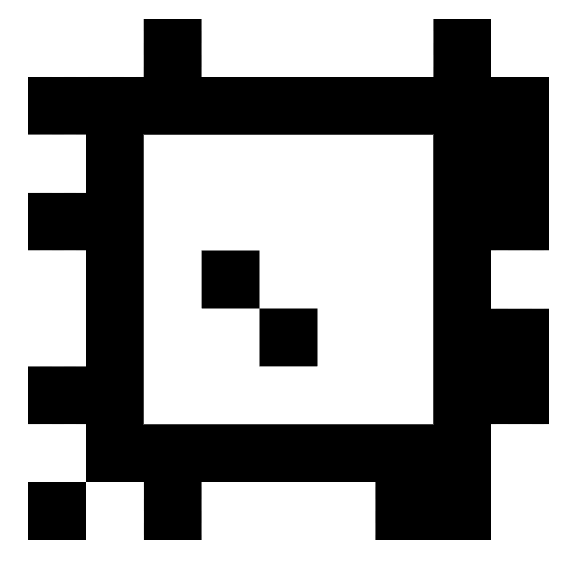
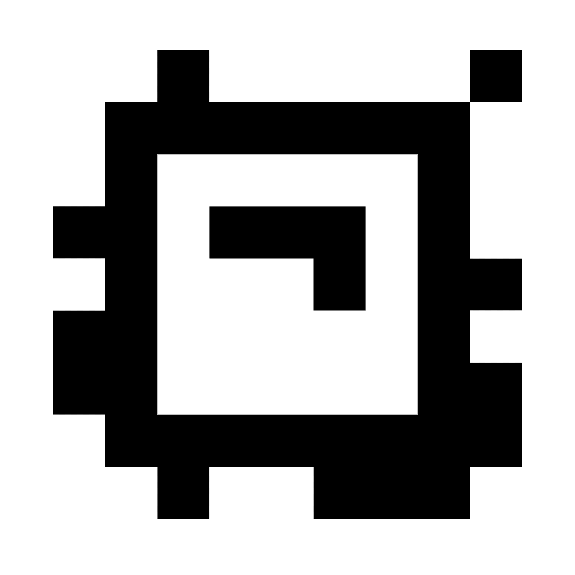
    <Step title="Place AprilTag images in front of the camera">
      <table>
        <tr>
          <th align="center">
            <img src="https://mintcdn.com/qualcomm-prod/Wc1juBQkT-boIg_Z/SDKs/QIR-SDK-2.0/media/80-65220-2-qirp-sdk-qsg/april-tag1.png?fit=max&auto=format&n=Wc1juBQkT-boIg_Z&q=85&s=deb86c01aebbf44733e5d6f3d886f5fc" alt="tagStandard41h12-1" width="150" data-path="SDKs/QIR-SDK-2.0/media/80-65220-2-qirp-sdk-qsg/april-tag1.png" />
          </th>

          <th align="center">
            <img src="https://mintcdn.com/qualcomm-prod/Wc1juBQkT-boIg_Z/SDKs/QIR-SDK-2.0/media/80-65220-2-qirp-sdk-qsg/april-tag2.png?fit=max&auto=format&n=Wc1juBQkT-boIg_Z&q=85&s=859ede47776edbc441e0dd2b6f87ba19" alt="tagStandard41h12-2" width="150" data-path="SDKs/QIR-SDK-2.0/media/80-65220-2-qirp-sdk-qsg/april-tag2.png" />
          </th>

          <th align="center">
            <img src="https://mintcdn.com/qualcomm-prod/Wc1juBQkT-boIg_Z/SDKs/QIR-SDK-2.0/media/80-65220-2-qirp-sdk-qsg/april-tag3.png?fit=max&auto=format&n=Wc1juBQkT-boIg_Z&q=85&s=400aec7a8d3153cf2968802fc7a7d1cb" alt="tagStandard41h12-3" width="150" data-path="SDKs/QIR-SDK-2.0/media/80-65220-2-qirp-sdk-qsg/april-tag3.png" />
          </th>
        </tr>

        <tr>
          <td align="center">tagStandard41h12: 1</td>
          <td align="center">tagStandard41h12: 2</td>
          <td align="center">tagStandard41h12: 3</td>
        </tr>
      </table>
    </Step>

    <Step title="Check the detection result">
      1. Start a terminal and run the following commands to check the apriltag detection result.
         ```bash title="SSH Session" theme={null}
         source /usr/share/qirp-setup.sh
         export ROS_DOMAIN_ID=123
         ros2 topic echo /apriltag/detections
         ```
         The pipeline outputs the detection results with `/apriltag/detections` and detects the tag pose with `/tf`.
      2. To check the topic output, run the following command:
         ```bash title="SSH Session" theme={null}
         ros2 topic echo /apriltag/detections
         ```
         **Result:**
         ```bash theme={null}
         header:
         stamp:
            sec: 1756288539
            nanosec: 411482784
         frame_id: stream1_2625
         detections:
         - family: tagStandard41h12
         id: 1
         hamming: 0
         goodness: 0.0
         decision_margin: 153.66729736328125
         centre:
            x: 595.2331201546427
            y: 382.94486450729545
         ...
         ```

      The result shows:

      * Detected tag: `tagStandard41h12`

      * Tag ID: `1`
    </Step>
  </Steps>
</Accordion>

## Build and run `sample_apriltag`

<Accordion title="Try me">
  <Steps>
    <Step title="Build and package on the host computer">
      1. Build the sample application project.
         ```bash theme={null}
         cd <qirp_decompressed_workspace>
         source setup.sh
         # build sample
         cd qirp-samples/robotics/sample_apriltag
         colcon build
         ```
      2. Package and push the sample application to the device.
         ```bash theme={null}
         # package and push build result of sample
         cd <qirp_decompressed_workspace>
         cd qirp-samples/robotics/sample_apriltag/install/sample_apriltag
         tar -czvf sample_apriltag.tar.gz share
         scp sample_apriltag.tar.gz root@[ip-addr]:/opt/
         ```
    </Step>

    <Step title="Install and run on the development kit">
      1. Install the sample application.
         ```bash title="SSH Session" theme={null}
         # Remount the /usr directory with read-write permissions
         # Install sample package
         tar --no-overwrite-dir --no-same-owner -zxf /opt/sample_apriltag.tar.gz -C /usr/ros/jazzy/
         ```
      2. Run the sample application with the steps in [Run out-of-the-box sample\_apriltag](#run-out-of-the-box-sample_apriltag).
    </Step>
  </Steps>
</Accordion>
