

AI / ML
Repository: github.com/eivholt/qai-nemotron
Target: Qualcomm Dragonwing IQ-9075 EVK / QCS9075 / Hexagon v73. Hardware generously sponsored by Qualcomm.
Model: nvidia/Llama-3.1-Nemotron-Nano-8B-v1
Runtime result: 183 ms time to first token and 10.03 generated tokens/s on the EVK Edge-deployed language models are at the very cusp of being useful alternatives to traditional control-flow programming. While exciting, local model selection can be tricky, in stark contrast to large frontier models. The larger models are more forgiving all-rounders, edge-deployable smaller models need to be selected with care. Official model benchmarks and leaderboards may give some idea on what a particular model is good at, but they often hide practical quirks or limitations. The only certain way to gauge a model is to get it running on an end-device and running some representative tests.
What this tutorial accomplishes
In this tutorial I share my journey taking NVIDIA’s BF16Llama-3.1-Nemotron-Nano-8B-v1 checkpoint, quantizing it to Qualcomm’s W4A16 deployment format, compiling it for QCS9075 in Qualcomm AI Hub Workbench, installing the matching QAIRT runtime on a physical IQ-9075 EVK, and running the model through Genie on the Hexagon HTP/NPU.
My friend coined the phrase “Like applause at a jazz concert”. In the same way non-jazz listeners may be puzzled by spontaneous bursts of cheer in the middle of 23 minute jazz jams, the accomplishments of this technical exercise may not be obvious and can also easily be misinterpreted.
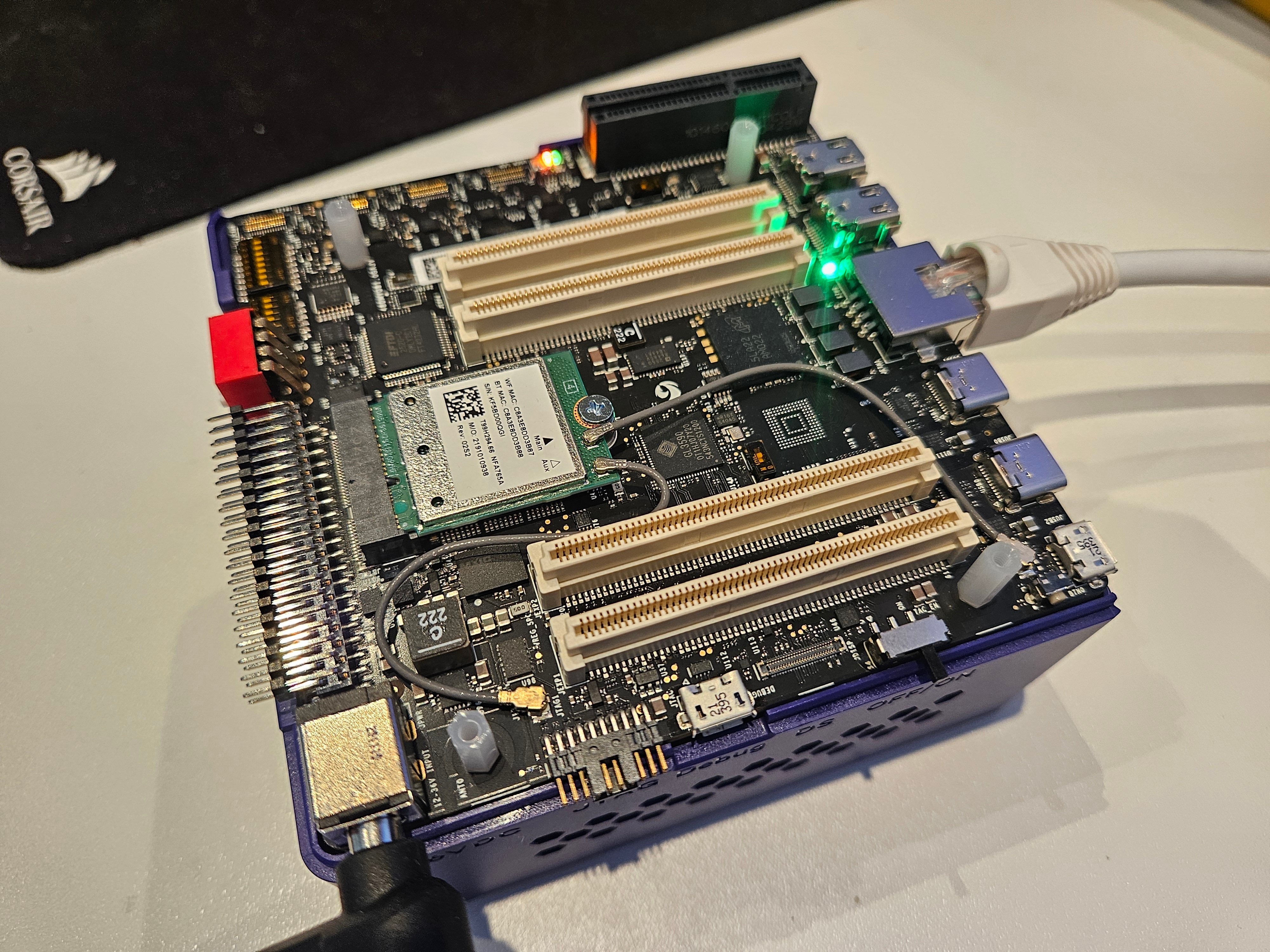
QnnHtp backend and the physical EVK’s Hexagon v73 DSP. In the validated run, the model generated coherent output at 10.03 tokens/s, essentially matching Qualcomm’s published performance for stock Llama 3.1 8B on the same platform.
An important architectural clarification
This specific Nemotron model is not a new Mamba or mixture-of-experts network. NVIDIA identifies it as a dense decoder-only Transformer with the same network architecture as Llama 3.1 8B Instruct. Its differentiation is in NVIDIA’s post-training: reasoning on/off behavior, tool calling, RAG, coding, instruction following, preference optimization, and reinforcement learning. That architectural compatibility is why Qualcomm’s existing Llama 3.1 8B implementation could be used as the deployment scaffold. The accomplishment is therefore:Running NVIDIA’s Nemotron-specific post-trained weights on Qualcomm’s optimized Llama 3.1 execution path, not adding a new Mamba/MoE operator stack to QAIRT.
Where Nemotron Nano finds its role on a Qualcomm Dragonwing IQ-9075 EVK
As detailed in the follow-up tutorial, quantizing and exporting Nemotron Nano for the IQ9075 is a good fit if the target is simple, BFCL-style agentic tool use: choosing the right tool, filling arguments, abstaining when no tool is needed, and issuing simple parallel calls. After fixing the Nemotron-native parser, it outperformed the already-quantized QC AI Hub Llama 3.1 8B model on my small EVK BFCL-inspired suite. A model like Ministral 3B Q4 is weaker on that type of simple tasks, while it remains much stronger on complex multi-step agent workflows.For model selection for any given application, the devil is in the details. Aggregated benchmark results in model cards might indicate a model’s strengths, but purpose-built benchmarks for each application are a must!
The end-to-end pipeline
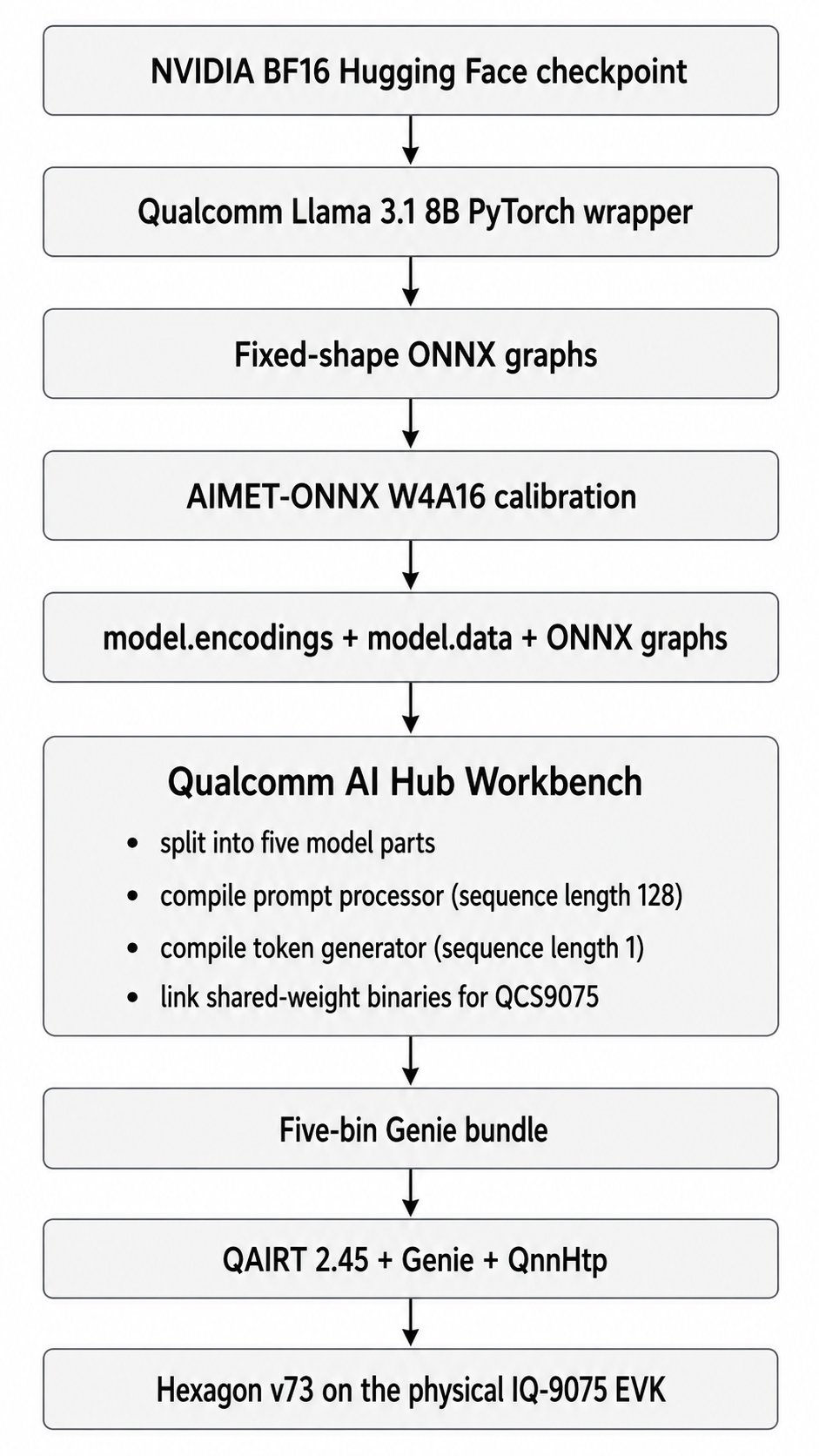
Technical concepts
W4A16 means most weights are represented with 4-bit integers while activations remain 16-bit. Qualcomm also keeps selected tensors, including the language-model head and KV-cache interfaces, at higher precision where needed. ONNX short for Open Neural Network Exchange, is a portable model format for representing machine-learning models independently of the framework they were trained in. A model trained in PyTorch, TensorFlow, or another framework can be exported to ONNX, then optimized, quantized, compiled, or run by different inference engines and hardware toolchains. In practice, ONNX acts as an interchange layer: it describes the model graph, operators, tensor shapes, weights, and metadata in a standardized way so deployment tools can consume the model without depending directly on the original training framework. AIMET short for AI Model Efficiency Toolkit, is Qualcomm’s open-source toolkit for compressing and optimizing neural networks before deployment. It is commonly used for quantization, calibration, and accuracy recovery, helping convert large floating-point models into lower-precision formats such as INT8 or W4A16 while preserving as much model quality as possible. In a Qualcomm deployment pipeline, AIMET often sits between model export, such as ONNX, and hardware compilation, producing quantization encodings and calibrated artifacts that downstream Qualcomm tools can compile for efficient inference on target accelerators. QuantSim is AIMET’s quantization simulation graph. It inserts quantize/dequantize operations into ONNX so calibration can estimate scales and the host can approximate on-device numerical behavior before compilation. Prompt processor versus token generator: the prompt processor consumes chunks of the input, 128 tokens per invocation in this deployment. The token generator consumes one token at a time after the first output token. Both graphs must work; validating only the calibration-shape graph is insufficient. KV cache stores attention keys and values from previous tokens. It avoids recomputing the whole prompt for every generated token, but its dimensions depend on context length and are therefore compiled into the deployment graphs. HTP/cDSP: Qualcomm’s Hexagon Tensor Processor is accessed through the compute DSP and FastRPC transport. The application uses host-side QNN libraries, DSP-side skel libraries, a kernel FastRPC device, and a userspace daemon. A failure in any layer can appear as a generic device-creation error. BFCLHardware and software used for the successful run
Host workstation
Target device
Why this host is unusually large
The final W4A16 checkpoint itself is only part of the story. During QuantSim creation, ONNX export, calibration, and checkpoint serialization, the host temporarily holds large graph structures and external tensor data. The successful 4K-context run reached roughly 174 GiB resident memory. A smaller workstation may complete a reduced smoke test but still fail on the full4096 / 2048 / 20 run. A few detours arose due to compatibility issues with the RTX 5090 (sm_120); this tutorial addresses these, as that card is the only feasibly obtainable “enthusiast-level” option capable of the task at hand.
For a lower-memory host, use a bare-metal Linux server or cloud A100/H100-class machine with at least 192-256 GB system RAM. The compiled bundle can then be copied back to the EVK.
Prepare WSL2 and storage
Work in the Linux filesystem
Store the project under the WSL filesystem:/mnt/c. Cross-filesystem I/O is slower, and this workflow performs hundreds of gigabytes of reads and writes.
Make enough memory visible to WSL
The first failed runs were killed by Linux even though the Windows host had 191 GB of RAM. WSL2 had its own lower memory limit. Create this Windows-side file if it does not already exist:Plan for disk use
Before starting:model.data file, several ONNX graphs, encodings, temporary archives, Hugging Face weights, CUDA packages, and pip/Conda caches.
Create a version-aligned host environment
The environment is the most important reproducibility detail in this tutorial. My first Python 3.12 environment with AIMET-ONNX 2.33 and ONNX Runtime GPU 1.22 completed quantization, but the deployment-shape graphs emitted multilingual token salad (™). The graph used directly for calibration could produce a correct token, while the separately exported 128-token and 1-token graphs were wrong. Quantization success messages did not guarantee a valid checkpoint. The working environment aligned to Qualcomm’s Llama 3.1 recipe wherever possible, while retaining a newer PyTorch build for the RTX 5090.Create a Python 3.10 Conda environment
Install Blackwell-compatible PyTorch
Qualcomm’s model-specific package originally pinned PyTorch 2.4.1/CUDA 12.1. That build recognized the RTX 5090 but lackedsm_120 kernels. PyTorch warned that the GPU was incompatible.
Install CUDA 12.8 wheels instead:
Install QAI Hub Models without the Llama extra
Do not install the Llama extra directly in this environment, because it can downgrade PyTorch to the incompatible version.Install Qualcomm’s AIMET-ONNX 2.26 wheel
Install ONNX Runtime GPU last
qai-hub-models metadata may complain that plain onnxruntime is absent. Do not install both CPU and GPU distributions just to satisfy metadata. Both provide the same onnxruntime Python module, and whichever was installed last can silently replace the other.
Fix AIMET’s libpython3.10.so.1.0 lookup
The first AIMET 2.26 run failed with:
Verify the exact environment
Verify AIMET before spending an hour on the model
Run a tiny QuantSim test
A successful import is not enough. Exercise AIMET’s nativelibpymo path and create a QuantSim session:
__del__ warning after process exit can be ignored if the test itself passed and returned exit code zero.
Quantize Nemotron
Authenticate with Hugging Face if needed
Accept the relevant model licenses and log in:Run a small validation quantization first
Warnings that were nonfatal in this run
You may see:Validate the actual deployment path
Do not test only the graph used directly during calibration. Test the 128-token prompt processor and the sequence-length-1 generator together:Why this validation matters
With the earlier AIMET 2.33 / Python 3.12 stack, quantization printedcompleted successfully, and the large calibration graph could output the correct first token. Yet the 128-token and 1-token deployment graphs generated Gerald Cooper-ish nonsense. The fix was not more calibration samples; it was the version-aligned environment.
Run the full 4K-context quantization
model.data file was approximately 32.1 GB.
Validate the full checkpoint before cloud compilation
Compile for QCS9075 in Qualcomm AI Hub
Configure Qualcomm AI Hub Workbench
Obtain an API token from the same Qualcomm account you will use to inspect jobs: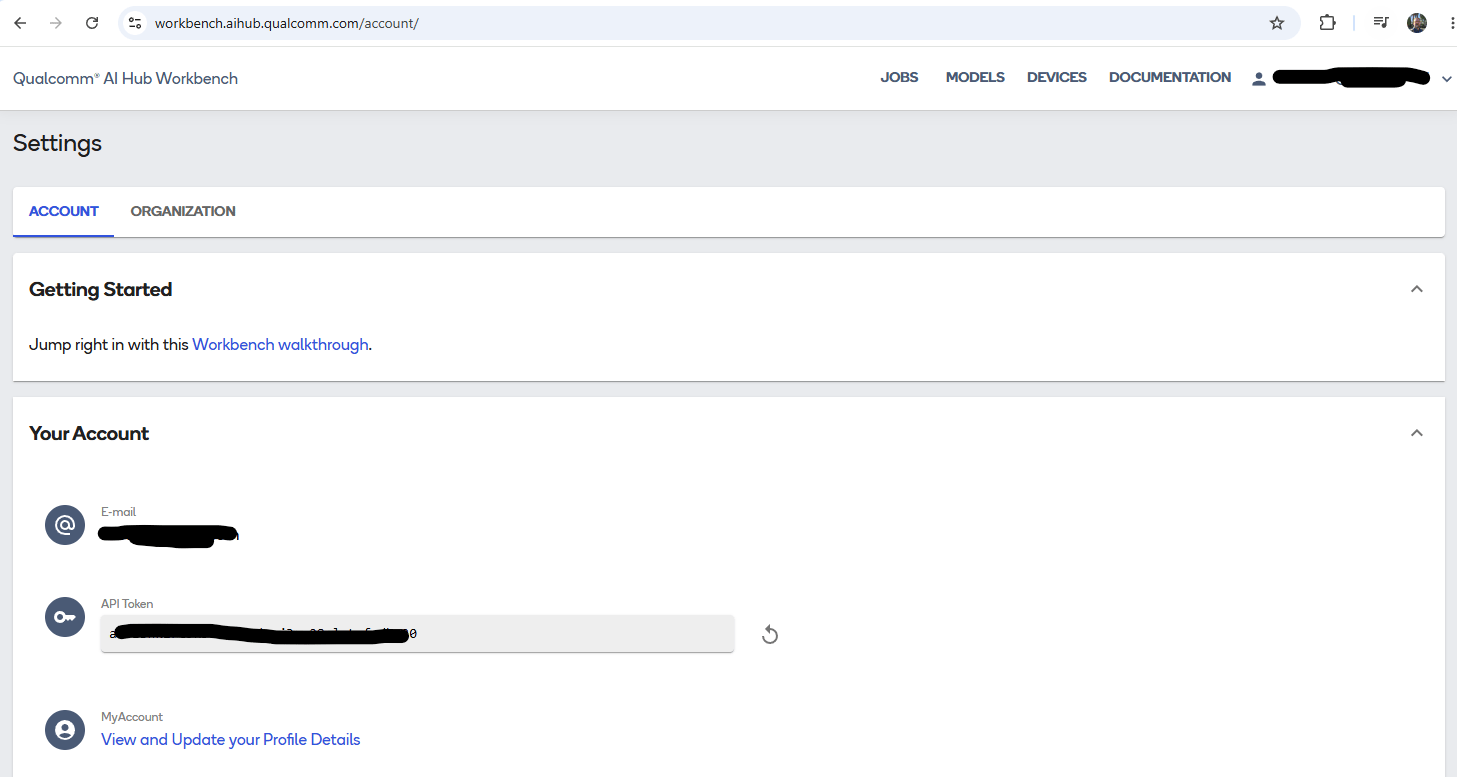
Export for the Dragonwing IQ-9075 EVK
What this command actually does
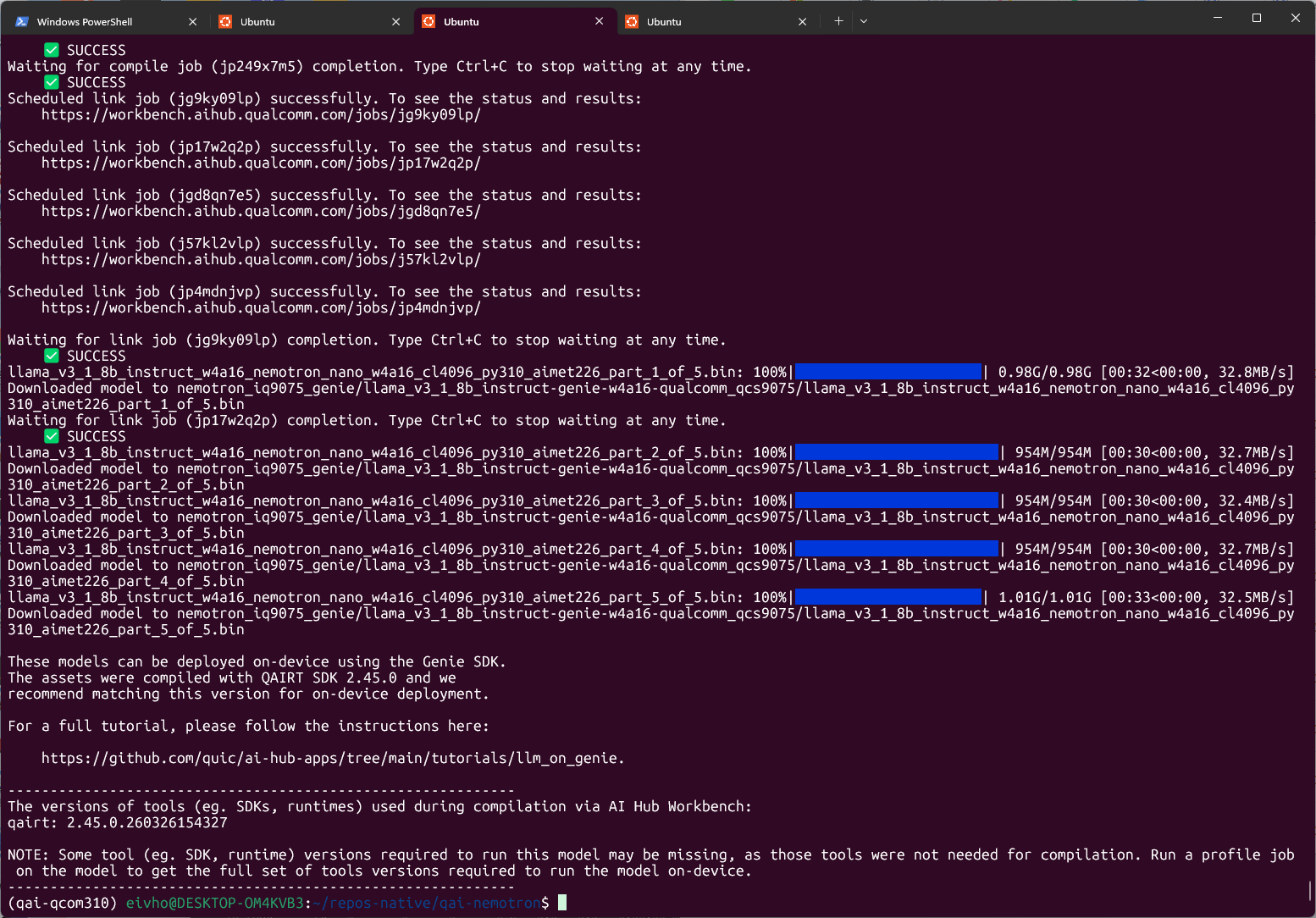
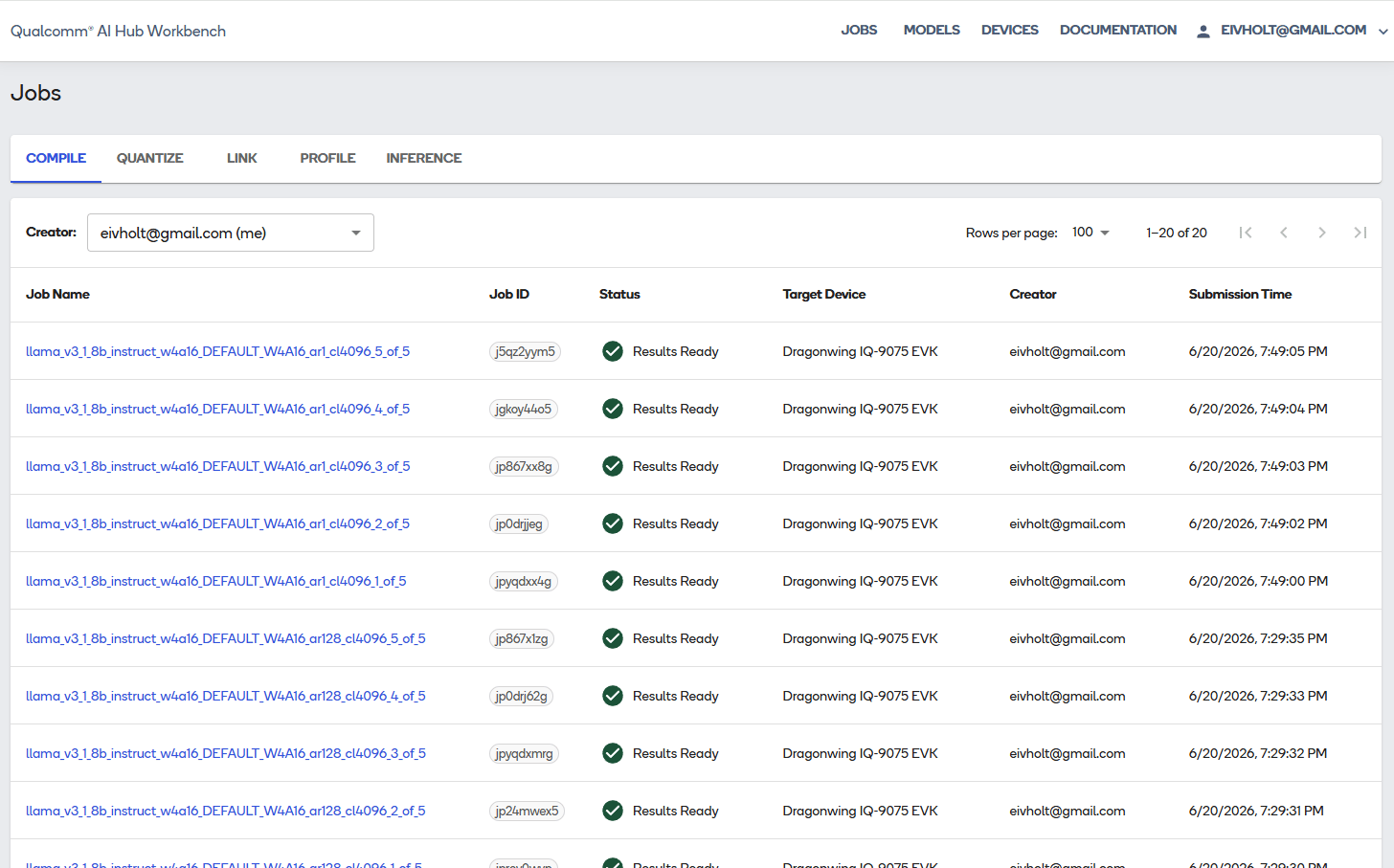
It does not upload the model to your physical EVK. It uploads AIMET/ONNX artifacts to Qualcomm AI Hub Workbench, compiles them for the QCS9075 target, links them into runtime binaries, and downloads a Genie bundle back to the host. Because the model is split into five parts and needs two sequence lengths, Workbench creates:- five compile jobs for the 128-token prompt processor;
- five compile jobs for the 1-token generator;
- five link jobs that combine corresponding parts and share weights.
Privacy and licensing note
This step sends model-derived artifacts to Qualcomm’s cloud service. Review NVIDIA, Meta, Qualcomm, and organizational policies before using proprietary or restricted checkpoints.Inspect the downloaded bundle
The validated bundle was written beneath:llama_v3_1_8b_instruct because that is the Qualcomm implementation used for graph construction. The checkpoint name embedded in the filenames and the weights inside the bundle are the Nemotron checkpoint.
Check the required runtime:
Copy the bundle to the EVK
Transfer the complete directory
From the host:.bin files. Genie also needs the tokenizer and JSON configuration files.
Install QAIRT on the EVK
No Python environment is required on the EVK for inference. Genie is a native QAIRT executable.Install QAIRT 2.45
Run on the EVK:/tmp on the EVK.
Create a clean QAIRT environment script
The IQ-9075 is QCS9075 with Hexagon v73.Install FastRPC and enable the DSP
Understand error 14001
My first Genie run failed with:/dev/fastrpc-cdsp was accessible only to root. I quickly found this issue reported in Qualcomm repo.
FastRPC is the transport between the ARM CPU process and the compute DSP. The host application loads QNN stub libraries; FastRPC communicates with the DSP process that loads the matching skel libraries.
Install the Qualcomm FastRPC packages
/usr/lib QNN libraries with /opt/qairt DSP libraries can cause stub/skel version errors.
Add the user to the FastRPC group
Validate the Hexagon backend independently
Error in saving the results message can be ignored when the summary reports success.
Run Nemotron on the EVK
Create a correctly formatted prompt
Use a prompt file with real newlines. Nemotron’s reasoning mode is controlled through the system prompt.Run Genie and save a profile
rpcmem_android.c dummy-call messages are informational; the runtime is using the platform FastRPC implementation.
Interpret the profile
The successful run reported:
The initialization cost is usually paid once in a persistent service. The 10.03 tokens/s decode rate is almost identical to Qualcomm’s published result for Llama 3.1 8B W4A16 on IQ-9075, which is strong evidence that the custom Nemotron checkpoint is using the intended HTP path rather than silently falling back to CPU.
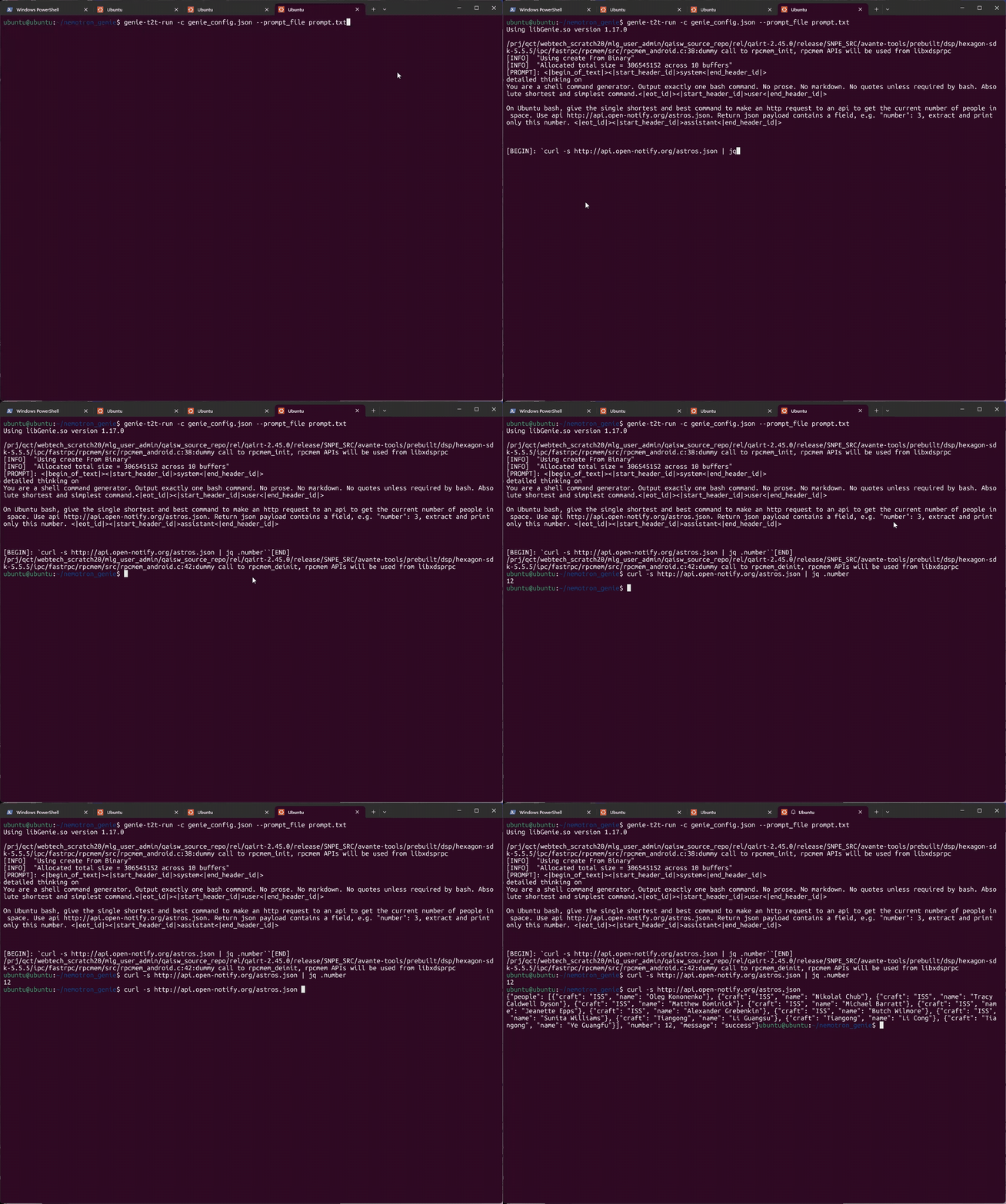
The following short demo runs on the EVK and demonstrates Nemotron Nano producing a curl command, extracting a JSON payload property:
What this deployment proves
Proven
- NVIDIA’s Nemotron-specific Llama 3.1 8B weights can be quantized with AIMET W4A16.
- Qualcomm AI Hub can compile the custom checkpoint for QCS9075.
- The resulting prompt processor and token generator execute through Genie/QnnHtp on Hexagon v73.
- The EVK produces coherent output at about 10 tokens/s.
- The custom checkpoint does not impose an obvious throughput penalty relative to Qualcomm’s stock Llama 3.1 8B path.