

Introduction
Describes how to access your device after it has been flashed. You can use either of the following two connection methods:- UART for low-level serial console access
- ADB for standard shell access
Connect using UART
Install Minicom
Minicom is a lightweight, terminal-based serial communication program used on Linux systems to interact with devices over a UART (serial) connection. It allows you to access the device’s console, view boot logs, and send commands directly to the system at a low level. Install Minicom on the host system:Connect
-
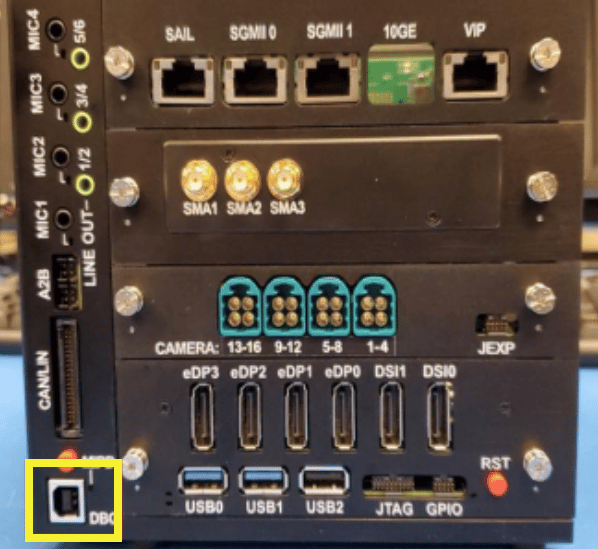
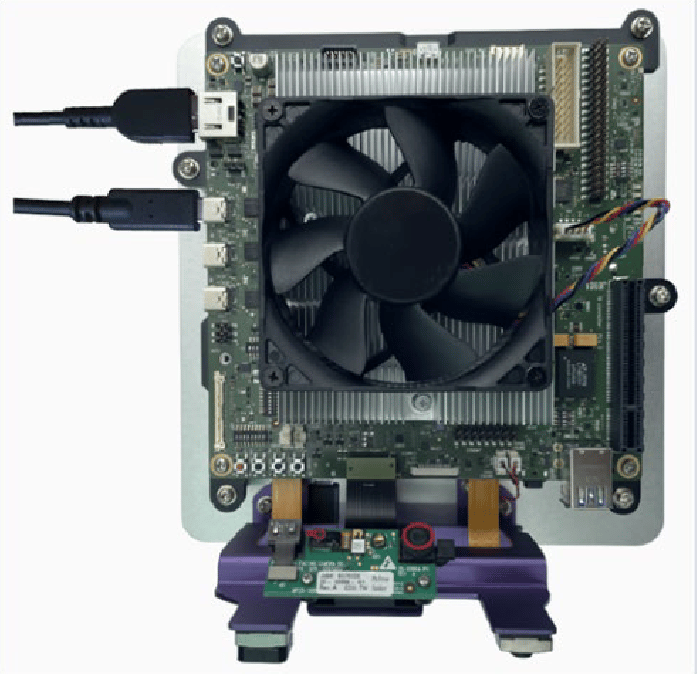
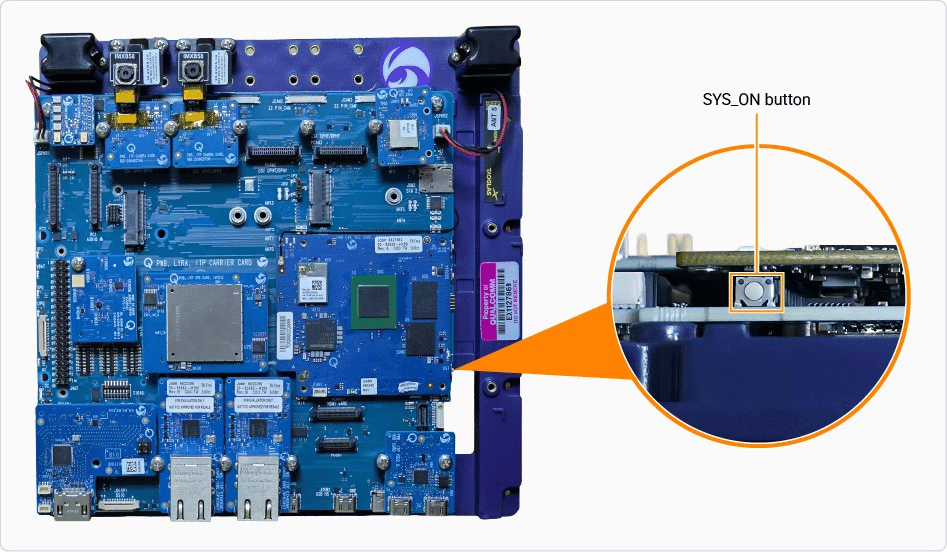
To set up the debug UART connection and view the diagnostic messages, connect the appropriate debug UART cable from the device to the Linux host.
- QCS6490/QCS5430
- IQ-9075
- IQ-8275
- IQ-615
- IQ-X7181/IQ-X5121
- CQ-2390/IQ-2390
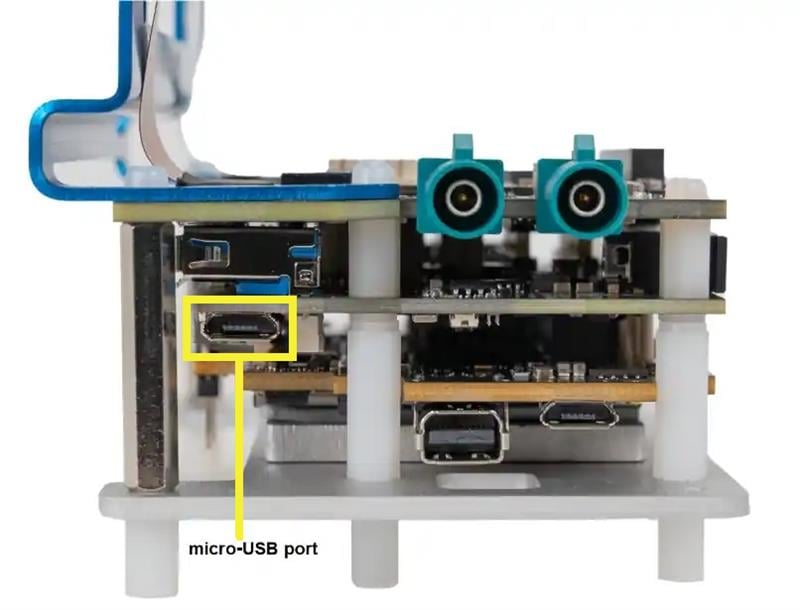
-
Check if the USB port is detected:
Sample output
-
Open Minicom:
-
Use the Down arrow key to select the Serial port setup option. Use the Up and Down arrow keys to navigate through the menu.
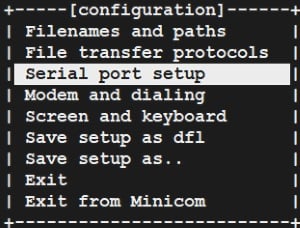
-
Set up the serial device configuration:
- Select A on your keyboard to set up the serial device name such as
/dev/ttyUSB0. - Select Enter to save the changes.
- Select E on your keyboard to set the baud rate and 8N1 configuration:
- Select the E key again if the baud rate isn’t set to 115200.
- Select the Q key if the configuration isn’t set to 8N1.
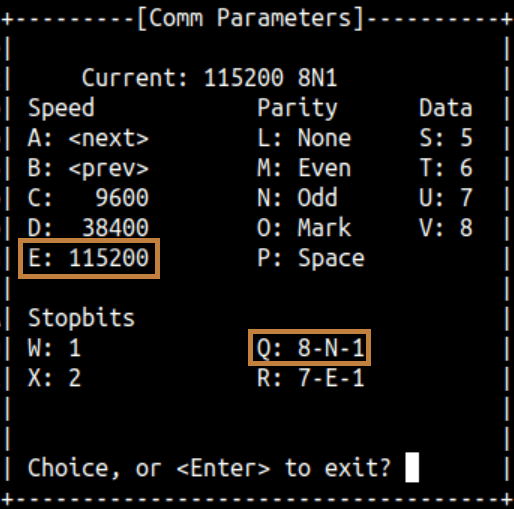
- Select Enter to save the changes.
- Select F on your keyboard to set the Hardware Flow Control to
No.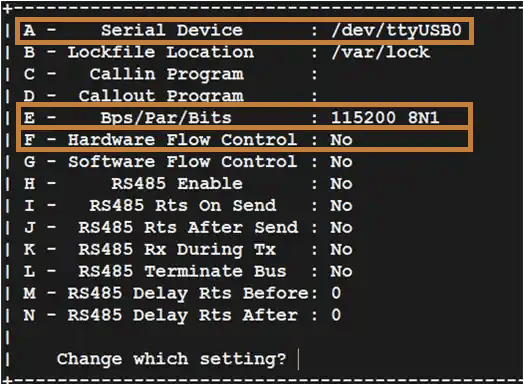
- Select Enter to save the changes.
- Select A on your keyboard to set up the serial device name such as
-
Select the Save setup as dfl option and then select Enter.
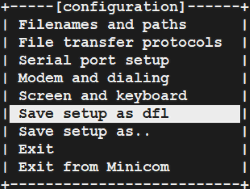
- Select EXIT to open the UART console and then select Enter.
-
Sign in to the UART console:
- Login:
root - Password:
oelinux123
- Login:
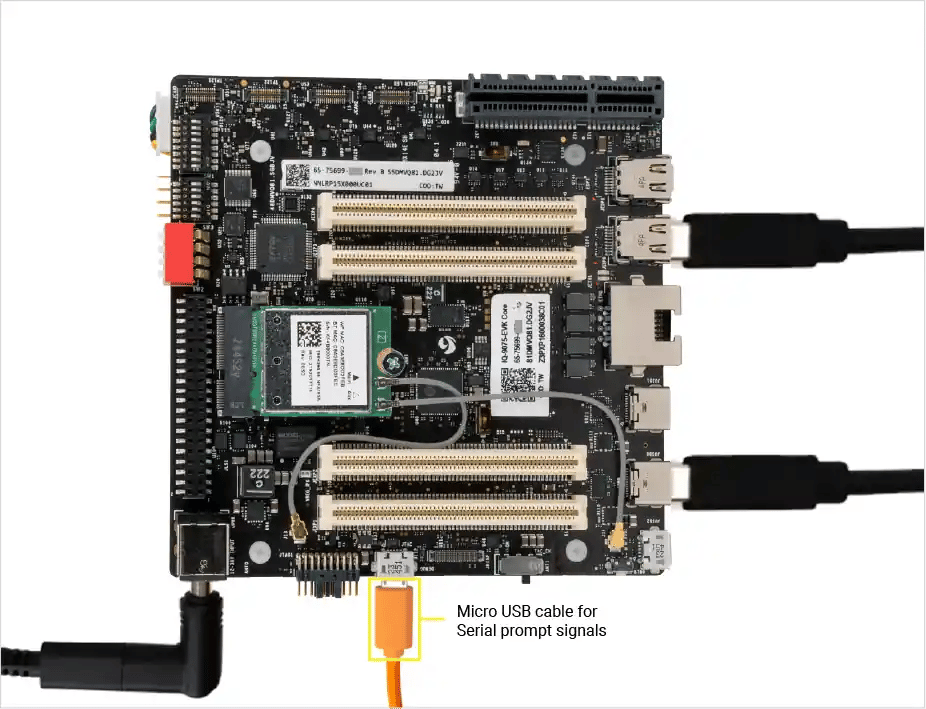
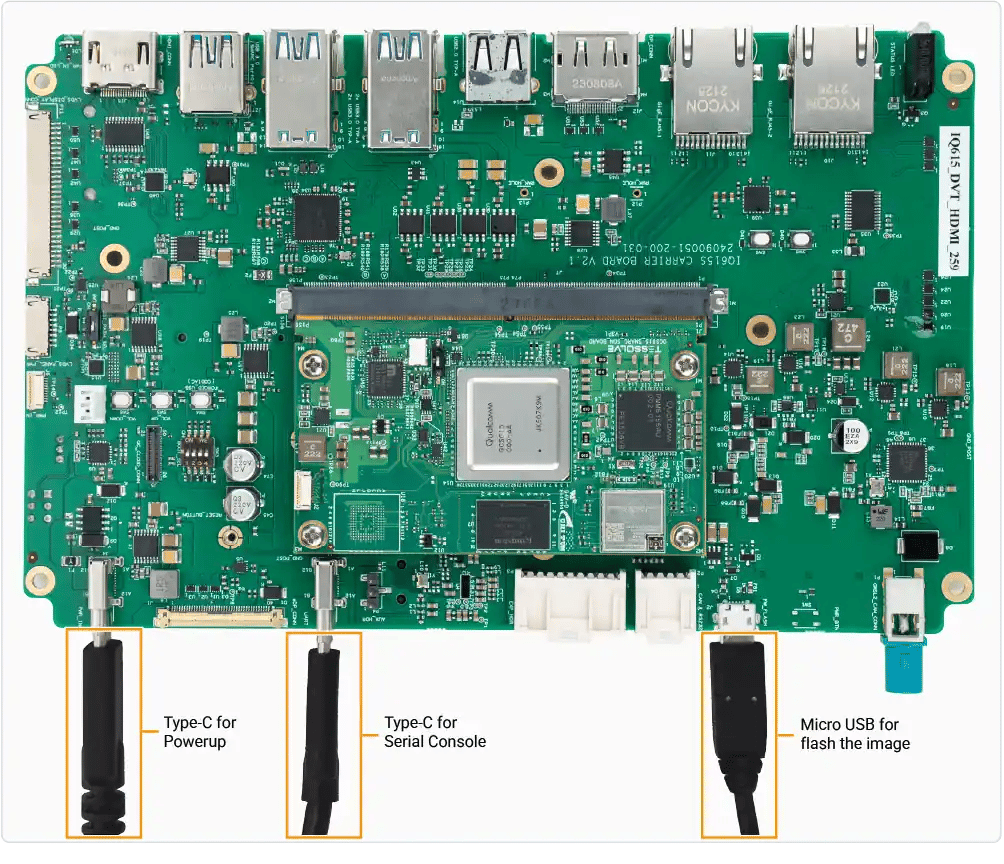
If the sign in console doesn’t display as expected, verify the USB connection. If the issue persists, disconnect and then reconnect the micro-USB.
Connect using ADB
adbd is disabled on the device by default and must be explicitly enabled before use.Install ADB
ADB is used to communicate with a running device and is required to trigger a reboot into EDL mode from the operating system. It provides a convenient way to transition the device into the correct state for flashing without manual intervention.-
Install
adbon your host system using the system package manager: -
Verify if
adbis installed on your system:Sample output -
The
adbdservice is disabled by default. A one-time setup is required to enable the service beforeadbcan be used.- Connect to the device by following the Connect via UART guide.
-
Create the file
/etc/usb-debugging-enabledto enableadbd. -
Configure the
adbdservice to start automatically.
Connect
- Connect the device using the USB Type-C cable to the host computer.
-
Ensure that the device is recognized as a device by
adb:Sample output -
Connect to an
adbshell: