Pull a contact from the server
Before you begin, do the following:- Pair the DUT and the remote device. For instructions, see Pair with a remote Bluetooth device.
-
Create a PBAP directory on the server.
In the BlueZ stack, PBAP server functionality can’t be tested or verified directly as you can’t create contacts on the server. Hence, you must create a PBAP directory on the DUT. For more information about creating a PBAP directory, see Sample PBAP directory.
- Initiate a connection from the remote device to the DUT.
-
Accept the connection request on the DUT as follows:
a. Run SSH on the DUT.
b. Open the
bluetoothctlapplication by running the following command:c. Authenticate the connection request. Whenbluetoothctlprompts to authorize the incoming session, enteryes. Sample output - Pull the intended contact from the server to the client.
- Open and verify the retrieved contact on the client.
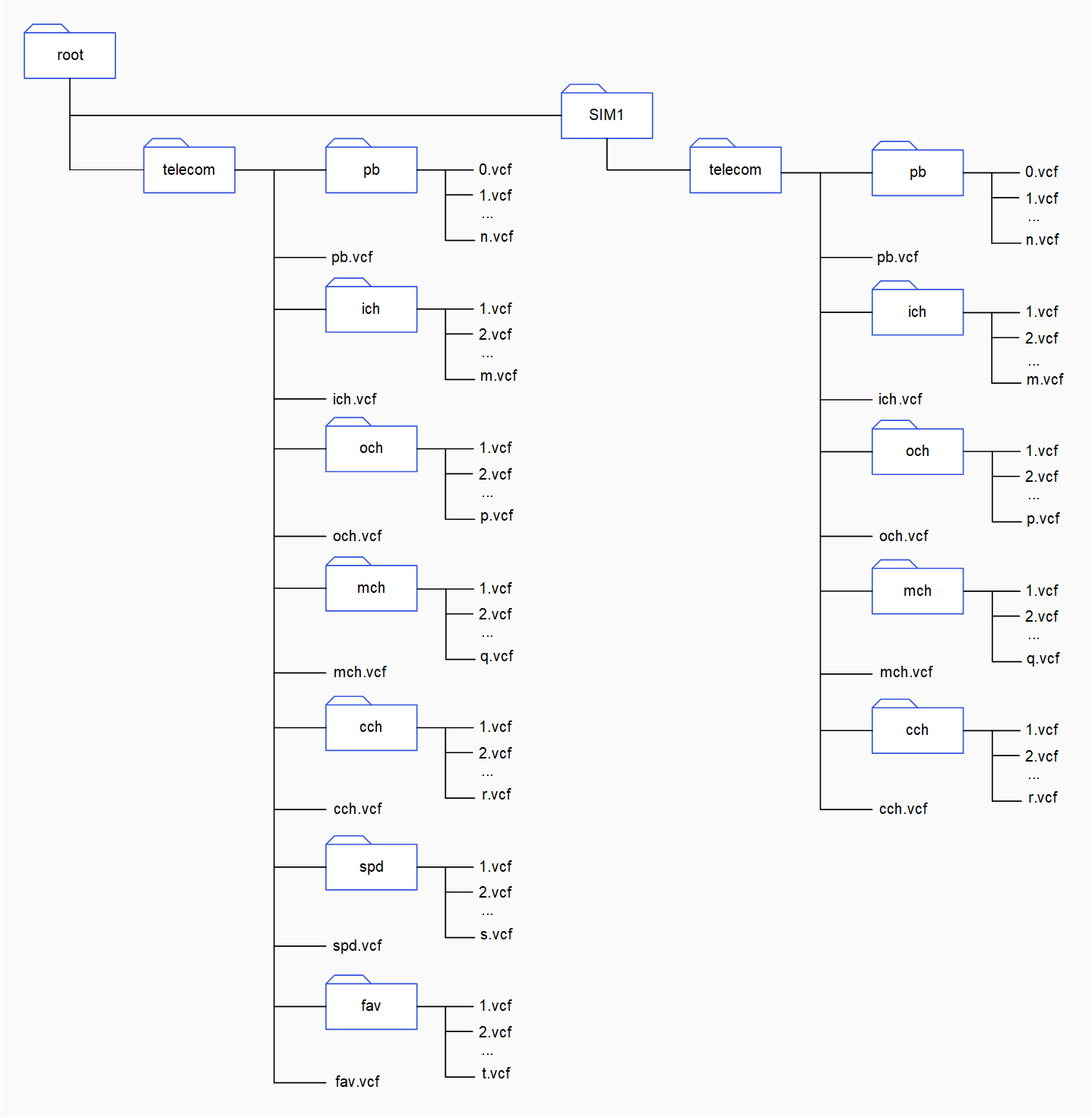
Sample PBAP directory
You can create a sample PBAP directory to verify PBAP server functionality as follows:- Run SSH on the DUT.
-
Create a
telecomfolder for each phone book repository at therootby running the following command: -
Change the current directory to
telecomby running the following command: -
In the
telecomdirectory, create subfolders for different phone book objects. To create a subfolder attelecom, run the following command:Parameters<subfolder>is the name of the subfolder. For example,pb. Use the following folder names for phone book objects:
- In each subfolder, create sample VCF files.
telecom directories for two phone book repositories. In the telecom directory, there are subfolders for different phone book objects. These subfolders contain VCF files.