

Hardware Architecture
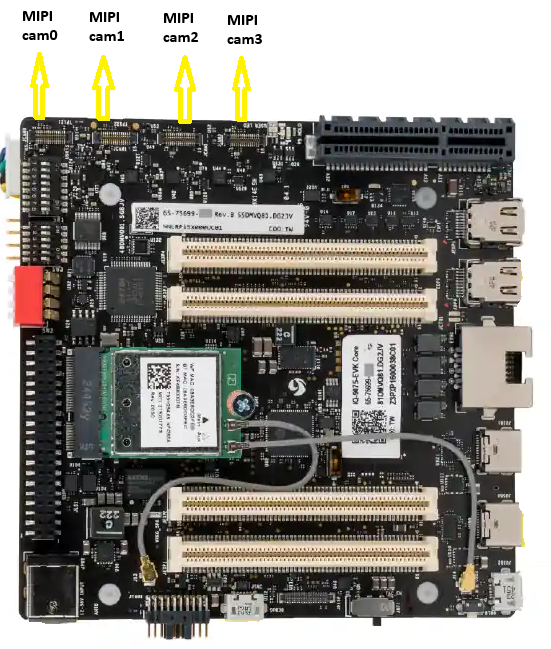
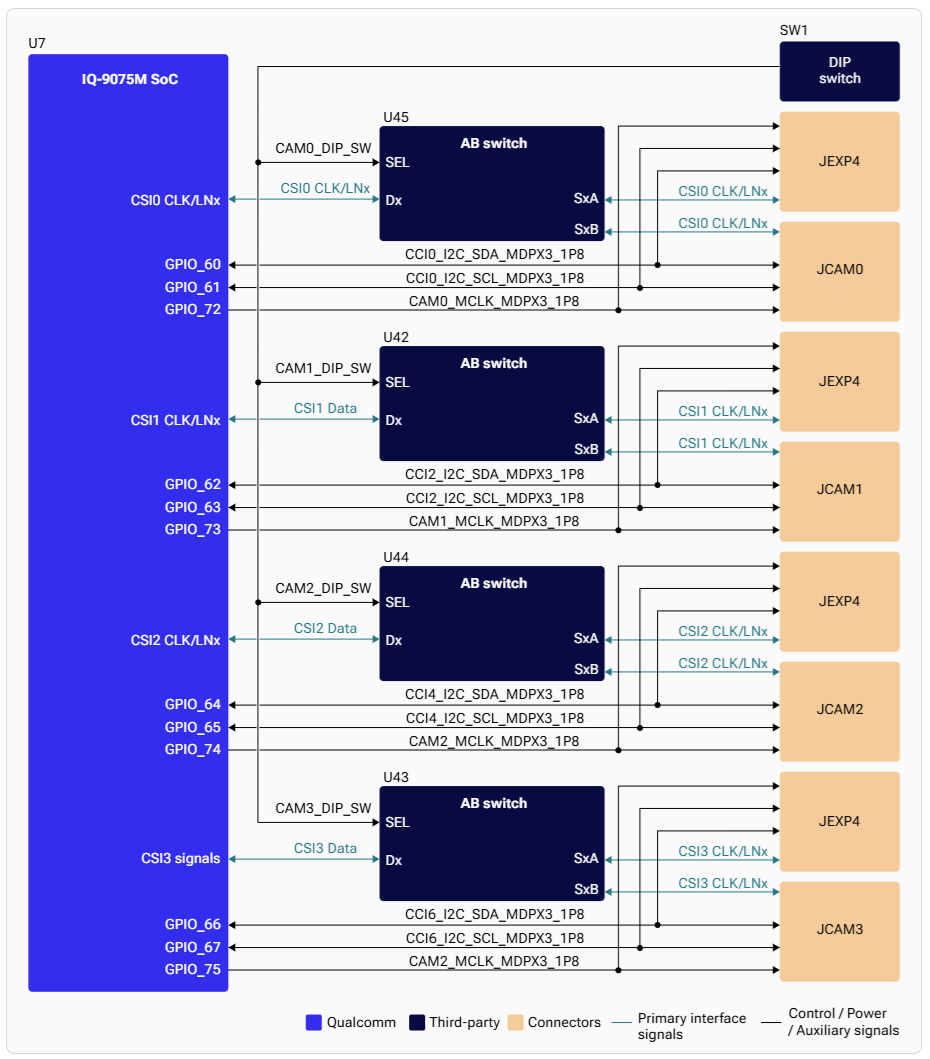
CSI Interface Mapping
DIP Switch Configuration
The four CSI PHYs can be routed to either MIPI camera ports or GMSL camera ports (via mezzanine board) using DIP switches.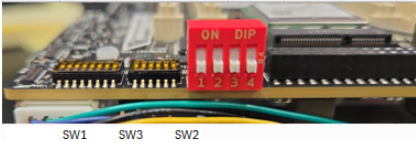
Supported MIPI CSI Camera Sensors
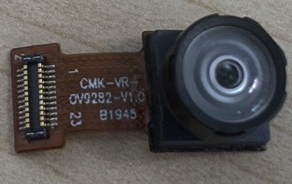
ov9282 Camera Sensor
Arducam imx577 Camera Sensor
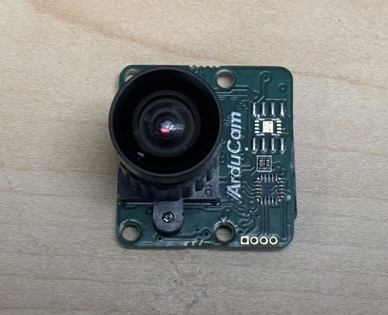 Arducam sensor requires an additional converter board(Arducam 22-pin to Qualcomm 30-pin CSI adapter)
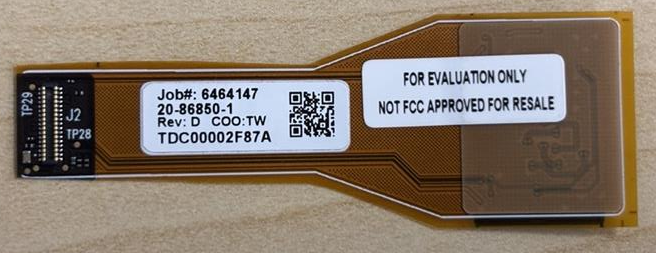
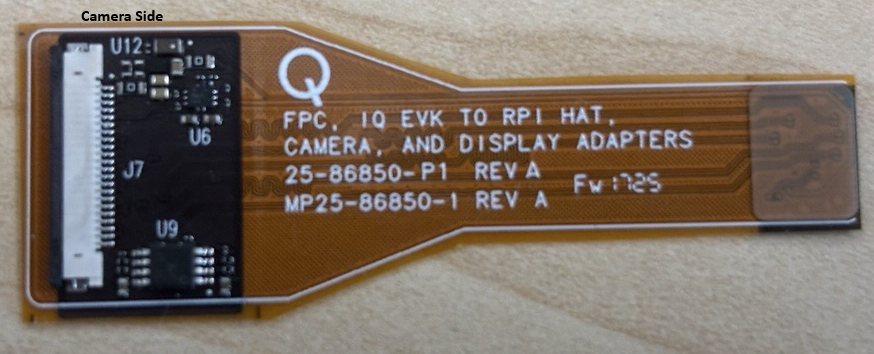 Arducam imx577 sensor + 22 pin flex cable + converter board
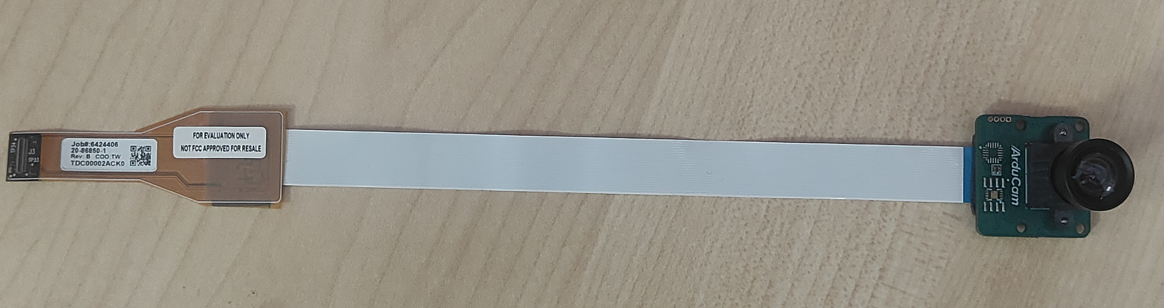
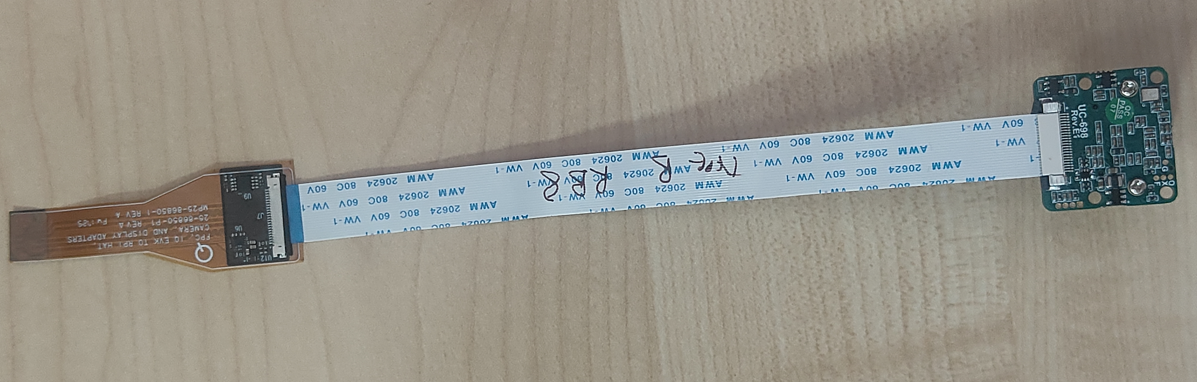
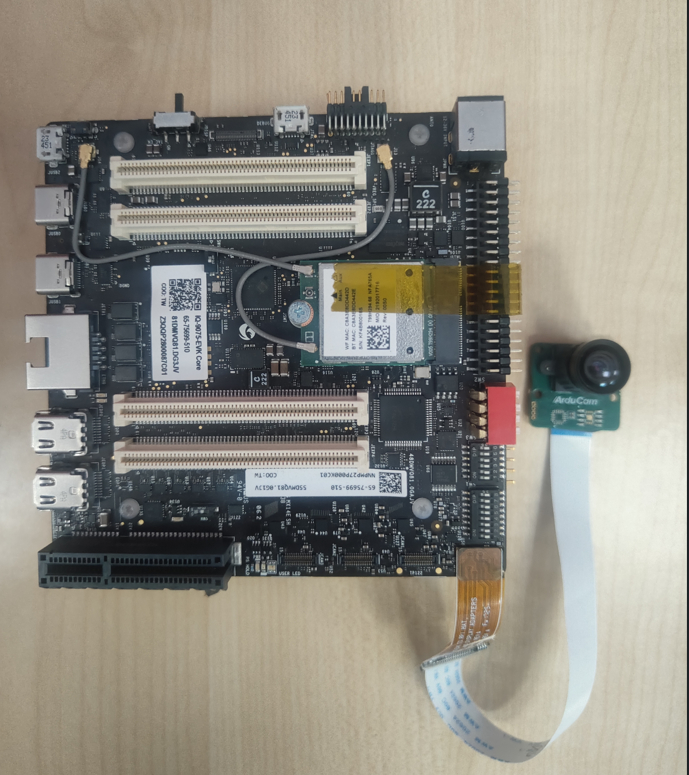
Arducam imx577 Camera Sensor connection to iq9075
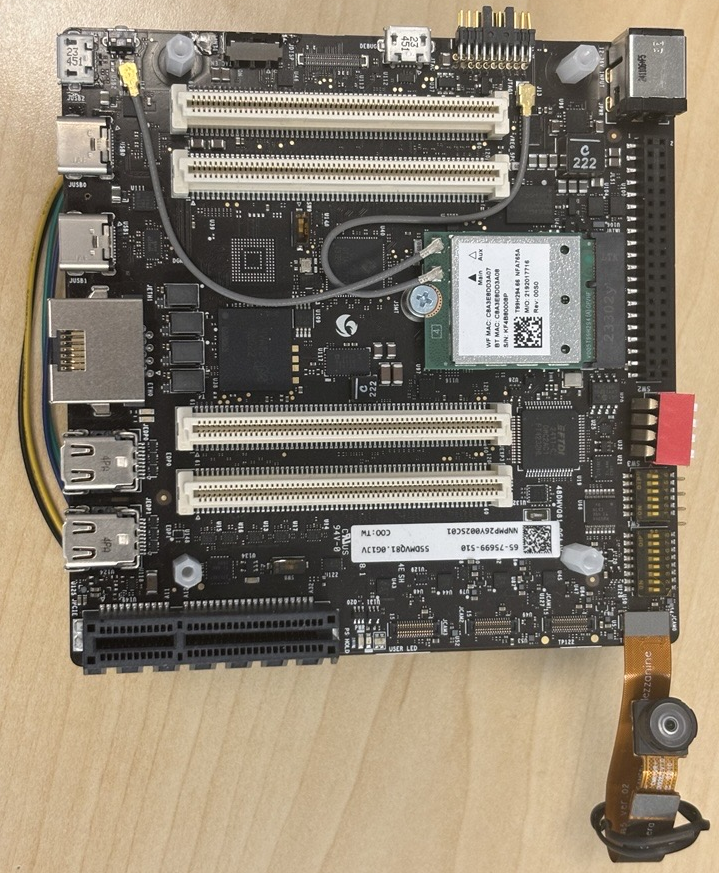
ov9282 Camera Sensor connection to iq9075
Supported Resolutions
- Advanced features such as SHDR, LDC, and EIS are not supported on IQ-9075.
- There is no hardware JPEG encoder — snapshots use a software encoder running on the CPU.
Camera Streaming
Prerequistes to run camera
- Enable Camera functionality
- Clear GStreamer registry (if needed)
Single Camera Stream
PLAYING, the camera is running. Press Ctrl+C to stop.
Video Encoding
Video Encoding + Snapshot
1
Start the pipeline
2
Take a snapshot
From the interactive menu: (1) Ready → (3) Playing → (p) Plugin Mode → (11) camerasrc → (37) capture-image → (1) Snapshot → enter count
3
Stop and retrieve files
Press Enter →
b (Back) → q (Quit).Multi-Camera with Offline IFE
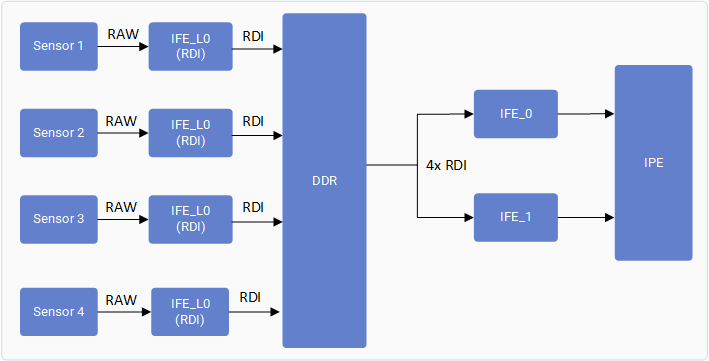 The IQ-9075 camera subsystem includes two full Image Front End (IFE) hardware blocks capable of performing real-time Bayer-to-YUV image processing.
In a conventional real-time camera pipeline, each Bayer camera requires an IFE for de-Bayering and image signal processing, limiting concurrent Bayer camera streaming to two cameras.
The Offline IFE feature extends this capability by separating image acquisition from image processing.
In this mode, each camera sensor is connected to an IFE-Lite instance, which captures the incoming RAW Bayer data and writes it directly to DDR memory through the RDI path without performing any image processing.
The stored RAW frames are subsequently fetched from DDR by the SFE Lite fetch engine and supplied to a IFE for offline Bayer-to-YUV processing.
Since the input frames are sourced from memory rather than directly from the sensor interface, a single IFE can time-share its processing resources across multiple cameras.
As a result, the two available IFEs can each process RAW frames from two different cameras, enabling concurrent streaming of up to four Bayer cameras.
The IQ-9075 camera subsystem includes two full Image Front End (IFE) hardware blocks capable of performing real-time Bayer-to-YUV image processing.
In a conventional real-time camera pipeline, each Bayer camera requires an IFE for de-Bayering and image signal processing, limiting concurrent Bayer camera streaming to two cameras.
The Offline IFE feature extends this capability by separating image acquisition from image processing.
In this mode, each camera sensor is connected to an IFE-Lite instance, which captures the incoming RAW Bayer data and writes it directly to DDR memory through the RDI path without performing any image processing.
The stored RAW frames are subsequently fetched from DDR by the SFE Lite fetch engine and supplied to a IFE for offline Bayer-to-YUV processing.
Since the input frames are sourced from memory rather than directly from the sensor interface, a single IFE can time-share its processing resources across multiple cameras.
As a result, the two available IFEs can each process RAW frames from two different cameras, enabling concurrent streaming of up to four Bayer cameras.
Verify Multi-Camera Operation
Connect Four MIPI cameras(OV9282 or IMX577) to MIPI CSI slots (0, 1, 2, and 3) Run a GST command with multicamera-hint=true for each camera to enable this feature. For example:Troubleshooting
Camera App Not Working
Camera App Not Working
1
Check camera module connection and DIP switch settings
2
Restart cam-server
3
Run a single-stream test
Camera Sensor Not Probing
Camera Sensor Not Probing
Collect logs and search for Expected probe success log:If no probe success appears, check the flex cable connection or camera module.
probe success:Camera Not Streaming
Camera Not Streaming
Enable CSI debug logs and collect dmesg:Start the camera and check for SOF/EOF IRQ messages in the log.
Expected logs: