

The LiteRT open-source framework provides the benchmark_model tool to measure model execution performance on hardware using delegates. This tool is installed on the target device along with other LiteRT artifacts. The tool measures and reports the following performance metrics:
  • Initialization time
  • Inference time (warm-up and steady state)
  • Memory usage during initialization
  • Overall memory usage

Prerequisites

Before running the benchmark, ensure you have the following:
  • An Ubuntu 22.04 host computer
  • A Qualcomm development kit

Set up model files

  1. Download the sample model, label files, and a test image:
  2. On the host computer, download and extract the MobileNet model archives:
    wget http://download.tensorflow.org/models/mobilenet_v1_2018_08_02/mobilenet_v1_1.0_224_quant.tgz
    
    tar -xvf mobilenet_v1_1.0_224_quant.tgz
    
    wget https://storage.googleapis.com/download.tensorflow.org/models/mobilenet_v1_1.0_224_frozen.tgz
    
    tar -xvf mobilenet_v1_1.0_224_frozen.tgz
    
  3. On the target device, create the artifacts directory:
    ssh root@<IP_ADDRESS_OF_TARGET_DEVICE>
    
    mount -o remount,rw /
    
    mkdir -p /etc/artifacts
    
    exit
    
  4. From the host computer, copy the model, image, and label files to the device:
    scp mobilenet_v1_1.0_224_quant.tflite grace_hopper.bmp mobilenet_v1_1.0_224/labels.txt mobilenet_v1_1.0_224.tflite root@<IP_ADDRESS_OF_TARGET_DEVICE>:/etc/artifacts
    
  5. On the target device, set up the GPU libraries:
    export OCL_ICD_FILENAMES=/usr/lib/libOpenCL_adreno.so.1
    
    ln -sf /usr/lib/libOpenCL.so.1 /usr/lib/libOpenCL.so
    
The sample applications use the MobileNet v1 model, trained on the ImageNet dataset with 1000 classes, as an example classification model.

Benchmark on CPU

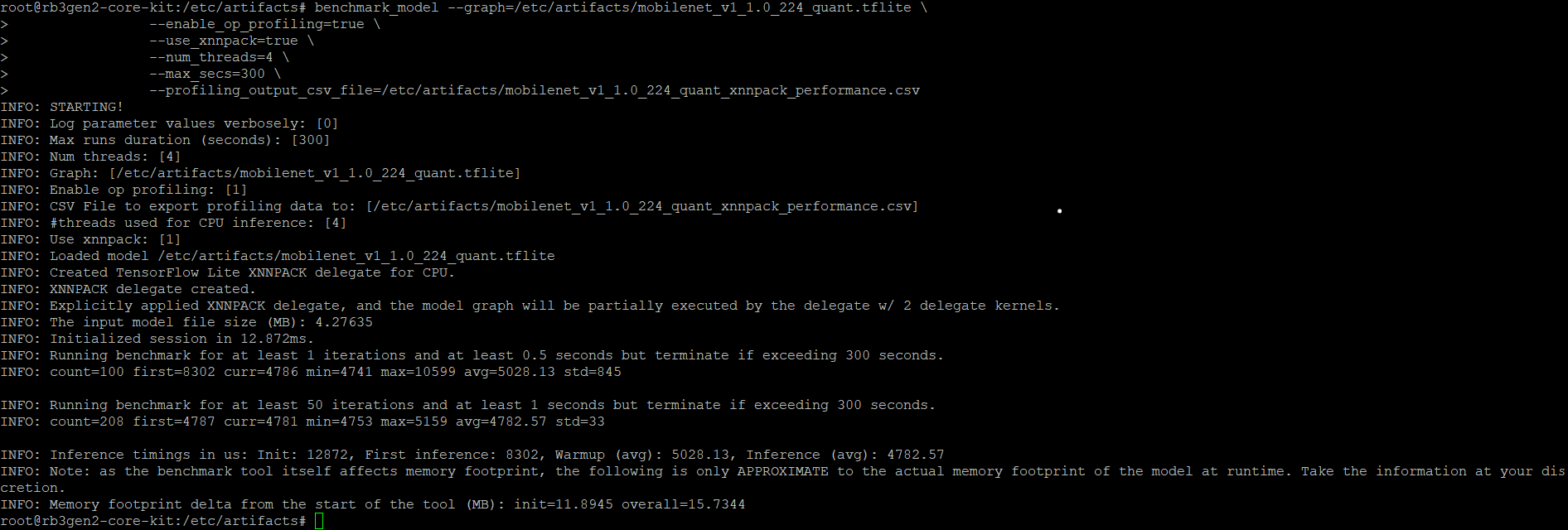
The label_image sample application is cross-compiled with the LiteRT library and installed on the target device. The source code is available on the TensorFlow GitHub repository. To benchmark using the XNNPACK delegate on the CPU:
ssh root@<IP_ADDRESS_OF_TARGET_DEVICE>
cd /etc/artifacts
benchmark_model --graph=/etc/artifacts/mobilenet_v1_1.0_224_quant.tflite \
                --enable_op_profiling=true \
                --use_xnnpack=true \
                --num_threads=4 \
                --max_secs=300 \
                --profiling_output_csv_file=/etc/artifacts/mobilenet_v1_1.0_224_quant_xnnpack_performance.csv
Example output for LiteRT CPU benchmark

Benchmark on GPU

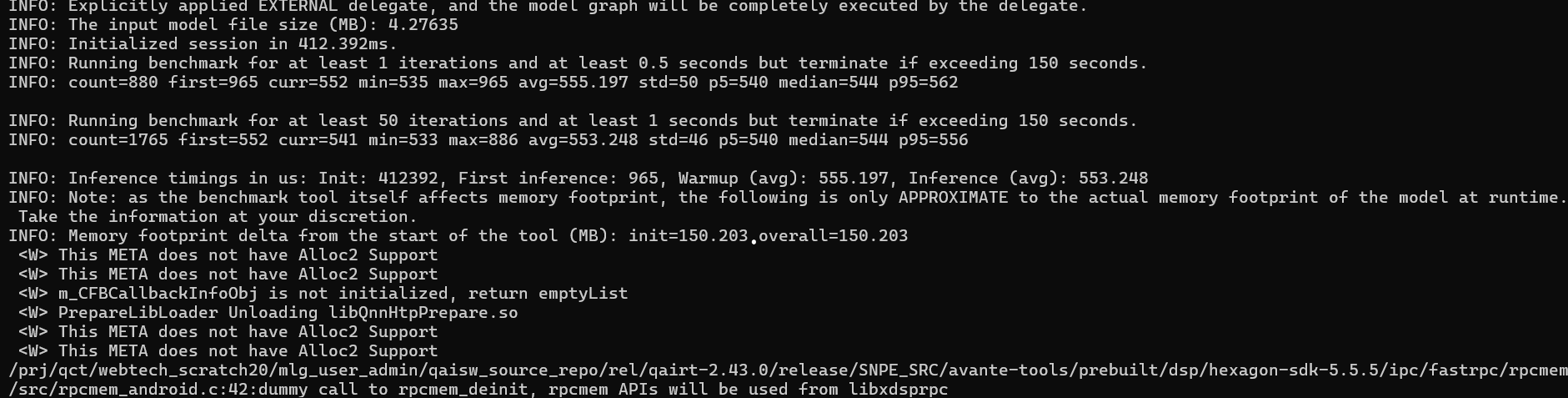
To benchmark using the GPU delegate:
ssh root@<IP_ADDRESS_OF_TARGET_DEVICE>
cd /etc/artifacts
benchmark_model --graph=/etc/artifacts/mobilenet_v1_1.0_224_quant.tflite \
                --enable_op_profiling=true \
                --use_gpu=true \
                --num_runs=100 \
                --warmup_runs=10 \
                --max_secs=300 \
                --profiling_output_csv_file=/etc/artifacts/mobilenet_v1_1.0_224_GPU_Delegate_performance.csv
Example output for LiteRT GPU benchmark

Benchmark on NPU using the QAIRT delegate

The Qualcomm AI Runtime delegate uses the Qualcomm AI Runtime API and its backends to accelerate models on the Adreno GPU and the Hexagon Tensor Processor. To use the QAIRT external delegate, ensure the following libraries are available on the device:
  • libQnnTFLiteDelegate.so — QNN delegate library
  • Libraries from the Qualcomm AI Engine Direct SDK
You can customize model execution to use a specific backend through external delegate options:
  • libQnnGpu.so — Run the QNN delegate on the GPU
  • libQnnHtp.so — Run the QNN delegate on the Hexagon Tensor Processor
  • libQnnDsp.so — Run the QNN delegate on the DSP
To benchmark on the Hexagon Tensor Processor using the QNN external delegate:
benchmark_model --graph=/etc/artifacts/mobilenet_v1_1.0_224_quant.tflite \
                --external_delegate_path=/usr/lib/libQnnTFLiteDelegate.so \
                --external_delegate_options='backend_type:htp;library_path:/usr/lib/libQnnHtp.so;skel_library_dir:/usr/lib/rfsa/adsp;htp_precision:0;htp_performance_mode:2'
The benchmark output includes the following statistics:
  • Delegate creation status
  • Average inference time on the hardware using the delegate
  • Memory footprint of the model execution
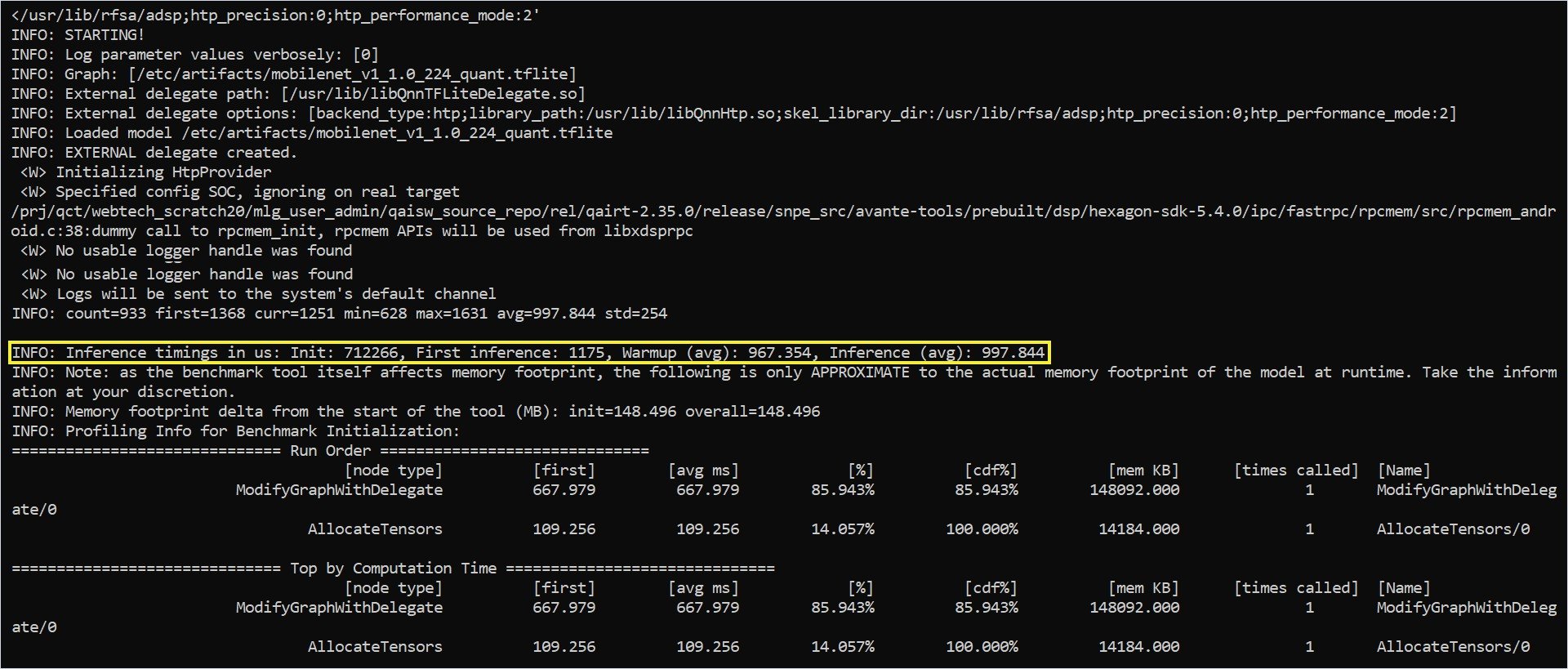
benchmark_model tool output showing delegate status, inference time, and memory footprint