

If the host computer uses Windows or macOS operating system software,
install a virtual machine.
Subsequent steps must be run in the virtual machine running Ubuntu
22.04 LTS.
Ubuntu 22.04 running inside a VM on macOS on Arm® architecture isn’t supported.
Default versions
The following table lists the default Qualcomm AI Runtime SDK version for your target device OS.Direct download
Download the Qualcomm AI Runtime SDK. Once downloaded, extract or unzip the SDK.This example uses version
2.47.0.260601 of the SDK. To use a different version of the
QAIRT SDK, update the steps below with the version you are using.The SDK version hosted at the above link updates quarterly.
Qualcomm Package Manager
Qualcomm AI Runtime SDK is available for download through Qualcomm Package Manager (QPM). This section demonstrates how to download Qualcomm AI Runtime SDK using QPM. To download QPM3, install QPM3 from Qualcomm Package ManagerTo download Qualcomm AI Runtime SDK from Qualcomm
Package Manager, ensure that you have registered for a Qualcomm ID.
If you don’t have a Qualcomm ID, you will be prompted to register.
Then follow the instructions below to download and install the SDK.
This example uses version
2.47.0.260601 of the SDK. To use a different version of the
QAIRT SDK, update the steps below with the version you are using.- Go to Qualcomm Package Manager and sign in using your Qualcomm ID.
-
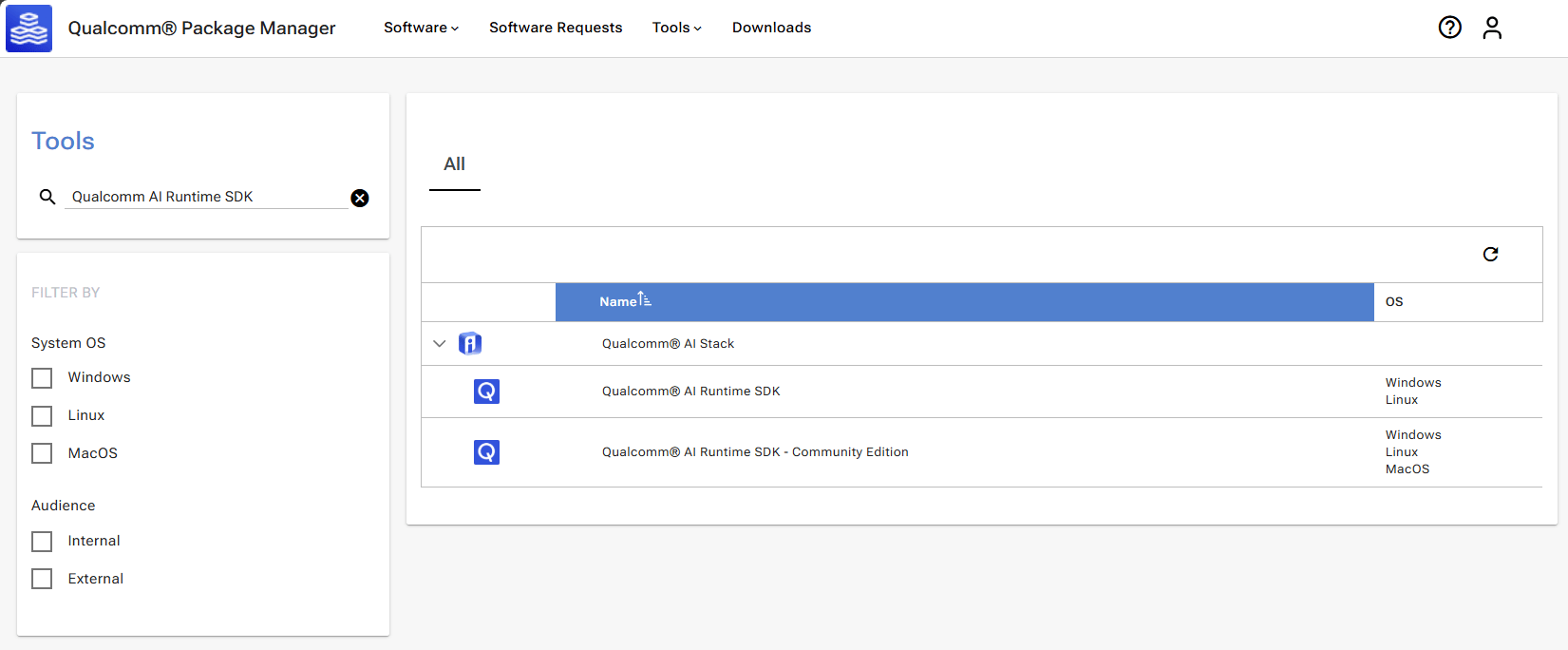
Go to the Tools tab and search for Qualcomm AI Runtime SDK in
the left pane. From the filtered results, select Qualcomm AI Runtime - Community Edition.
-
Select
v2.47.0.260601from the Version drop-down list. If using the Qualcomm Package Manager desktop tool, the Extract button is present instead of Download. This automatically installs the Qualcomm AI Runtime SDK. If you are using the web interface, the Download button will download the Qualcomm AI Runtime SDK zip file.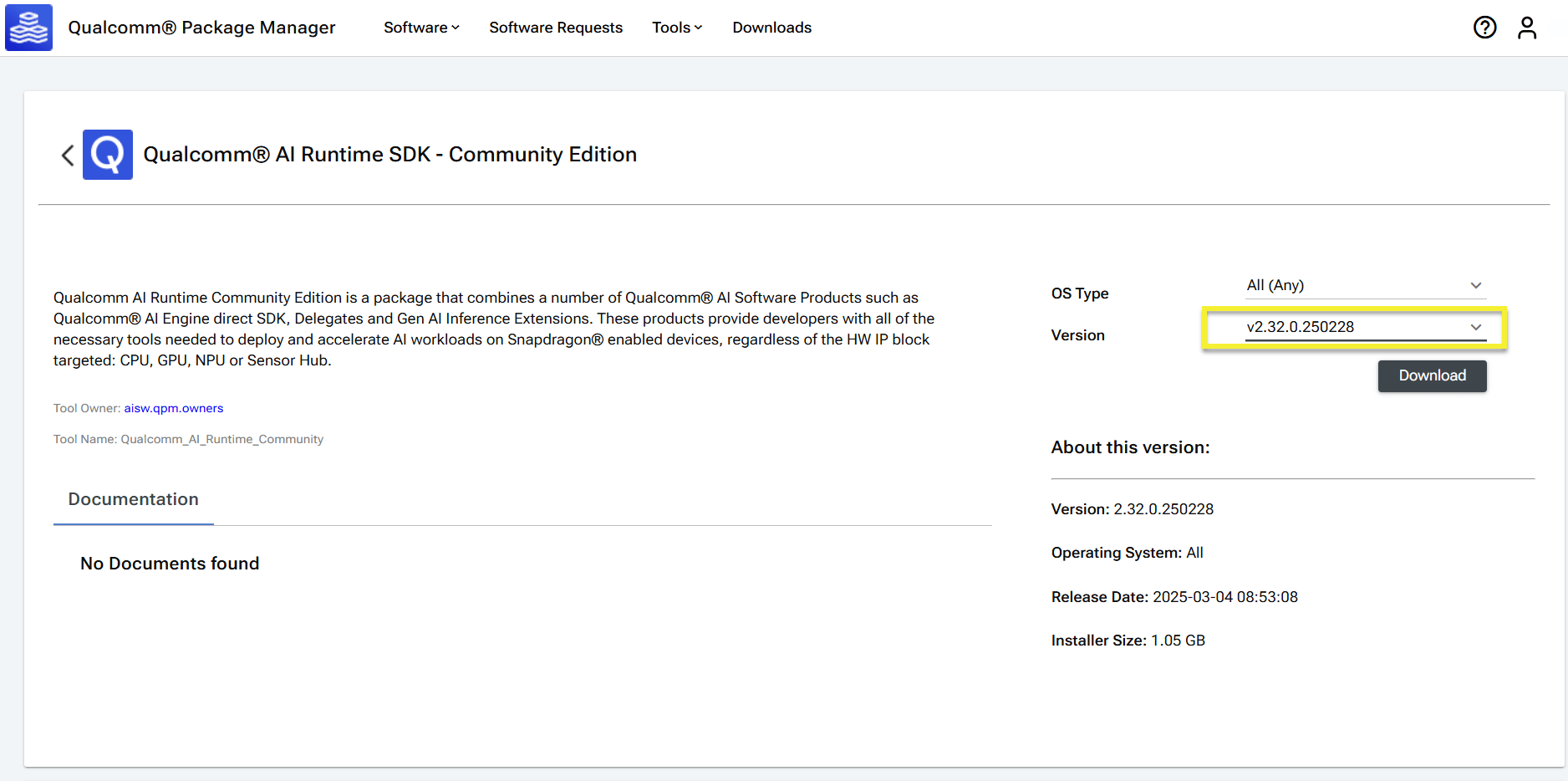
-
Install Qualcomm AI Runtime SDK using the QPM CLI tool.
a. Sign in using QPM CLI.
Expected output:b. Activate your SDK license.Expected output:c. Download, extract, and install the SDK.Expected output: