

- QCS6490/QCS5430
- IQ-9075
- IQ-8275
Prerequisites
- Register and sign in to the Renesas website. After signing in, download the firmware from the Renesas UPD720201 Software & Tools page.
-
Extract the downloaded firmware package and rename the
K2026090folder torenesas_usb_fw. -
Push the firmware package to the target:
-
Configure the ethernet:
-
Set the suspend mode:
-
Bind the Renesas USB controller from the serial console or adb shell:
- Disconnect the Type-C USB cable.
-
Trigger suspend:
- Wait for a few seconds, and then reconnect the Type-C USB cable.
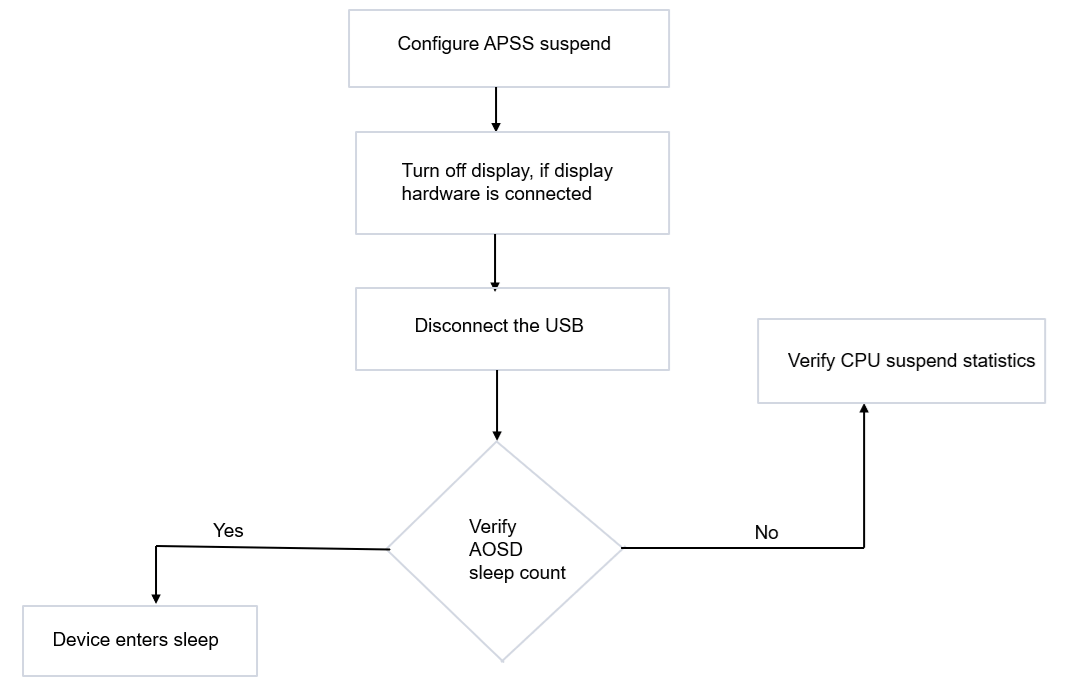
Verify SoC sleep entryAOSD is the lowest SoC sleep state. Verify the AOSD sleep count using the commands provided in Verify system-on-chip sleep state →.Supported sleep wakeup sourcesThe following wakeup sources are supported to resume the device from SoC sleep:
- USB Type-C
- Power key
- RTC alarm