

Prerequisites
Before you begin, see Qualcomm Linux Build Guide for common infrastructure setup and build workflows. This information describes the prerequisites to bring up WLAN functionality, such as setting up a Secure Socket Shell (SSH) connection and verifying and storing the Media Access Control (MAC) address. The following workflow shows how to get started with the Wi-Fi bring up procedure followed by configuring Wi-Fi according to your requirements.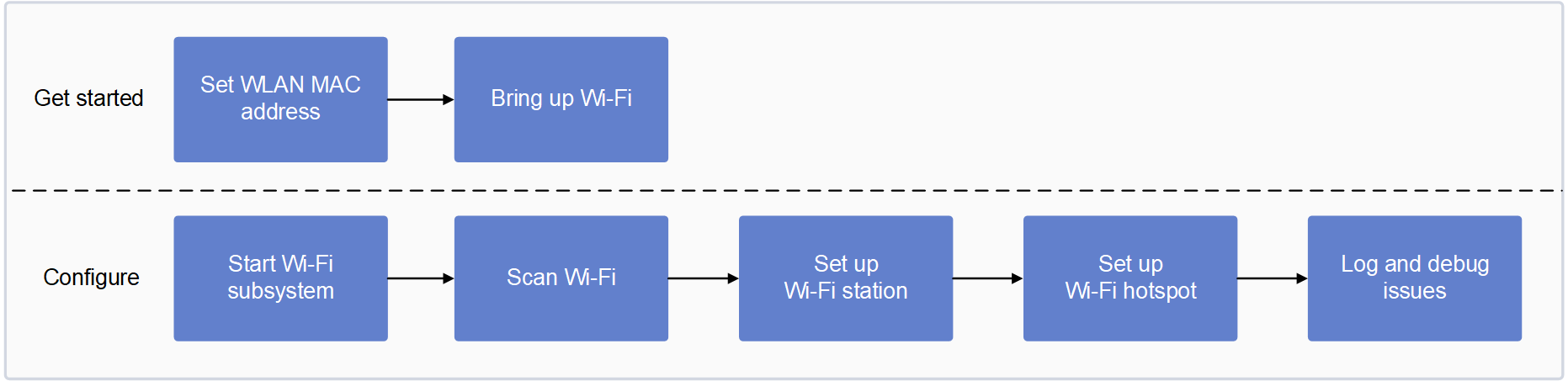
Set up UART/SSH
To set up debug Universal Asynchronous Receiver/Transmitter (UART) and Wi-Fi, and to connect to SSH, see Sign in using SSH. Note When using the Secure Copy Protocol (SCP) to transfer files to or from a device, a password prompt appears. Enteroelinux123 in the password field.
Set WLAN MAC address
Note:This is an optional step. If you want to have your own MAC address and not the default MAC address, perform the following steps:
- By default, the factory writes the WLAN MAC address in the one-time programmable (OTP) memory of the network card.
You can modify the MAC address using the following commands, if required. In these commands, replace
wlpXsYwith the interface index name 0 or 1. For example,wlp1s0orwlp1s1. - The MAC address that you set persists until a restart or the next power cycle and takes precedence over the factory-set MAC address stored in OTP memory.
As Predictable Network Interface Names enabled by default:
- For non-PCIe interfaces, the WLAN interface name is
wlanX(RB3GEN2, Shikra). - For PCIe interfaces,
wlanXis renamed towlpXsY, where:X= PCIe port index + 1Y= device index