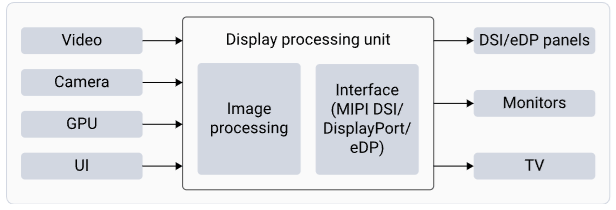
The IQ-8275 platform features a Qualcomm Adreno Display Processing Unit (DPU) providing hardware-accelerated image processing. The DPU retrieves pixel data from memory and sends it to the display peripherals through standard interfaces The DPU provides the following image processing and interface capabilities: Image processing includes the following:
  1. Composition: blends individual layers into a single frame and sends it to the display panel
  2. Scaling: supports upscale and downscale of the source image to match the panel resolution
  3. Color format conversion: converts colors from one color format to another (from YUV to RGB)
  4. Color space conversion: converts colors from one color space to another (sRGB, P3, and BT2020)
  5. Color processing: enhances the colors for better visual quality
  6. Interfaces: Connects with various panels using the mobile industry processor interface display serial interface (MIPI DSI) and TV or monitor with the DisplayPort interface
  7. MIPI DSI: defines the protocols between a host processor and peripheral devices that adhere to the MIPI Alliance specifications for mobile device interfaces
  8. DisplayPort: serves as a digital display interface, primarily connecting video sources to display devices such as computer monitors, and can also transmit audio, USB, and other data forms

Display Architecture

DPU Hardware Architecture
ComponentFunction
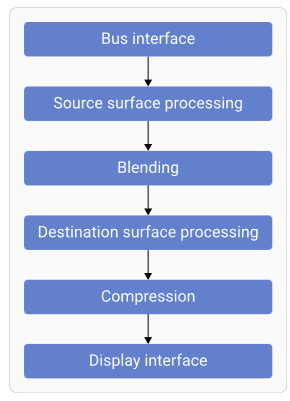
Bus InterfaceFetches data from memory
Source Surface ProcessingReads RGB/YUV surfaces; performs format conversion
BlendingBlends and mixes source surfaces
Destination Surface ProcessingConverts and adjusts data for panel characteristics
CompressionReduces bandwidth by sending compressed display buffers
Display InterfaceGenerates timings for connected display peripherals

Display Software Architecture

ComponentDescription
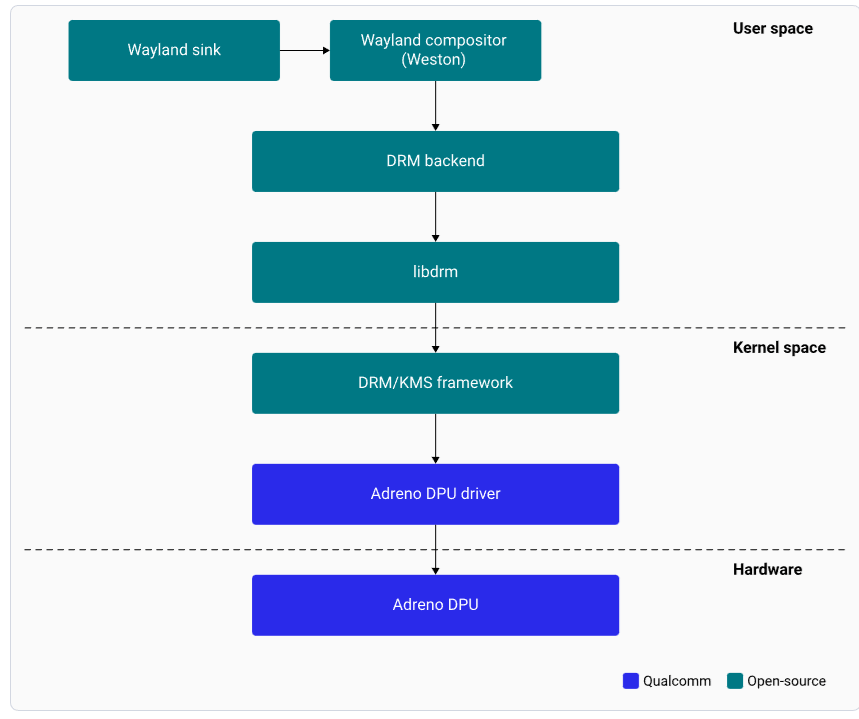
Wayland SinkPlug-in communicating with Weston to render the display
WestonWayland compositor; handles composition and rendering
DRM BackendManages Adreno DPU hardware resources and composition strategy
libdrmLibrary providing DRM IOCTL APIs
DRM/KMS FrameworkKernel and userland interface for hardware features
Adreno DPU DriverManages all pixel data paths to panel interfaces

Display specifications

Display features

Key features The display subsystem supports the following key features:
  1. Wayland and Weston with upstream protocol
  2. Weston compositor with direct rendering manager (DRM) backend module
  3. DSI interface
  4. 2xDisplayPort with single stream transport (SST)
Capabilities The following table summarizes the capabilities.
InterfaceCapabilities
DSI0Supports 1280 × 720 with reference Raspberry Pi (RPi) panel, Supports Video Electronics Standards Association (VESA) display stream compression (DSC) 1.2
eDP0Supports 3840 × 2160 at 60 fps 30 bpp
eDP1Supports 3840 × 2160 at 60 fps 30 bpp
Maximum concurrencySupports 3840 × 2160 at 60 fps, 30 bpp with DP0 as primary, and 3840 × 2160 at 60 fps 30 bpp with DP1 as secondary.

Setup the DisplayPort

Connect DisplayPort

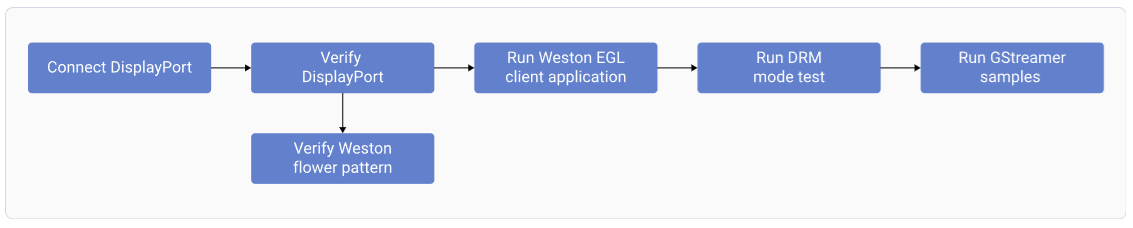
To view the output of sample applications on your DisplayPort, set up the DisplayPort. The display subsystem provides the Weston and Wayland compositors, along with libdrm, which interact with the DPU driver to render the Wayland client applications. Use the sample test applications to evaluate the basic rendering of the Wayland applications and to connect to the DisplayPort.
Verify DisplayPort Setup
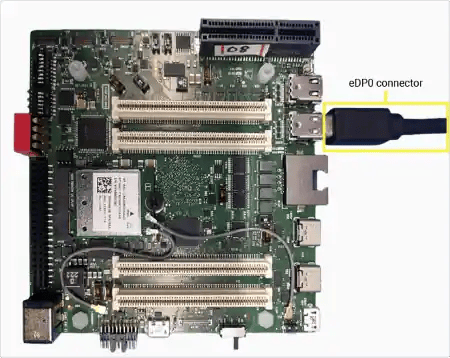
1

Connect primary display

Connect a DisplayPort cable to the eDP0 connector.
2

Connect secondary display (optional)

For dual display, connect a second DisplayPort cable to eDP1.
3

Power on

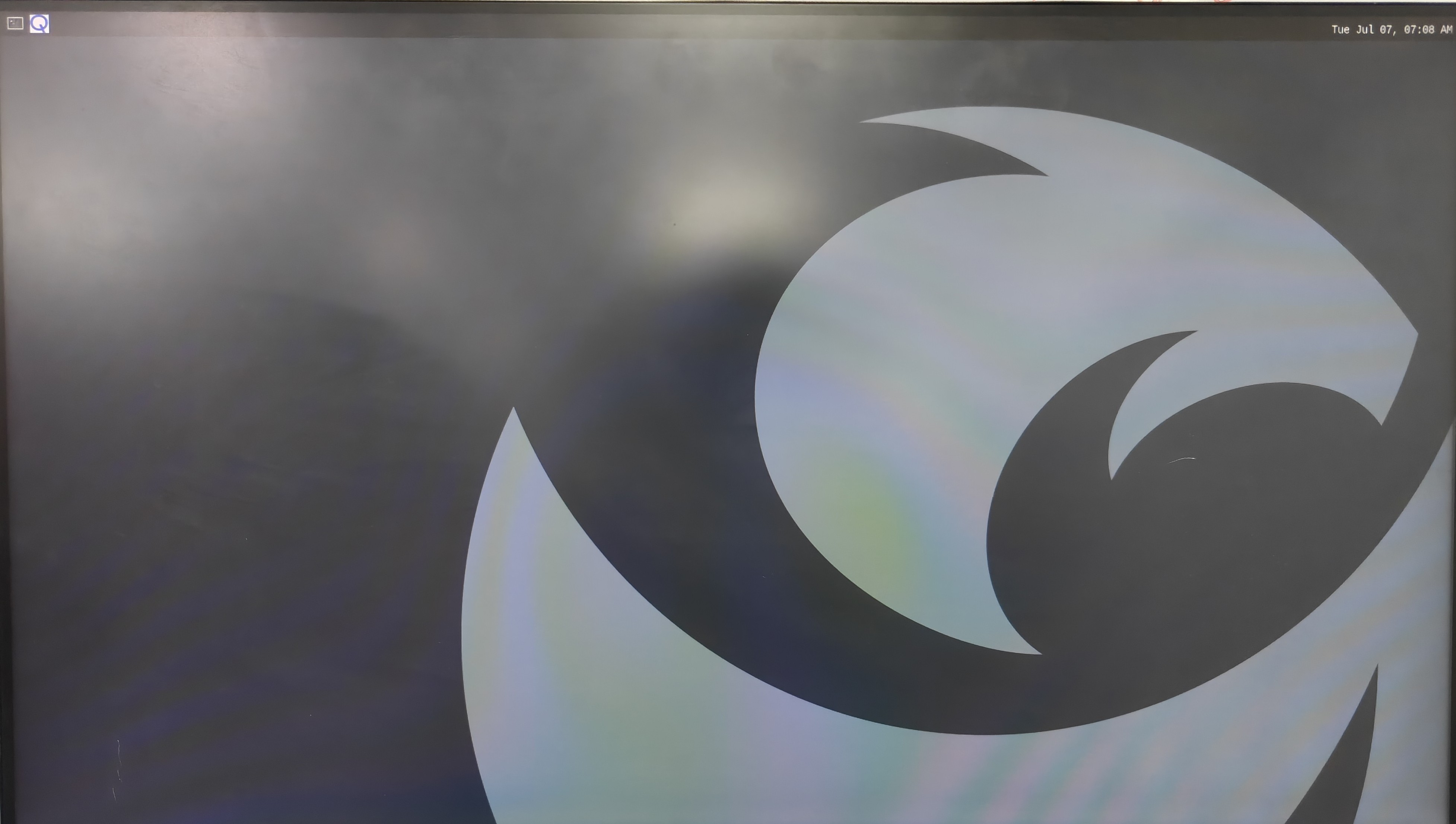
Power on the device. Weston launches automatically during boot and displays the flower pattern.
SSH Access

You must enable SSH to access your host device.

Testing and Verification

Run the Weston simple EGL client application

Weston simple EGL is a sample test application used to verify the composition and rendering of frames on your DisplayPort. To run the application, run the following commands:
mount -o remount,rw /
su
. /etc/profile
export XDG_RUNTIME_DIR=/run/user/1000 && mkdir -p $XDG_RUNTIME_DIR
cd /usr/bin
export WAYLAND_DISPLAY=wayland-1 && weston-simple-egl
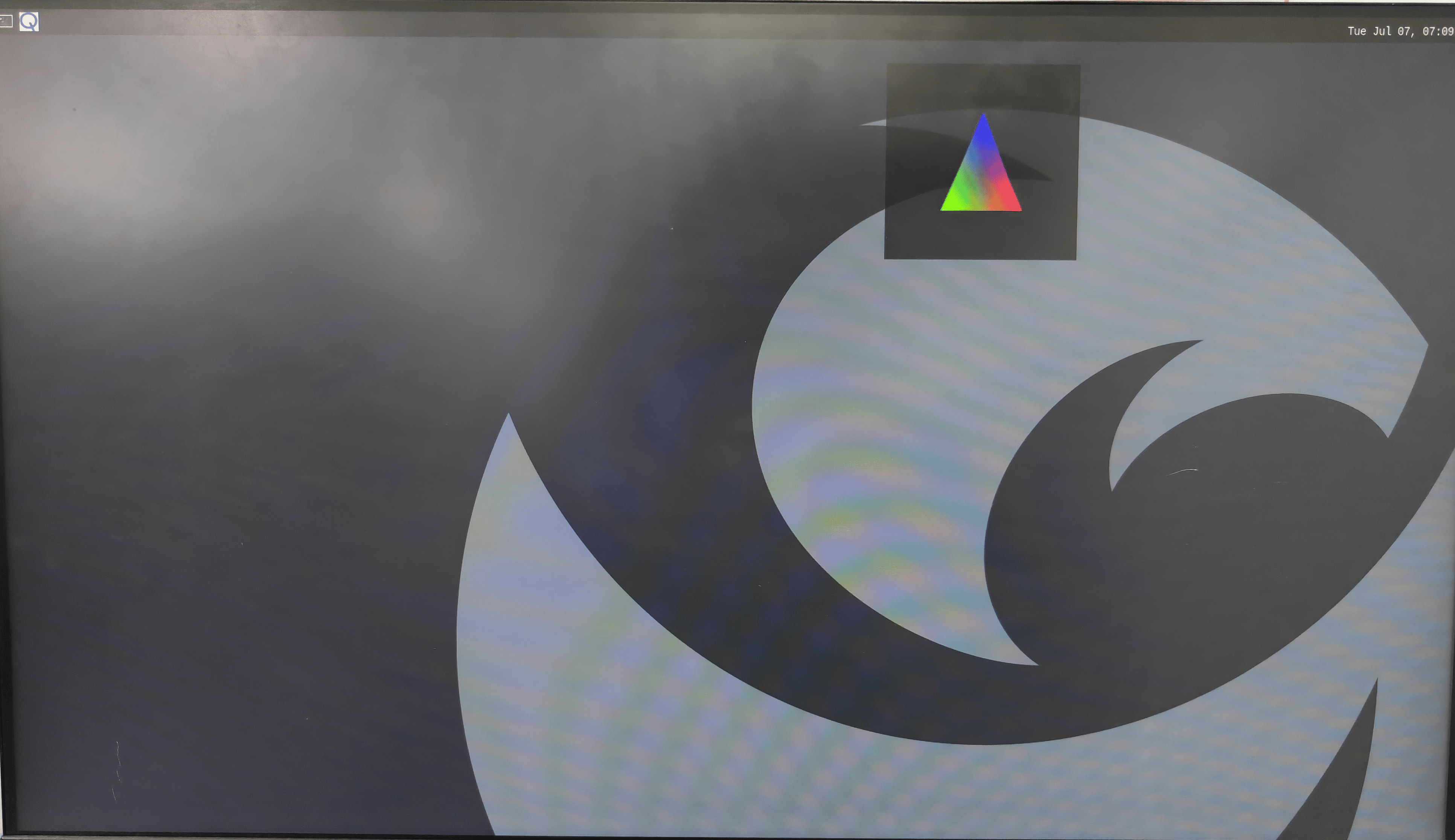
The following figure shows the Weston simple EGL client application running on the display monitor. Press Ctrl+C to terminate.

Run the DRM modetest application

DRM modetest ensures that the DSI and DPU paths are working effectively. To verify the display driver topology, run the DRM modetest. Note You must enable SSH to access your host device.
  1. To kill the Weston client application, run the following commands in the device shell:
mount -o remount,rw /
ps -A | grep weston
Sample output:
824 ?        00:00:12 weston
1090 ?        00:00:00 weston-keyboard
1092 ?        00:00:01 weston-desktop-
Use the Weston process ID from the sample Weston process list to kill the Weston processes.
  1. To kill all Weston processes, run the following command:
systemctl stop weston.service
3.To change permissions of the modetest application, run the following command:
chmod 0777 /usr/bin/modetest
  1. To view the connector IDs and modes, run the following command:
/usr/bin/modetest -M msm > /opt/drm_mode.txt
  1. To verify DRM modes and connector information, pull the /opt/drm_mode.txt file locally on your host computer. Use the Secure Copy Protocol (SCP) to pull the drm_mode.txt file from the device to your host computer. For example,

scp -r root@<IP of the device>:/opt/drm_mode.txt <directory path of the host machine>
Note When prompted for a password, enter oelinux123. The output as shown in the following figure is from the /opt/drm_mode.txt file.
  1. To fetch the connector ID and mode name, use the relevant values from the /opt/drm_mode.txt file:
modetest -M msm -s <Connector id>:<mode name>
  1. To start the modetest application, run the following sample command using the connector ID and the mode name retrieved from the /opt/drm_mode.txt file. For example:
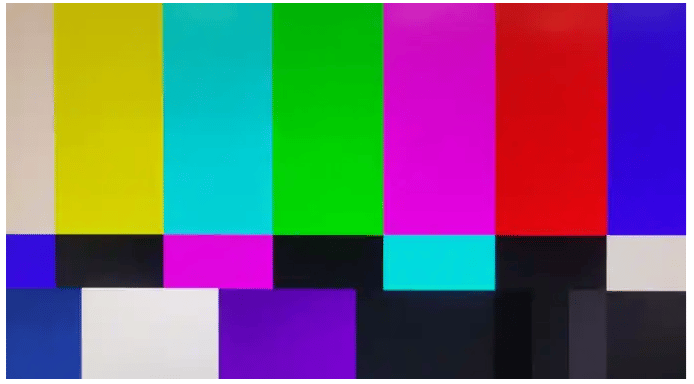
/usr/bin/modetest -M msm -s 32:1920x1080-60
Note Start the DRM modetest application and ignore the warning log: Failed to set gamma: Function not implemented. To kill the modetest application, select CTRL + C. Ensure that you Relaunch Weston
systemctl start weston.service

Troubleshooting

Check DisplayPort Status

# Cable status
sudo cat /sys/class/drm/card0-DP-1/status   # eDP0
sudo cat /sys/class/drm/card0-DP-2/status   # eDP1

# Available modes (EDID)
sudo cat /sys/class/drm/card0-DP-1/modes

# Detailed DP info
sudo cat /sys/kernel/debug/dri/0/DP-1/dp_debug

Resources