

Build a four-stage real-time hand gesture recognition pipeline using Qualcomm IM SDK — covering palm detection, hand landmark estimation, gesture embedding, and gesture classification, all running on-device with hardware-accelerated inference.
Introduction
Real-time gesture recognition is redefining how humans interact with machines — enabling touchless, natural interfaces across augmented reality, gaming, accessibility, and industrial control. But accurately interpreting hand gestures demands more than simple object detection; it requires a multi-stage AI pipeline capable of progressively refining raw visual input into high-level, actionable intent. The QIM SDK brings this capability directly to the edge. By routing compute-intensive tasks through hardware-accelerated GStreamer plugins, the SDK offloads video decoding, frame preparation, multi-stage inference, and encoding entirely to dedicated hardware blocks — delivering low-latency, power-efficient execution even for complex multi-model workloads. At the core of this use case is a four-stage sequential inference pipeline:Stage 1
Stage 2
Stage 3
Stage 4
Use Case Overview
Source
Palm Detection
Hand Landmark Detection
Gesture Embedding
Gesture Classification
Metadata Synchronization
qtimetamux synchronizes this structured metadata with the original video frames, maintaining per-frame consistency throughout the pipeline.Output
Pipeline diagram
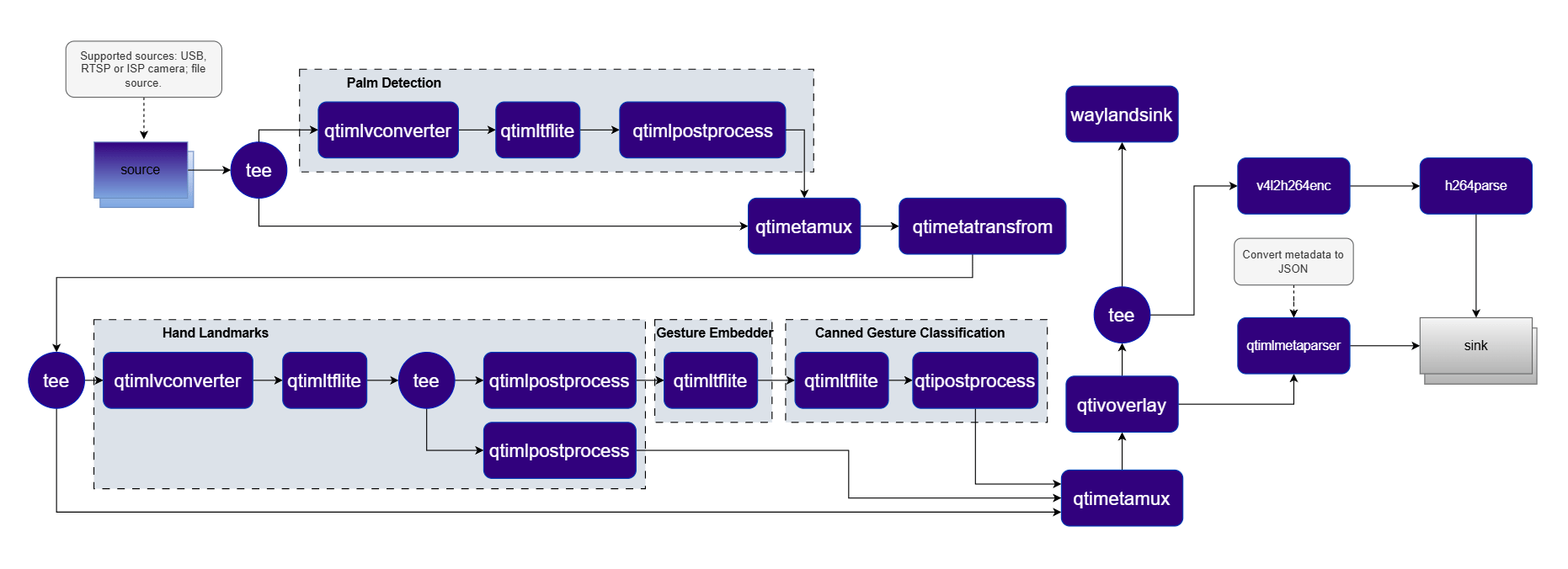
Elements used in pipeline
How It Works
Stage 1 — Palm Detection
qtimetatransform element uses this information to compute an affine transformation matrix, which is attached as metadata and carried forward to the next stage.Affine Crop Generation
qtimlvconverter instance consumes the affine transformation matrix and applies it to crop and rotate the detected hand region from the original frame, producing a correctly aligned input for the next stage.Stage 2 — Hand Landmark Detection
Stage 3 — Gesture Embedding
Stage 4 — Gesture Classification
Hierarchical Metadata
Output
Run application on device
Setup Requirements
Hardware
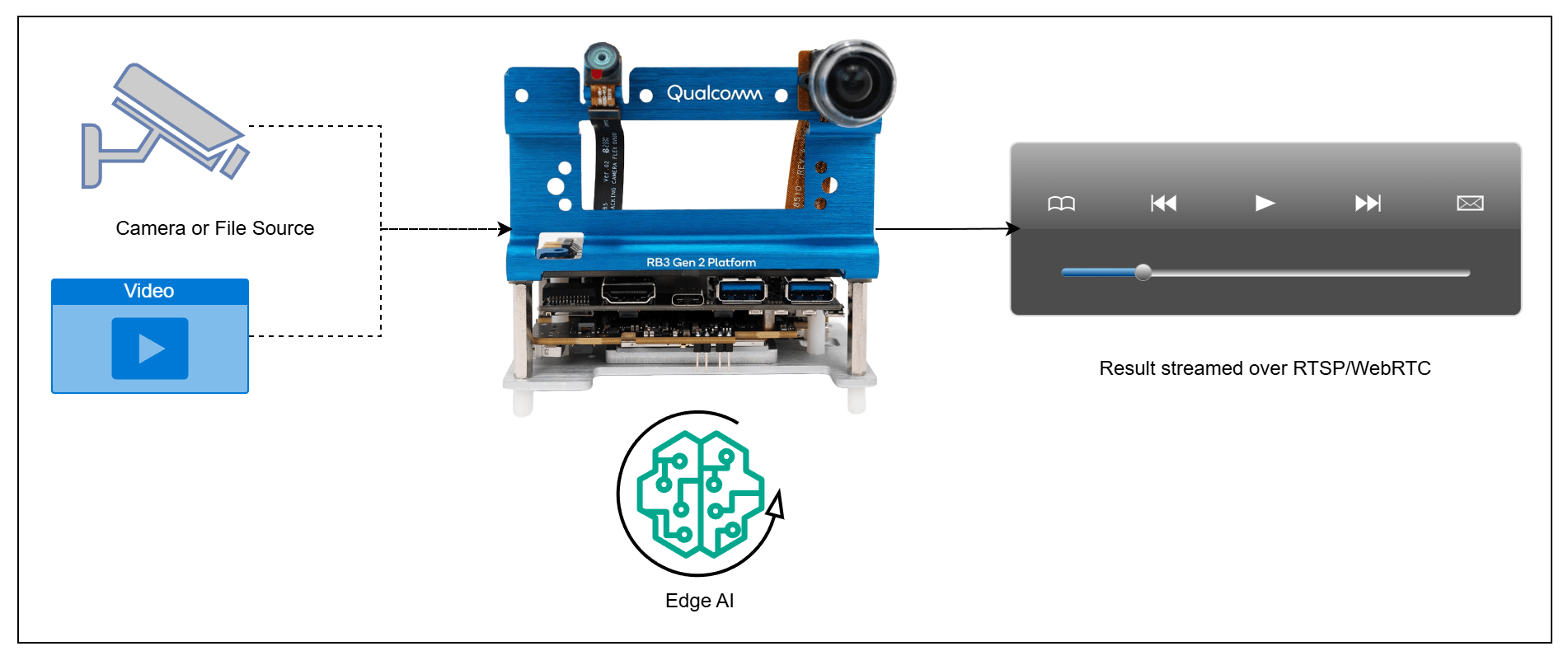
Software
Flash your Qualcomm Edge device by following the device setup and flashing instructions here Once your device is ready, follow the instructions below to set up the Gesture Recognition AI Pipeline:AI Model and config files
Download the gesture recognizer models from Google MediaPipe:
Note: A display must be connected to the device. If no display is available, use the --no-display flag to run in headless mode.
Use the following base path for model and label files based on your OS:
USB camera
USB camera
RTSP camera
RTSP camera
File input
File input
Headless (no display)
Headless (no display)
Note: This example uses an offline video file as input. To use an IP/RTSP camera or USB camera instead, update the --input-type argument accordingly — refer to the Command-Line Options section below for details.
It produces two key output results: an AI-annotated video stream and a JSON metadata stream. To visualize these results, refer to the Host-Side Visualization section below.
Visualize the Results - Host-Side Visualization (Windows + WSL)
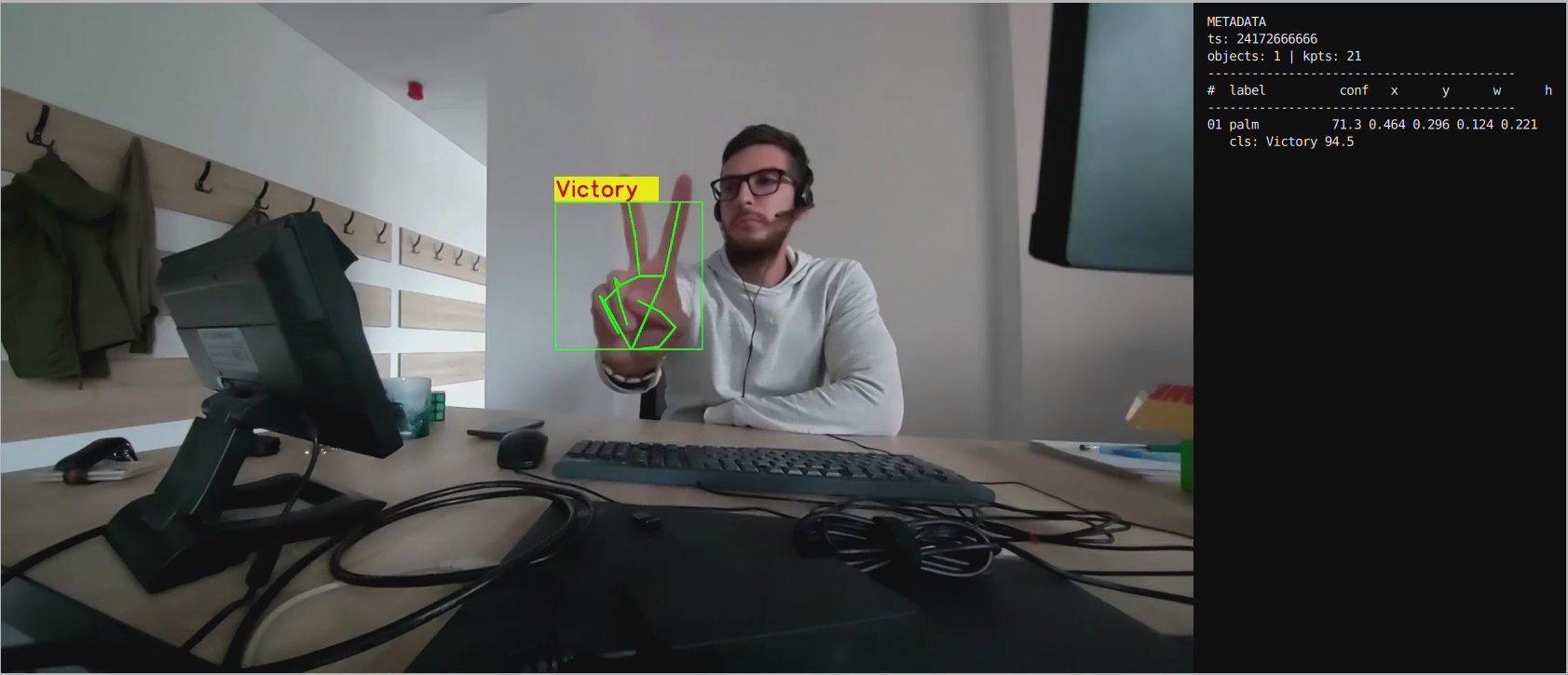
This section describes how to run the visualization client on a Windows host machine using WSL (Windows Subsystem for Linux). The client renders the live video stream alongside a real-time AI metadata panel. 📥 The visualization client script can be downloaded here: rtsp_webrtc_client.py It displays:- Left panel — Live video stream with AI overlays (bounding boxes, keypoints, gesture labels)
- Right panel — Real-time AI metadata (JSON): object detections, bounding boxes, and confidence scores.
RTSP
RTSP
WebRTC
WebRTC
Command-Line Options
--input-type
--input-type
--input-config
--input-config
--input-type.--output-type
--output-type
--output-config
--output-config
--output-type.--model-base-path
--model-base-path
--no-display
--no-display
--width / --height / --framerate
--width / --height / --framerate
--webrtc-id
--webrtc-id
JSON Metadata Output
The pipeline generates structured per-frame metadata. Each detected hand produces a root entry with child landmark, embedding, and classification results:Sample JSON output
Sample JSON output
Implementation Deep-Dive
1. Application Configuration and Runtime Context
1. Application Configuration and Runtime Context
2. Pipeline Assembly
2. Pipeline Assembly
3. Multi-Stage Inference Model Configuration
3. Multi-Stage Inference Model Configuration
qtimltflite instance and a task-specific qtimlpostprocess module:4. Linking Palm and Hand Landmark Branches
4. Linking Palm and Hand Landmark Branches
5. Gesture Branch and Output
5. Gesture Branch and Output
6. WebRTC Signaling
6. WebRTC Signaling
libsoup:Build the Application
- Source code: gst-gesture-recognition
- Build instructions: Steps to build custom application