

Create digests table
- Select the signed image files that must be downloaded with VIP.
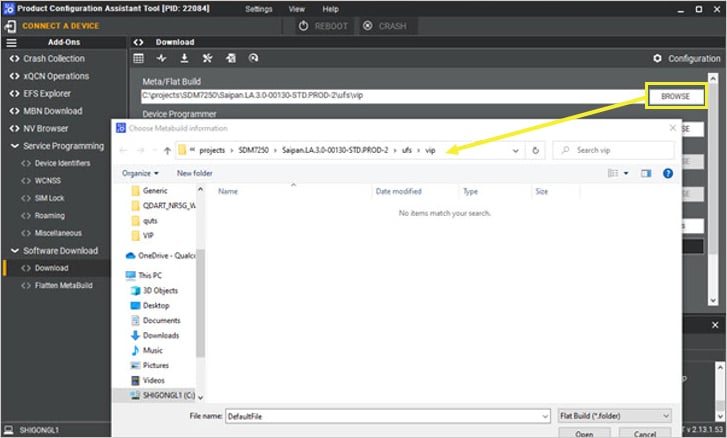
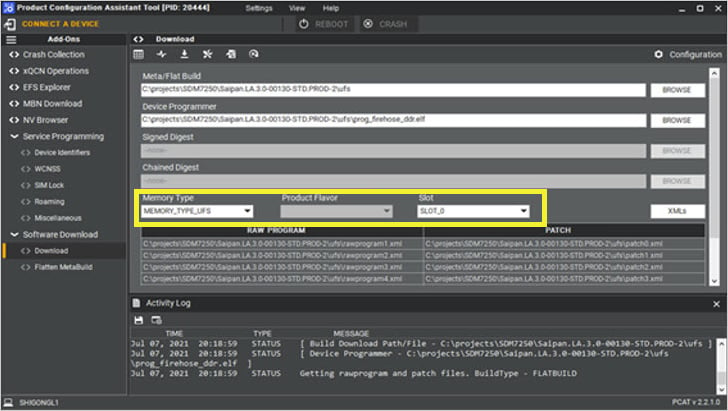
- Select the right memory type and other parameters on the Download window.
- Set up all the download options.
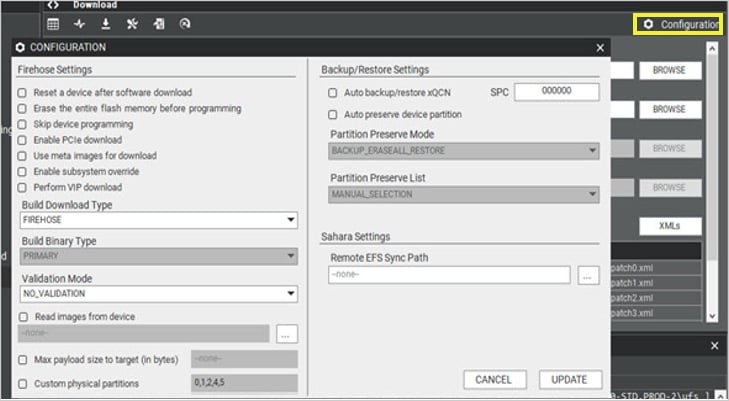
Note Ensure that the configurations used when generating the digests table match those used during VIP download. For example, if you select Erase the entire flash before programming while generating the digests table, then select the same option during VIP download.
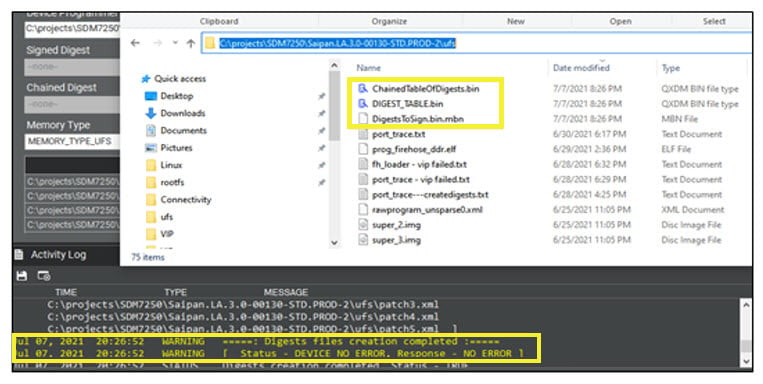
- Select Create Digest Files.
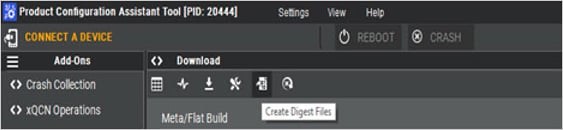
If the process runs successfully, it generates the digest files in the same folder as the build.
Sign components
- Sign both the
DigestsToSign.bin.mbnimage and theDevice Programmerimage using the same keys used during secure boot enablement by using the following commands:
- To sign the digest table:
- To sign the device programmer:
- Ensure the following:
- Use values that match your secure boot enablement configuration. For example, replace OEM ID
0x1and OEM product ID0xabcdwith your specific values. - Replace
<chipset>_security_profile.xmlwith the same security profile used during secure boot enablement. - The signing keys must match those used during secure boot enablement.
- Use values that match your secure boot enablement configuration. For example, replace OEM ID
DigestsToSign.bin.mbn is expected to be in MBNv6 format (check according to <chipset>_security_profile.xml) and if PCAT isn’t generating MBNv6, then do the following:
- Remove or delete any existing digest files such as
ChainedTableOfDigests.bin,DIGEST_TABLE.bin, orDigestsToSign.bin.mbnfrom the flat build folder. - Open PCAT app and goto Configuration, change Digest Header Type to DIGEST_HEADER_TYPE_NONE.
- Keep all the other fields as same and re-generate the digest files.
In the output, you will see:
ChainedTableOfDigests.bin,DIGEST_TABLE.bin, andDigestsToSign.bin, notNot DigestsToSign.bin.mbn. - Run the command to convert .bin to .bin.mbn.
- Sign the
DigestsToSign.bin.mbn(generated in step 4) with--image-idVIP.
Download using PCAT
- Select Perform VIP download in PCAT.
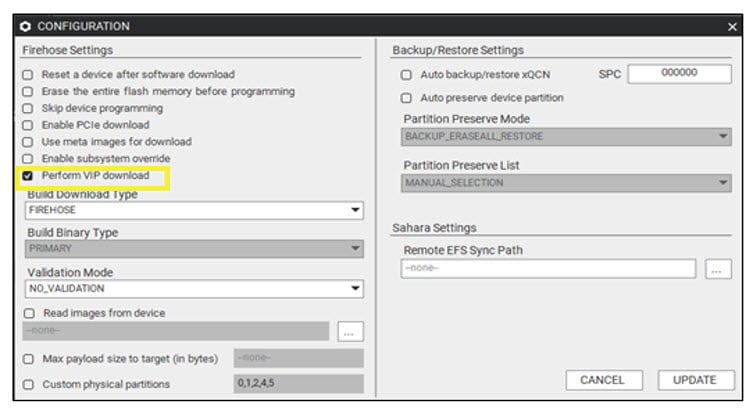
Note Ensure that the configurations used when generating the digests table match those used during VIP download. For example, if you select Erase the entire flash before programming while generating the digests table, then select the same option during VIP download.
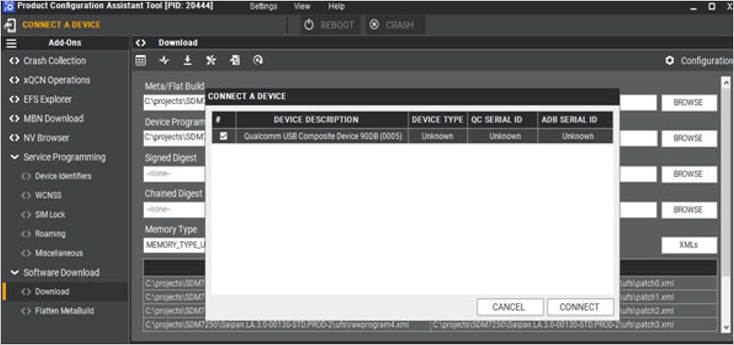
- Connect a secure device.
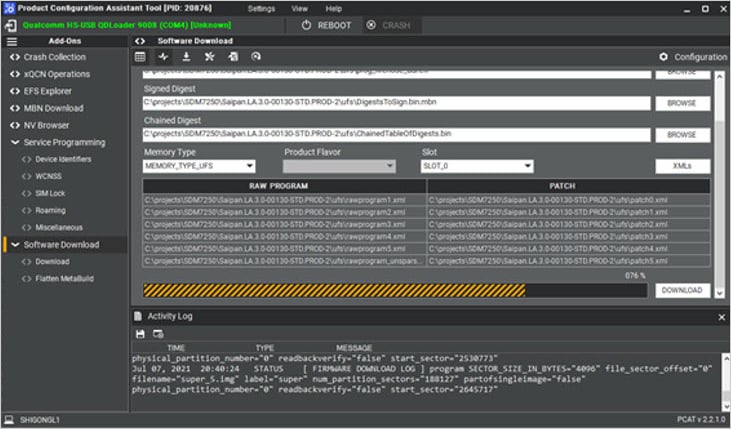
- To perform VIP download, click on DOWNLOAD.
Next steps
- To enforce strict access controls, see Enable SELinux.
- To ensure that only the verified and trusted applications are loaded during the startup process, see Enable UEFI secure boot.