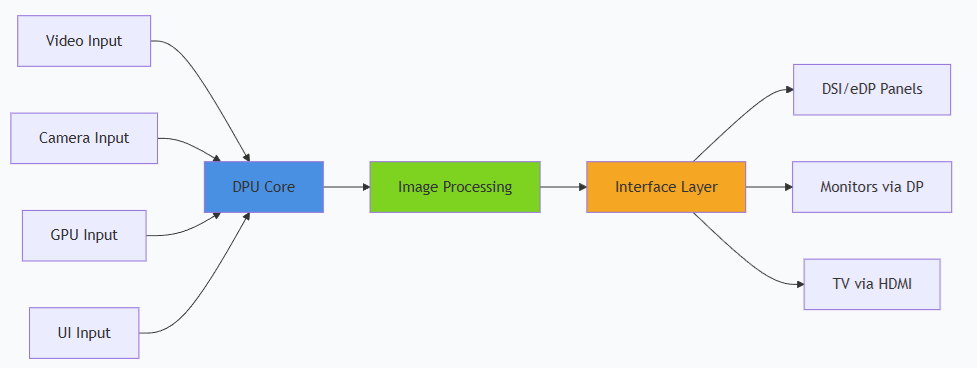
The IQ-8275 platform features a Qualcomm Adreno Display Processing Unit (DPU) providing hardware-accelerated image processing. The IQ8-EVK supports two simultaneous displays via dual DisplayPort outputs.

Display Capabilities

InterfaceCapability
DP03840 × 2160 at 60 fps, 30 bpp
DP13840 × 2160 at 60 fps, 30 bpp
ConcurrentDP0 as primary + DP1 as secondary, both at 3840 × 2160 @ 60 fps
Supported features:
  • Wayland and Weston with upstream protocol
  • Weston compositor with DRM backend
  • 2× DisplayPort with SST and MST support

Architecture

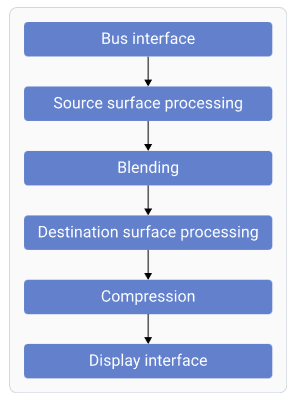
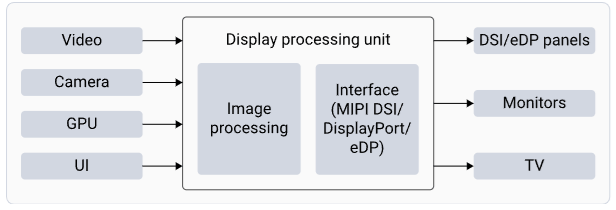
DPU Hardware
ComponentFunction
Bus InterfaceFetches data from memory
Source Surface ProcessingReads RGB/YUV surfaces; performs format conversion
BlendingBlends and mixes source surfaces
Destination Surface ProcessingConverts and adjusts data for panel characteristics
CompressionReduces bandwidth by sending compressed display buffers
Display InterfaceGenerates timings for connected display peripherals

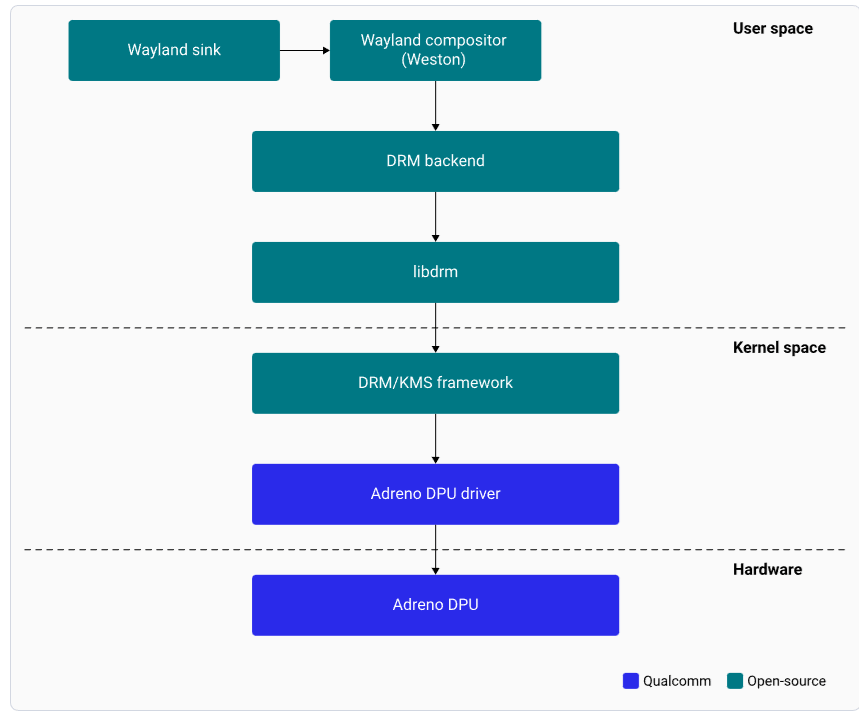
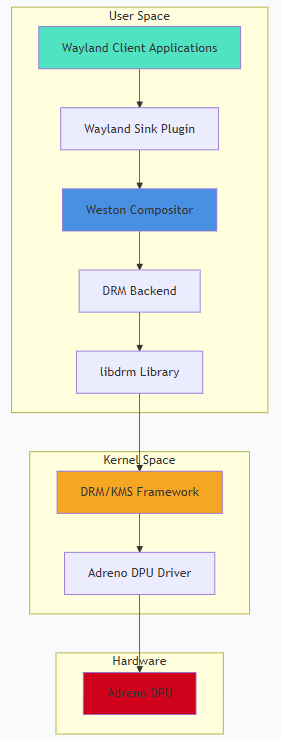
Software Stack

ComponentDescription
Wayland SinkPlug-in communicating with Weston to render the display
WestonWayland compositor; handles composition and rendering
DRM BackendManages Adreno DPU hardware resources and composition strategy
libdrmLibrary providing DRM IOCTL APIs
Adreno DPU DriverManages all pixel data paths to panel interfaces

Setup

1

Connect primary display

Connect a DisplayPort cable to the eDP0 connector.
2

Connect secondary display (optional)

For dual display, connect a second DisplayPort cable to eDP1.
3

Power on

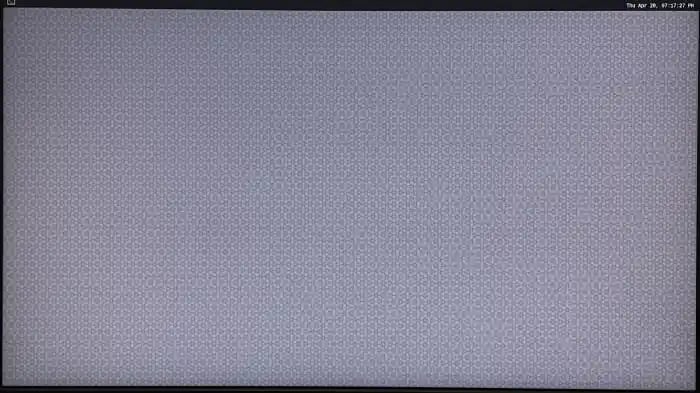
Power on the device. Weston launches automatically during boot and displays the flower pattern.
SSH Access

Default credentials: Username: ubuntu / Password: ubuntu

Testing and Verification

Run Weston EGL Client

weston-simple-egl
Expected output: A rotating triangle on the display at 60 fps. Press Ctrl+C to terminate.

GStreamer Video Playback

# H.264 playback
gst-launch-1.0 -v filesrc location=/etc/media/video.mp4 ! qtdemux ! queue ! \
  h264parse ! v4l2h264dec capture-io-mode=4 output-io-mode=4 ! \
  video/x-raw,format=NV12 ! waylandsink

# H.265/HEVC playback
gst-launch-1.0 -v filesrc location=/etc/media/video_hevc.mp4 ! qtdemux ! queue ! \
  h265parse ! v4l2h265dec capture-io-mode=4 output-io-mode=4 ! \
  video/x-raw,format=NV12 ! waylandsink

Debugging

sudo cat /sys/class/drm/card0-DP-1/status   # eDP0 cable status
sudo cat /sys/class/drm/card0-DP-2/status   # eDP1 cable status
sudo cat /sys/class/drm/card0-DP-1/modes    # Available EDID modes
dmesg | grep -i "dp\|display\|drm"

Troubleshooting

cat /sys/class/drm/card0-DP-1/status
sudo dmesg | grep -i "dp\|display\|drm"
  • Verify cable connection to eDP0 or eDP1
  • Check display power and input source selection
journalctl -u weston
ls -l /dev/dri/card0
weston --idle-time=0 --continue-without-input --log=/home/ubuntu/weston.log
cat /sys/class/drm/card0-DP-1/status
cat /sys/class/drm/card0-DP-2/status
cat /sys/kernel/debug/dri/0/state
killall weston
sudo systemctl start weston-autostart
export XDG_RUNTIME_DIR=/run/user/$(id -u ubuntu)
export WAYLAND_DISPLAY=wayland-1

Resources