

Specifications
Architecture
The IQ-9075 memory controller supports high-bandwidth, low-latency operations across six independent 16-bit channels with dynamic frequency scaling for power optimization. The IQ-9075M module has three 12 GB LPDDR5 SDRAM ICs: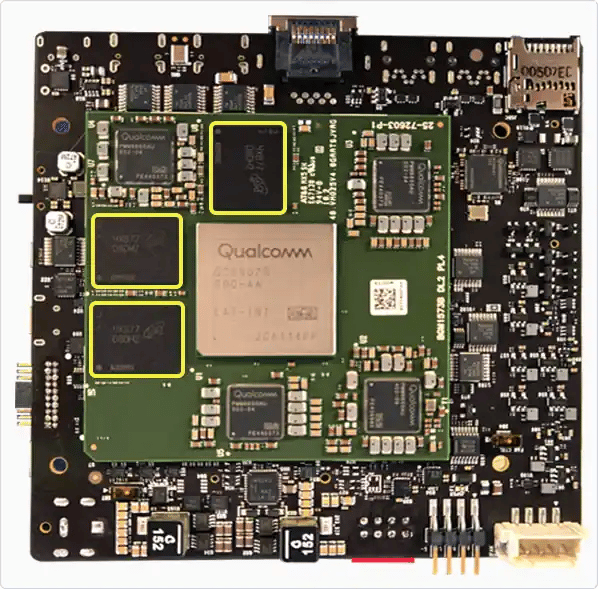
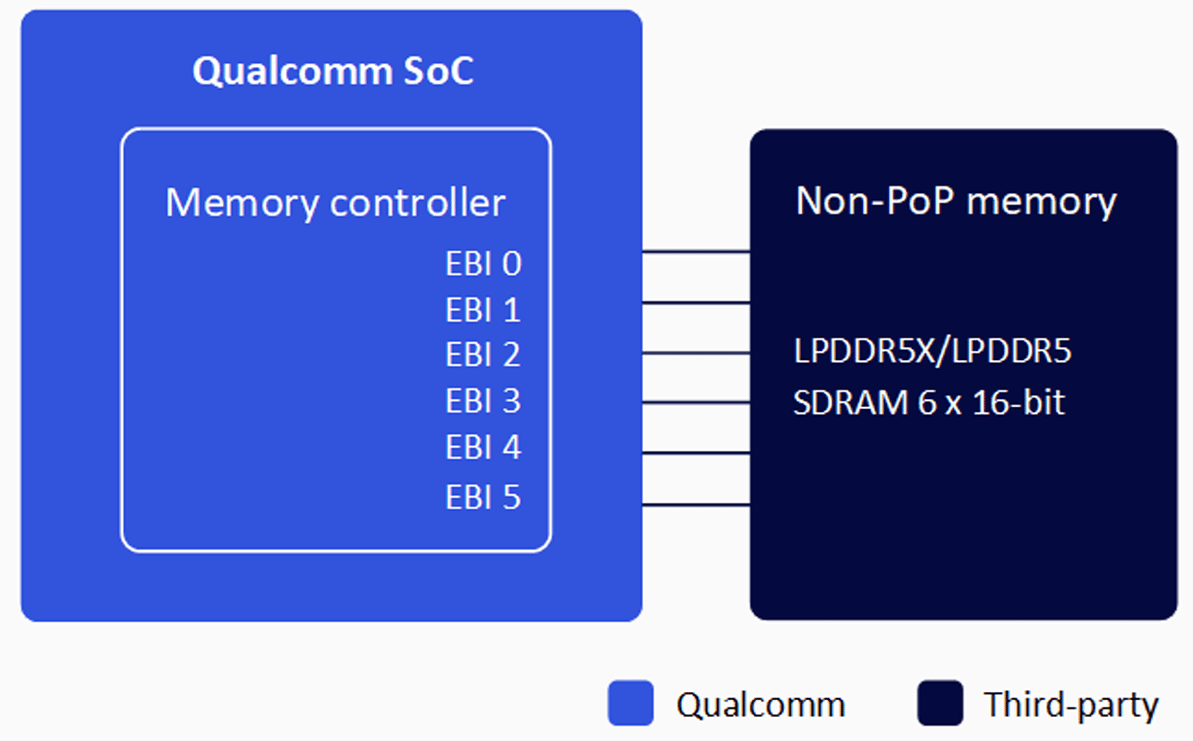
Supported DRAM Components
All DRAM components must be selected from the Qualcomm Preferred Vendor List (PVL).1
Access the PVL database
Navigate to the Qualcomm PVL and sign in with your Qualcomm account.
2
Download the PVL file
Download the QRD Hardware - Preferred Vendor List (PVL) Excel file.
3
Filter for IQ-9075 memory
Filter by Type: Memory and Chipset: IQ-9075.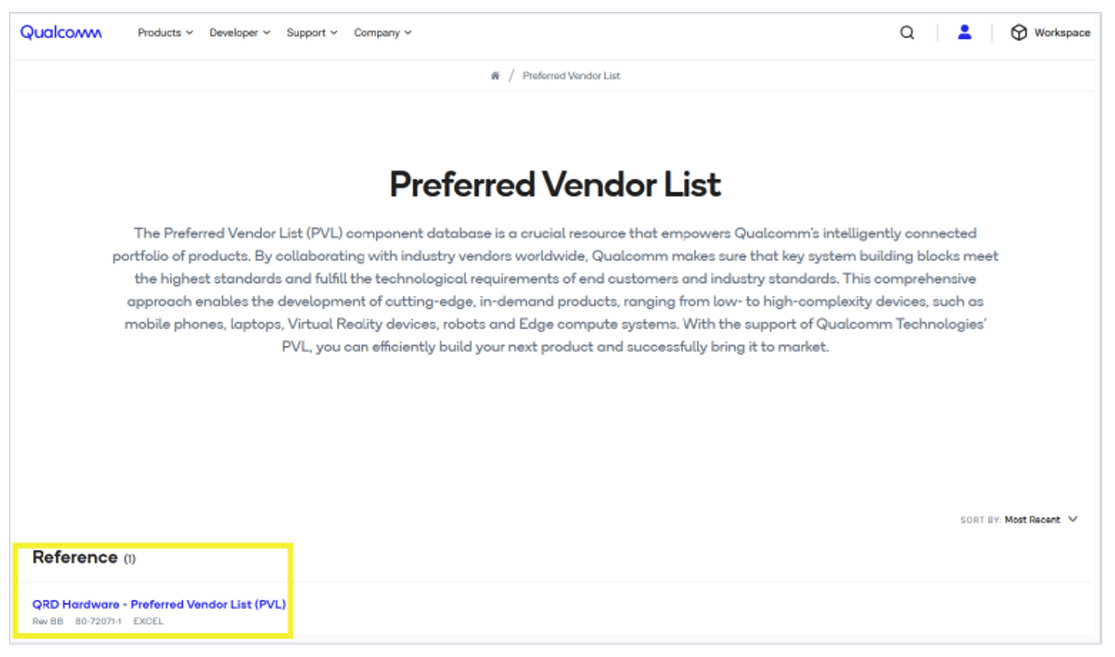
Initialization

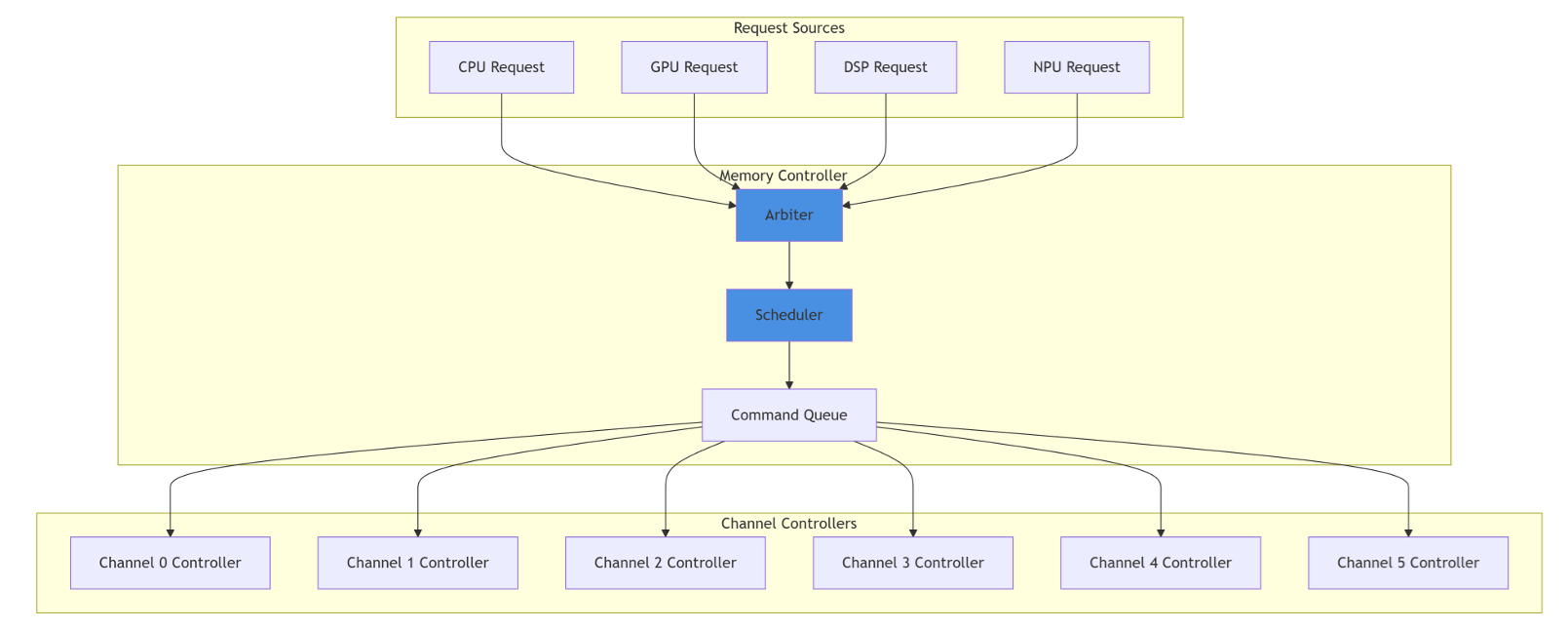
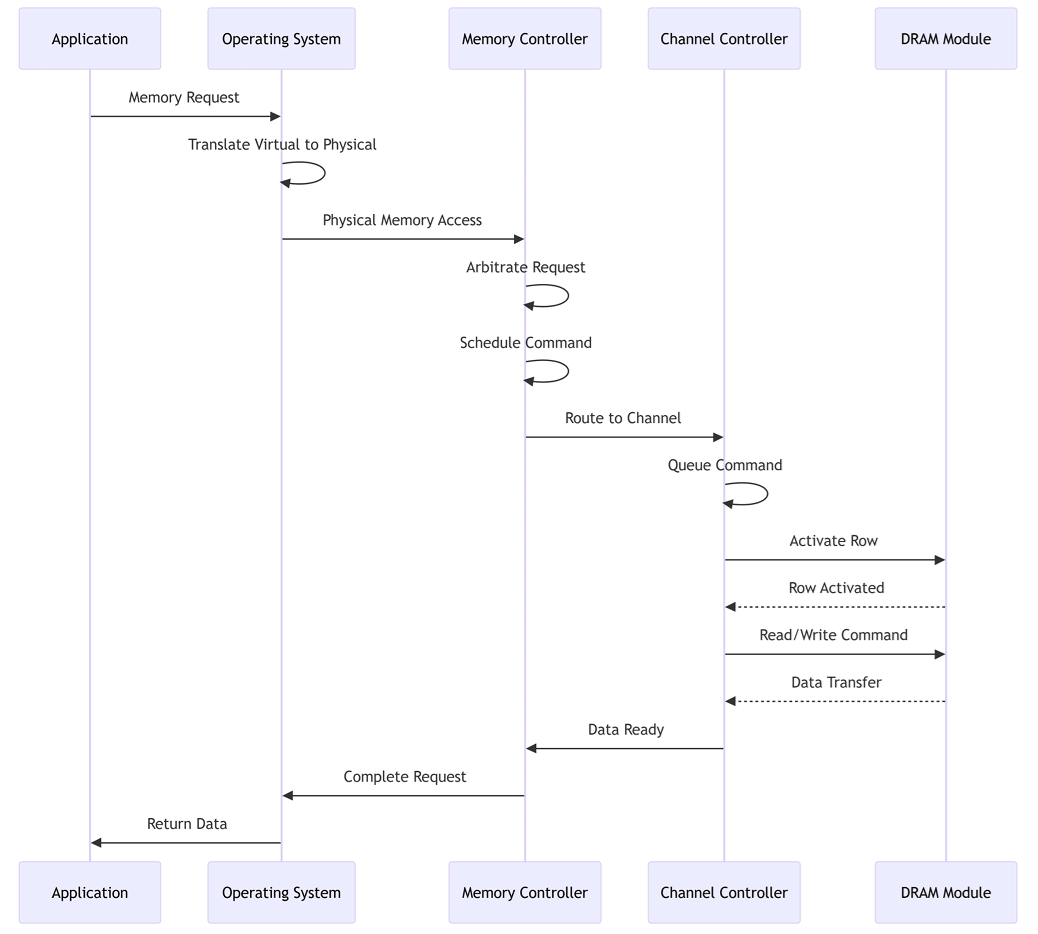
Setup and Configuration
Prerequisites
- IQ-9075 development board with PVL-compliant LPDDR5X or LPDDR5 DRAM
- Canonical Ubuntu software package
- XBL bootloader with DSF (DDR System Firmware)
- UART debug cable and SSH access
Initial Setup
1
Verify DRAM component
Confirm your DRAM part number is listed in the Qualcomm PVL for IQ-9075.
2
Flash the software package
3
Boot and verify detection
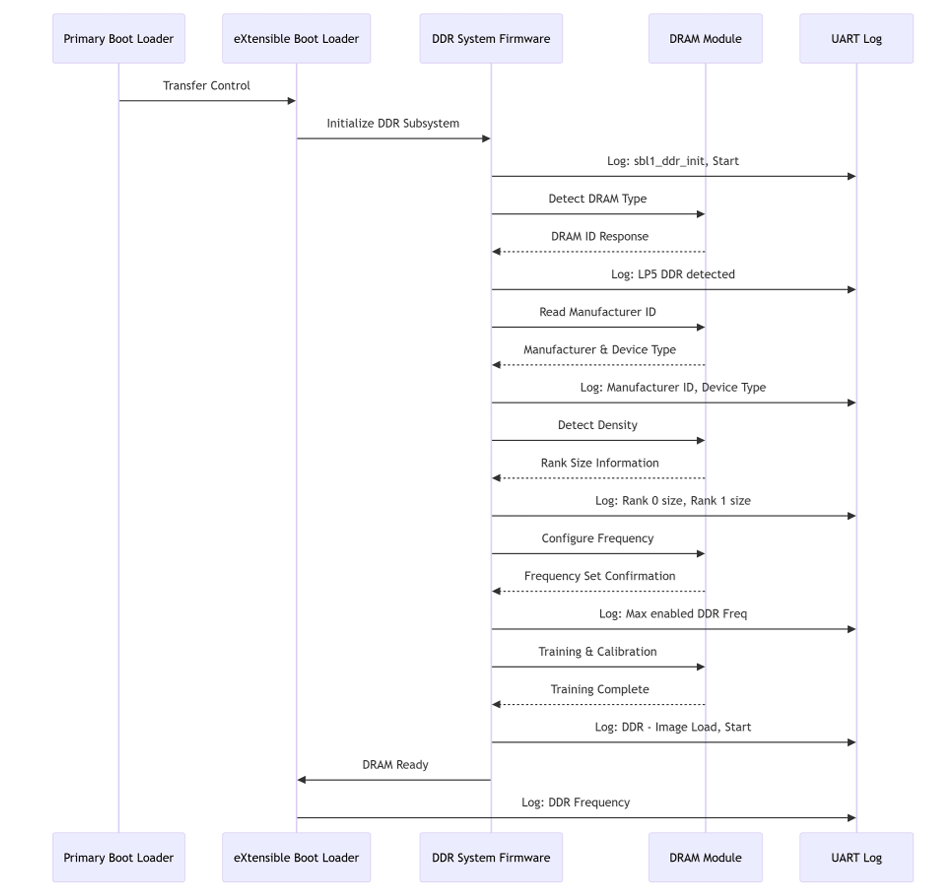
Connect UART console (115200 baud, 8N1) and watch for initialization messages:
sbl1_ddr_init, StartLP5 DDR detectedManufacturer ID = XXXX, Device Type = XXXXRank 0 size = XXXX MB, Rank 1 size = XXXX MBMax enabled DDR Freq = 3200 MHz
Frequency Scaling
Memory Bandwidth Monitoring
Debugging
Boot Log Analysis
Diagnostic Commands
Troubleshooting
DRAM Not Detected at Boot
DRAM Not Detected at Boot
Symptoms: No DRAM detection in UART logs; boot hangs at XBL stage.Steps:
- Verify DRAM modules are properly seated with no physical damage
- Measure VDD and VDDQ voltages — ensure they meet JEDEC specifications
- Check for voltage droops during boot
- Verify clock signal presence and data line connectivity
Wrong DRAM Type Detected
Wrong DRAM Type Detected
Symptoms: Detected type doesn’t match installed component; incorrect manufacturer ID; wrong memory size.Steps:
- Check log for
Manufacturer ID = <XXXX>, Device Type = <XXXX> - Verify DRAM part number against PVL
- Inspect physical markings on DRAM chips
DRAM Initialization Fails
DRAM Initialization Fails
Symptoms: Boot hangs after DRAM detection; training/calibration failures; intermittent boot failures.Steps:
- Check temperature (must be within spec) and voltage stability
- Measure signal quality on all channels; verify impedance matching
- Try booting at a lower frequency — success indicates signal integrity issue
Memory Corruption During Runtime
Memory Corruption During Runtime
Symptoms: Random application crashes, kernel panics, data corruption.Steps:Resolution: Improve thermal management, fix power supply issues, replace failing DRAM modules.
Performance Below Specification
Performance Below Specification
Symptoms: Memory bandwidth lower than expected; high latency; system performance degradation.Steps:Resolution: Set performance governor, improve cooling, verify DRAM component supports full speed.
Insufficient Memory Available
Insufficient Memory Available
Symptoms: Less memory than installed; out-of-memory errors; allocation failures.Steps:Resolution: Verify all DRAM modules are detected; review reserved memory configuration; fix memory leaks.
Performance Optimization
Frequency Governor
Cache and Access Patterns
- Prefer sequential over random memory access
- Align data structures to cache line boundaries
- Pre-allocate memory when possible to minimize allocation overhead
- Use huge pages for large allocations