

- UART, SPI, I2C, I3C
- PCIe, USB
IQ-9075 Interface Overview
QUP v3 Protocol and GPIO Mapping
QUP0 (SE0–SE5)
QUP1 (SE0–SE6)
QUP2 (SE0–SE6)
QUP3 (SE0)
SPI-M = SPI Master
QUP Lane to Function Mapping
Set Up the Device Interface
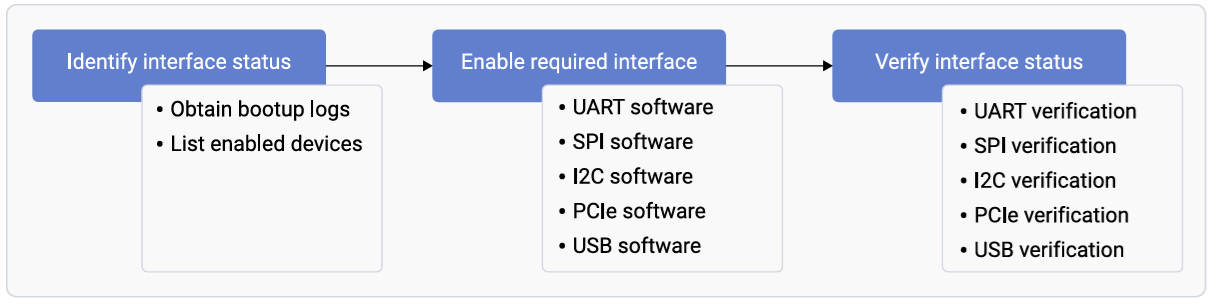
Obtain Boot Logs
List Enabled Interfaces
Load QUP v3 Firmware
The Application Processor serial engines are managed by the Linux kernel. Firmware files are at:Device Tree Configuration
IQ-9075 EVK reference device tree:arch/arm64/boot/dts/qcom/sa8775p.dtsi
Sample Configurations
- I2C
- SPI
- UART
Device Tree Properties
Modify Serial Engine Node
To enable or change a serial engine, modify the device tree and rebuild the kernel.As a first step, refer to the “How to build the linux-qcom kernel for Qualcomm platform?” section from Ubuntu Qualcomm IOT Platform Support.
1
Set up host machine
2
Identify kernel version on device
3
Download and checkout kernel
4
Enable the interface in device tree
Device tree files for IQ-9075 EVK:Example — enable I2C4:
qcs9075-addons-iq-9075-evk.dtsqcs9075-iq-9075-evk.dtssa8775p.dtsi
5
Build the kernel
6
Extract and deploy DTB
Switch Serial Engine Protocol
To convert a serial engine from one protocol to another (e.g., SPI10 → I2C10):Troubleshooting
Firmware Loading Failed
Firmware Loading Failed
Symptom:
qcom-geni-se: firmware request failedSerial Engine Not Probing
Serial Engine Not Probing
Symptom: No device node created; driver not loading.Verify device tree:
status = "okay"; (not "ok" or "enable")Protocol Conflict
Protocol Conflict
Symptom:
qcom-geni-se: serial engine is already in useEnsure only one protocol is enabled per serial engine:Enable Required Interfaces
- UART — see UART software device tree configuration
- SPI — see SPI software configuration
- I2C — see I2C software device tree configuration
- PCIe — see PCIe software driver configuration
- USB — see USB configuration guide