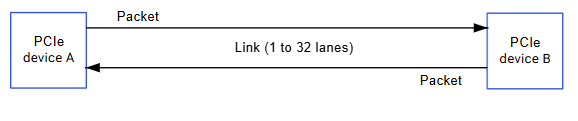
PCIe (Peripheral Component Interconnect Express) uses a bidirectional connection to send and receive information simultaneously. The path between devices is called a Link, made up of one or more transmit/receive pairs called Lanes.

Hardware Specifications

IQ-8275 PCIe Controllers

ParameterPCIe RC1PCIe RC0
SpeedGen4 2-lane (8 GT/s)Gen4 4-lane (8 GT/s)
Configuration Space0x40100000 (1 MB)0x60100000 (1 MB)
I/O Space0x40200000 (1 MB)0x60200000 (1 MB)
BAR Space0x40300000 (509 MB)0x60300000 (509 MB)
Power Railsvreg_l5a (VDD_A_PCIE_0_CORE), vreg_l1c (VDD_A_PCIE_0_PLL_1P2)vreg_l5a (VDD_A_PCIE_1_CORE), vreg_l1c (VDD_A_PCIE_1_PLL_1P2)
InterruptsMSI and PCI legacyMSI and PCI legacy
Power ManagementASPM (L1/L1ss, L0s)ASPM (L1/L1ss, L0s)

EVK Hardware Configuration

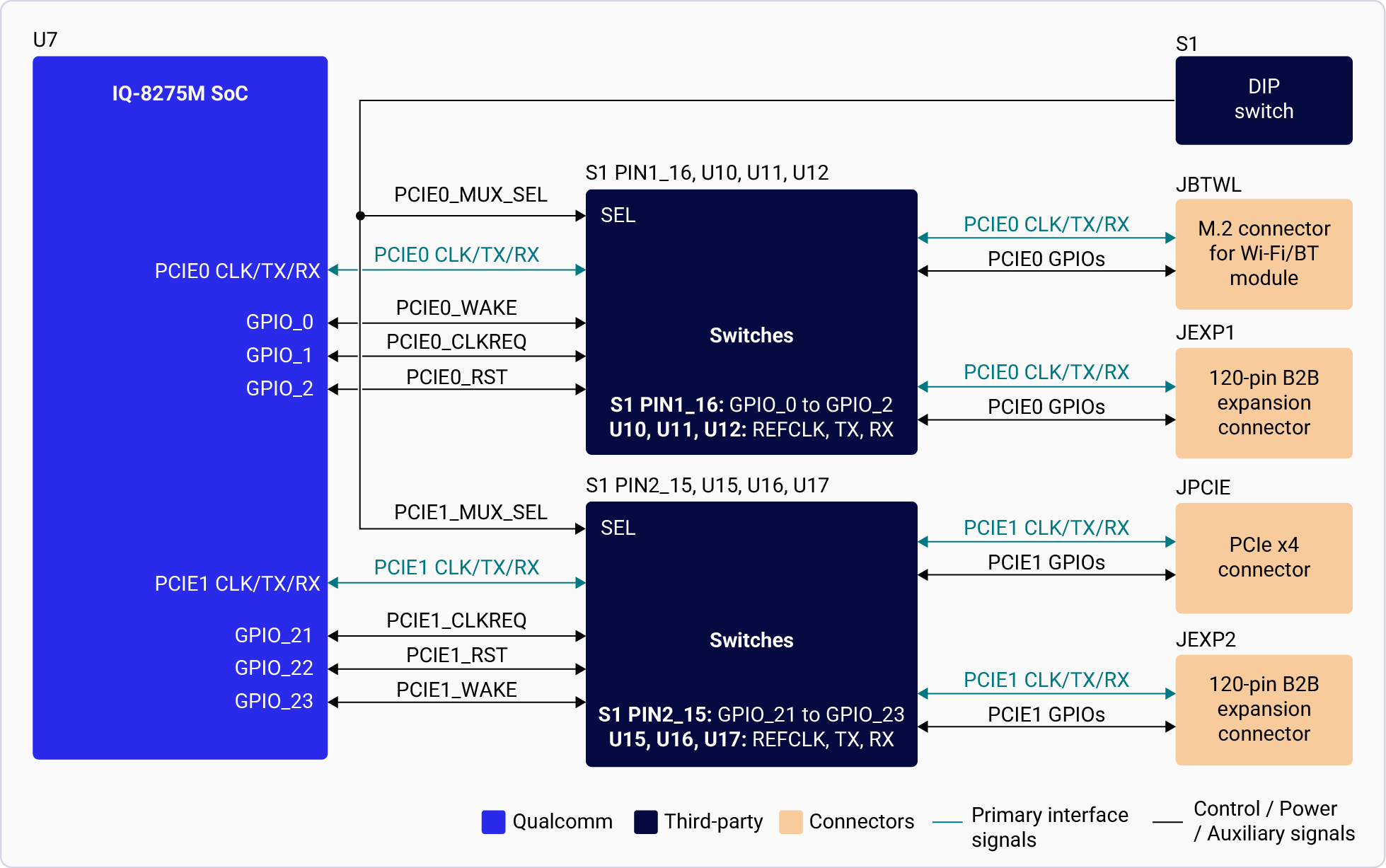
  • PCIe0: Gen4 2-lane — M.2 E key (Wi-Fi) or expansion (switch-selectable via SW1-1)
  • PCIe1: Gen4 4-lane — PCIe x4 slot or expansion (switch-selectable via SW1-2)

Architecture

LayerKey Features
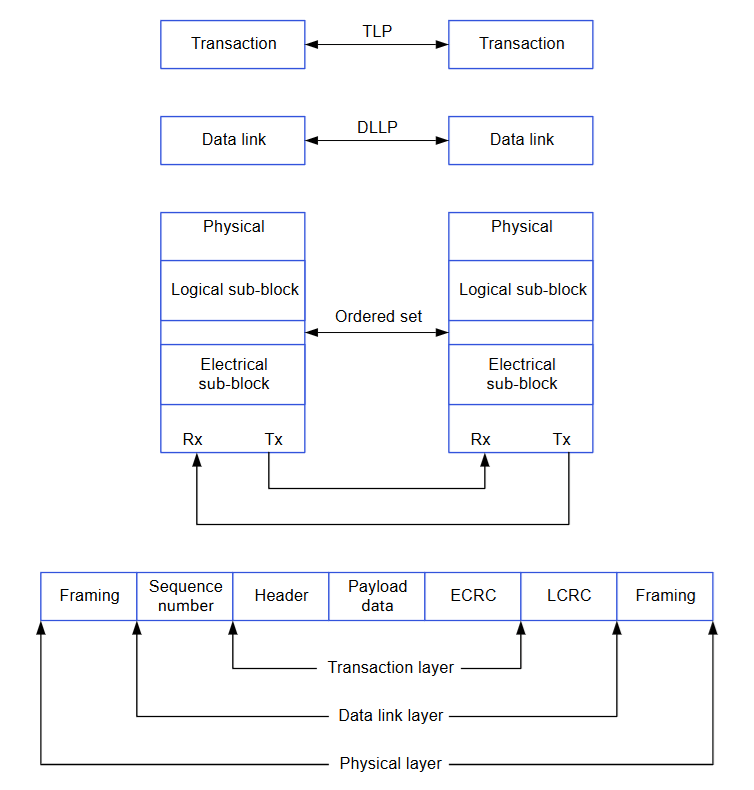
PhysicalLink training, 8b/10b encoding, serial conversion
Data LinkDLLP assembly, LCRC generation, ACK/NAK replay
TransactionTLP assembly, ECRC, flow control, QoS (TC→VC mapping)

PCIe Connection Types

TypeDescription
Root Complex (RC)Connects CPU to PCIe topology
SwitchRoutes packets between more than 2 ports
BridgeConnects different buses
Endpoint (EP)Leaf device with only an upstream port

Software Driver Configuration

Kernel Configuration

CONFIG_HOTPLUG_PCI=y
CONFIG_PCI_HOST_GENERIC=y
CONFIG_PCIE_DW_PLAT_HOST=y
CONFIG_PCIE_QCOM=y
CONFIG_PCI_ENDPOINT=y
CONFIG_PCIEASPM=y
CONFIG_PCIEASPM_POWER_SUPERSAVE=y
CONFIG_BLK_DEV_NVME=y
CONFIG_NVME_CORE=y

Device Tree Sources

PlatformFile
Dragonwing IQ-8275arch/arm64/boot/dts/qcom/lemans.dtsi

Key Driver Files

ComponentPath
PCIe Driverdrivers/pci/controller/dwc/pcie-qcom.c
DesignWare Hostdrivers/pci/controller/dwc/pcie-designware-host.c
PHY Driverdrivers/phy/qualcomm/phy-qcom-qmp-pcie.c

Verification

lspci
lspci -vv | grep -i "lnk"
cat /sys/bus/pci/devices/*/current_link_speed
cat /sys/bus/pci/devices/*/current_link_width

NVMe over PCIe

lspci | grep -i nvme
ls /dev/nvme*
nvme list

Debugging

echo 8 > /proc/sys/kernel/printk
echo "file pcie-qcom.c +p" > /sys/kernel/debug/dynamic_debug/control
dmesg | grep -i pcie

Troubleshooting

lspci -tv
dmesg | grep -i pcie
  • Verify DIP switch positions (SW1-1, SW1-2)
  • Check endpoint power supply
lspci -vv | grep -i "lnk"
  • Verify link is running at expected Gen4 speed
  • Adjust ASPM settings if too aggressive

Quick Reference

lspci                                              # List all PCIe devices
lspci -vv                                          # Detailed device info
lspci -tv                                          # Tree view
dmesg | grep -i pcie                               # Kernel messages
cat /sys/bus/pci/devices/*/current_link_speed      # Link speeds

Resources