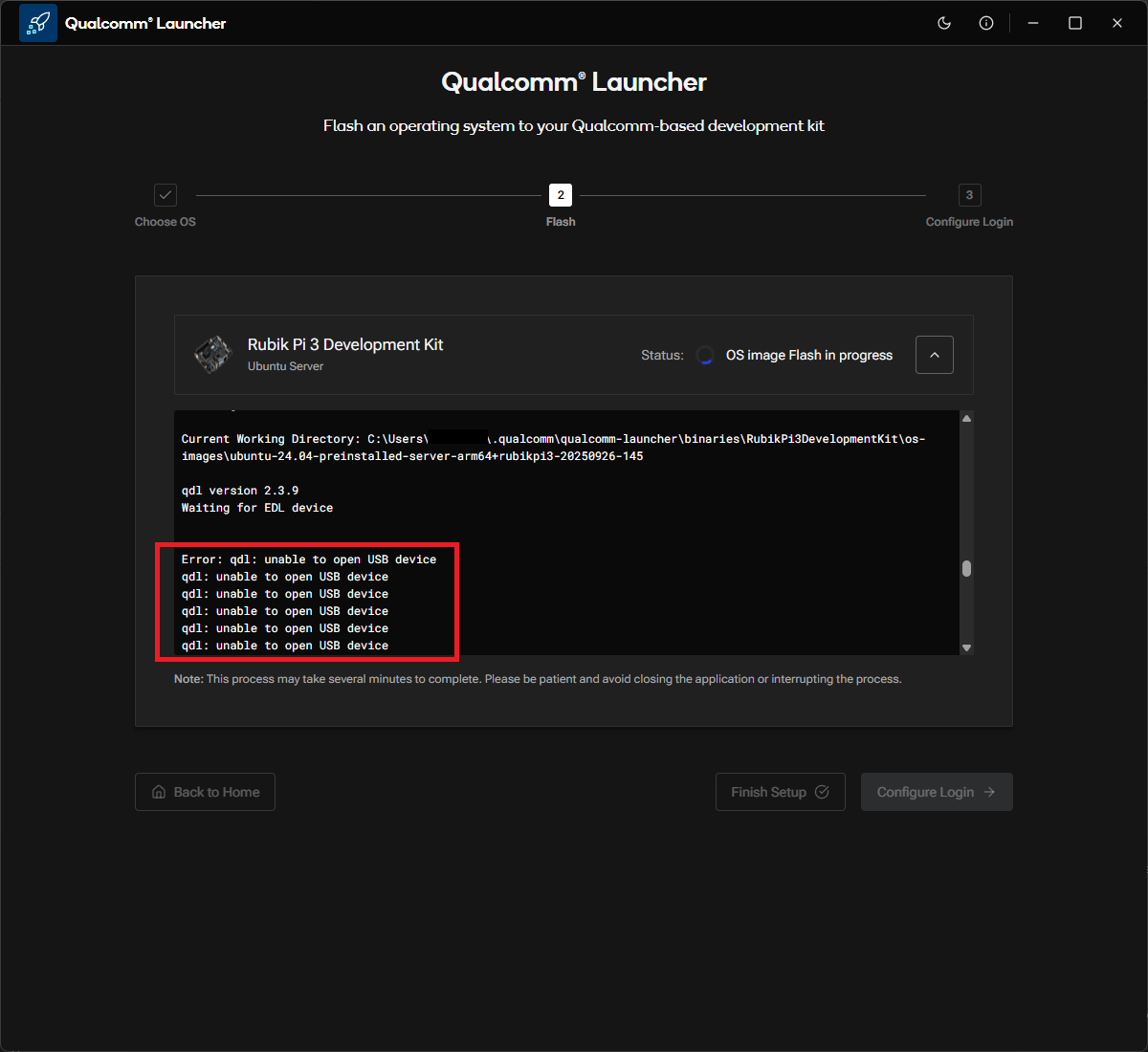
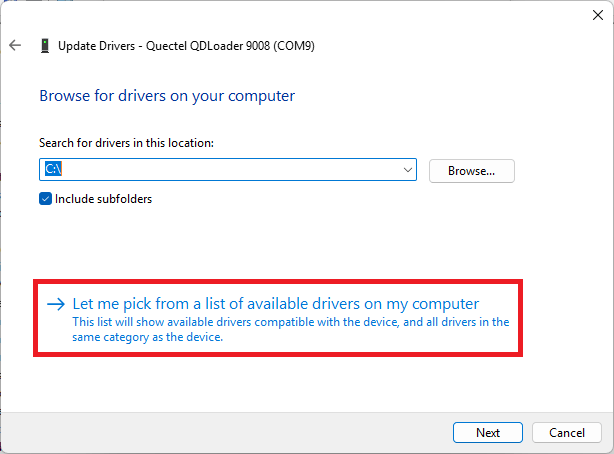
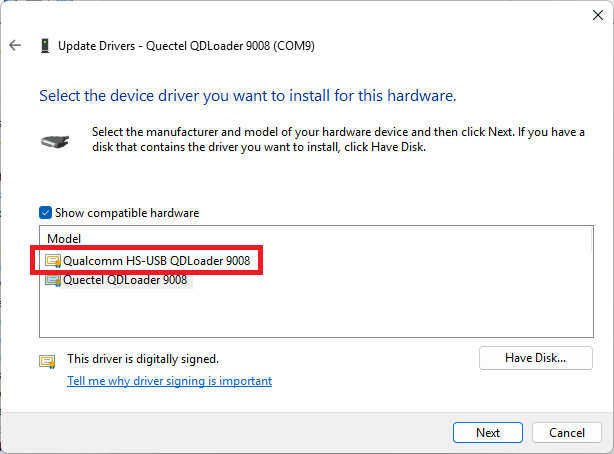
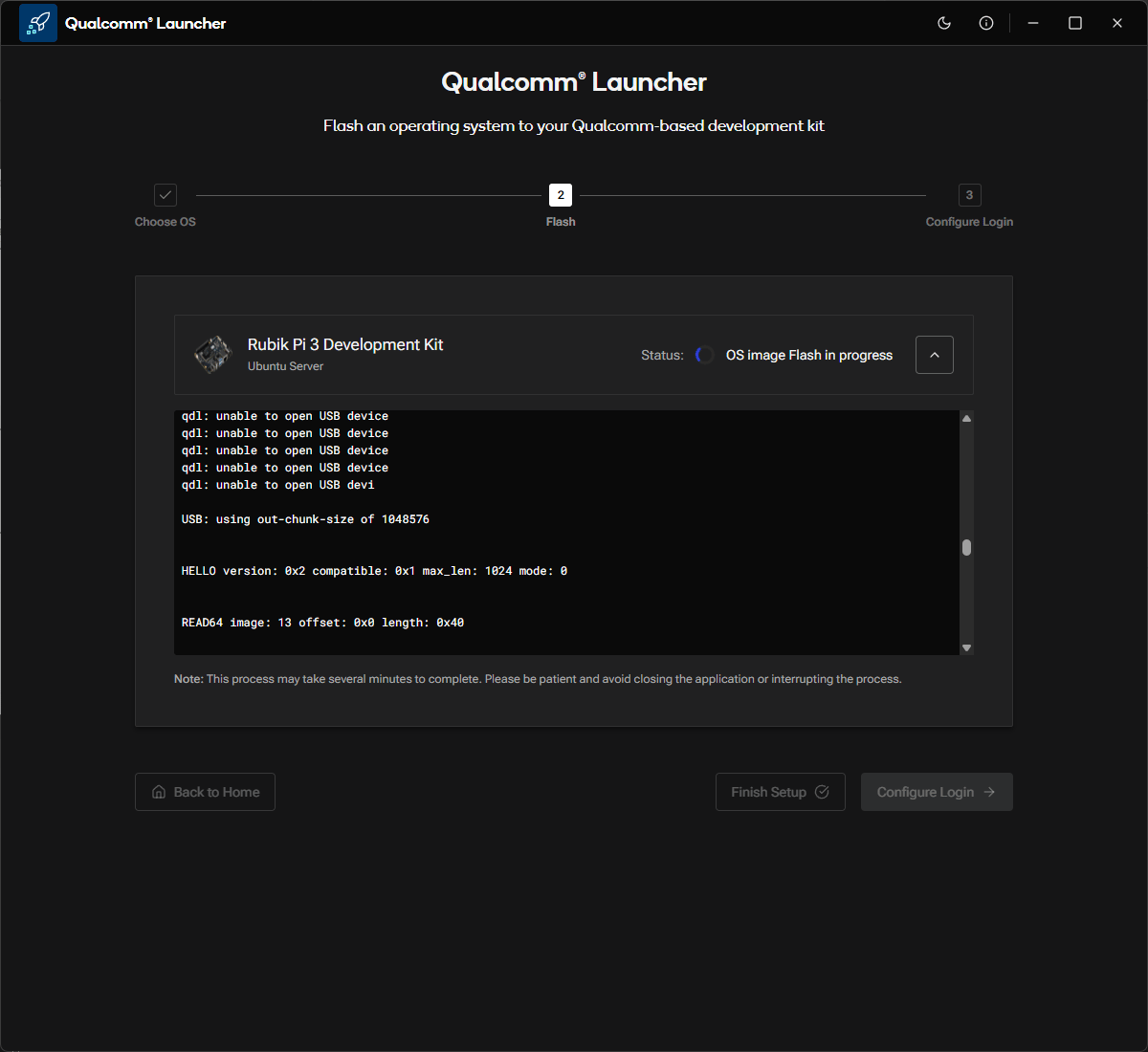
On some Windows hosts, an incorrect USB driver can prevent Qualcomm® Launcher
from accessing the device and can cause repeated qdl: unable to open USB device errors. This is the most likely cause covered by this guide.
Flashing fails repeatedly due to a USB driver conflict
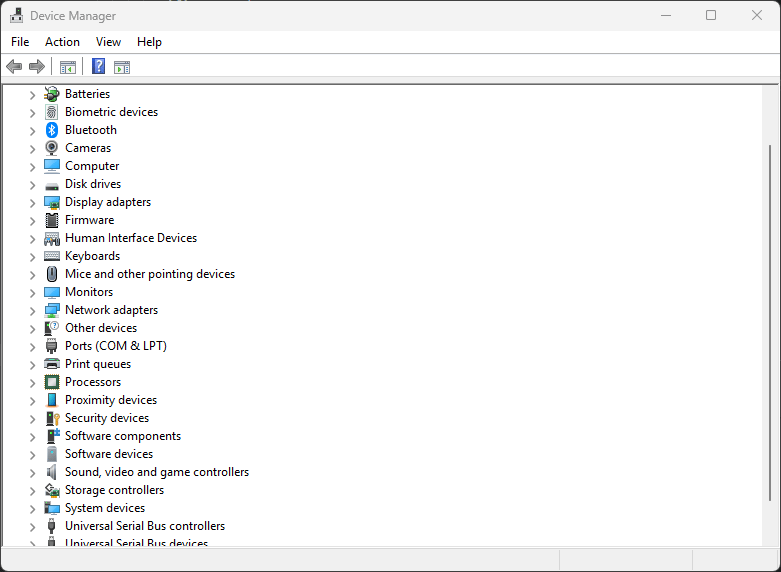
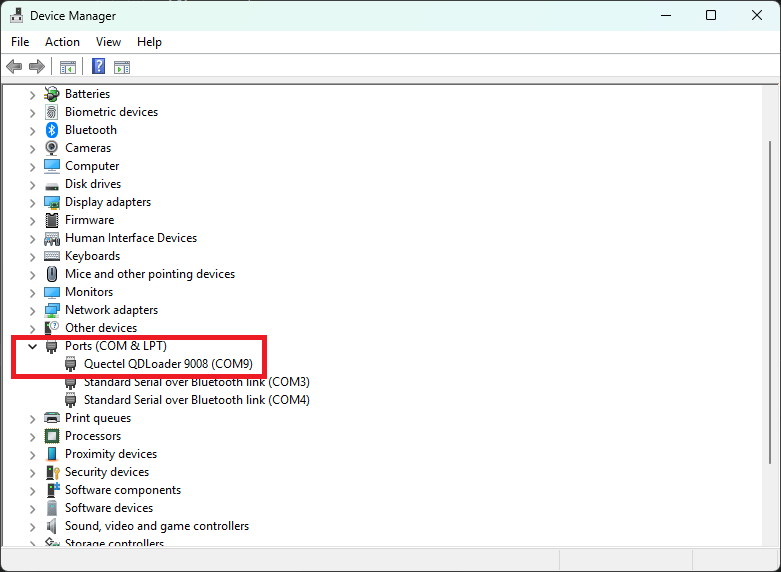
What to look for
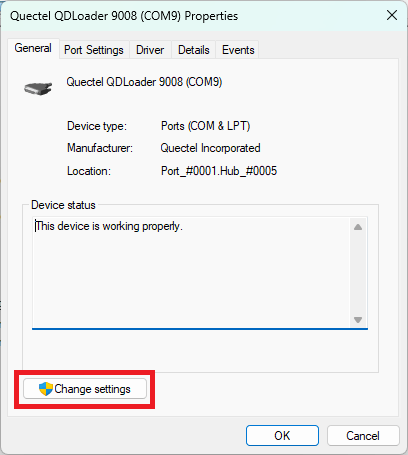
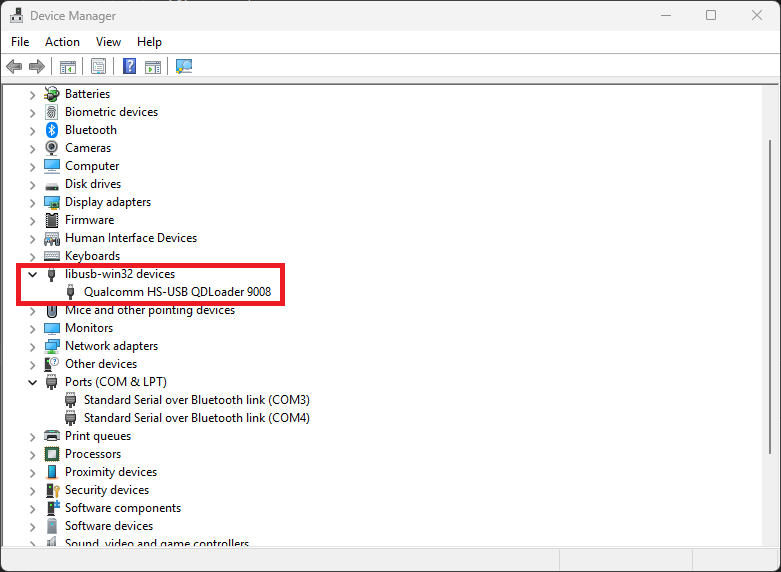
A third-party entry under Ports (COM & LPT).
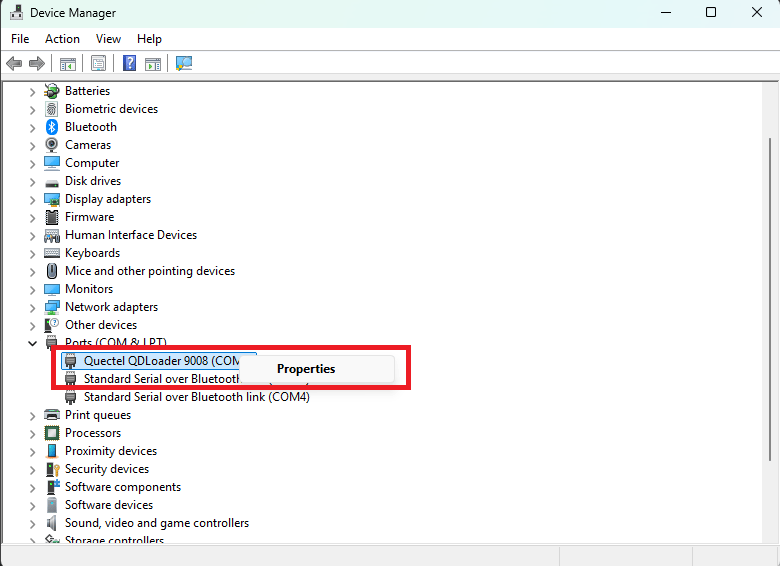
What the fix does
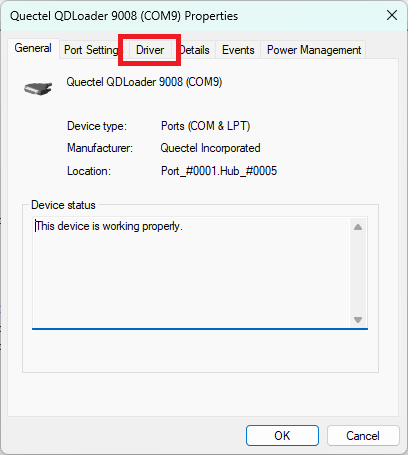
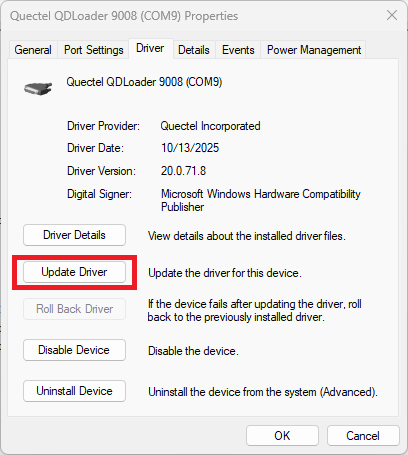
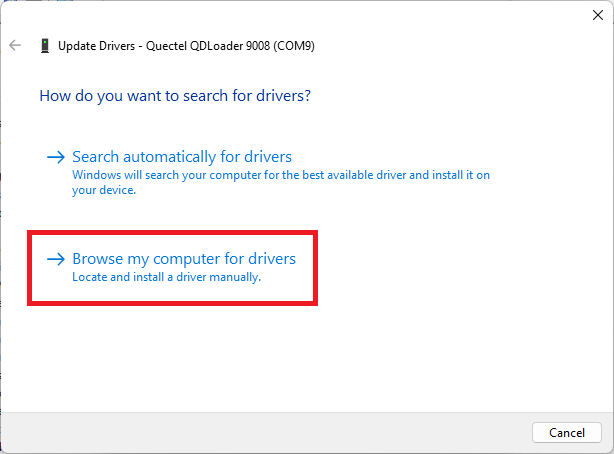
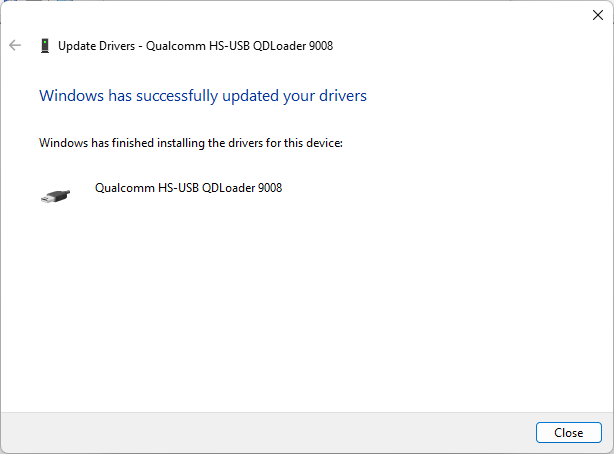
Replaces the conflicting driver with Qualcomm HS-USB QDLoader 9008.
The exact driver name or Device Manager category may vary by Windows version
and by the third-party driver installed on the host. Look for the QDLoader
device that is currently using the conflicting driver.
If the driver steps do not resolve the issue, check whether WSL or another
application has claimed the device.
Run the WSL and other-process check
The device may be claimed by WSL (Windows Subsystem for Linux) through
usbipd, or by another application on the host. The usbipd commands below
apply only to devices attached to WSL.