For supported interfaces and capabilities, see IQ-X5121 display specifications.
- eDP setup
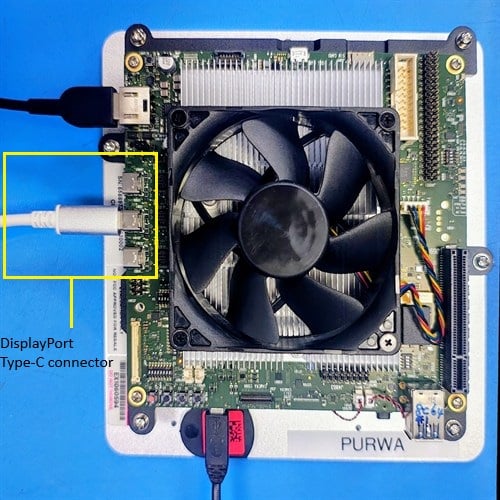
- USB Type-C DisplayPort setup
Set up the embedded DisplayPort (eDP) display
The eDP panel connects to the IQ-X5121 evaluation kit (EVK) through a standard eDP cable. The panel is powered directly through the eDP connector — no additional power supply is required.Always power OFF the IQ-X5121 EVK before making any connections.
-
Locate the eDP connector on the board as shown in the following figure.
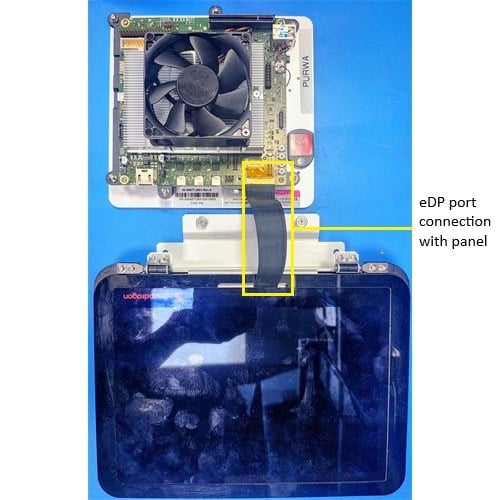
Figure: IQ-X5121 eDP connector
- Connect one end of the eDP cable to the eDP connector on the board.
- Connect the other end to the Sharp LQ133T1JW02 panel. Ensure the cable is firmly seated on both ends.
- Power on the device. Weston launches automatically during boot.
-
Verify the display.
The following Weston flower pattern displays on the eDP panel, indicating a successful setup.

Run Weston simple EGL
Verify composition and rendering of frames on your display.
Run DRM modetest
Verify the display driver topology and DPU paths.