

For supported interfaces and capabilities, see IQ-9075 display specifications.
- DisplayPort setup
- DSI setup
Set up the DisplayPort
The display subsystem provides the Weston and Wayland compositors, along withlibdrm, which interact with the DPU driver to render the Wayland client applications. Use the sample test applications to evaluate the basic rendering of the Wayland applications and to connect to the DisplayPort.
Figure: DisplayPort setup workflow
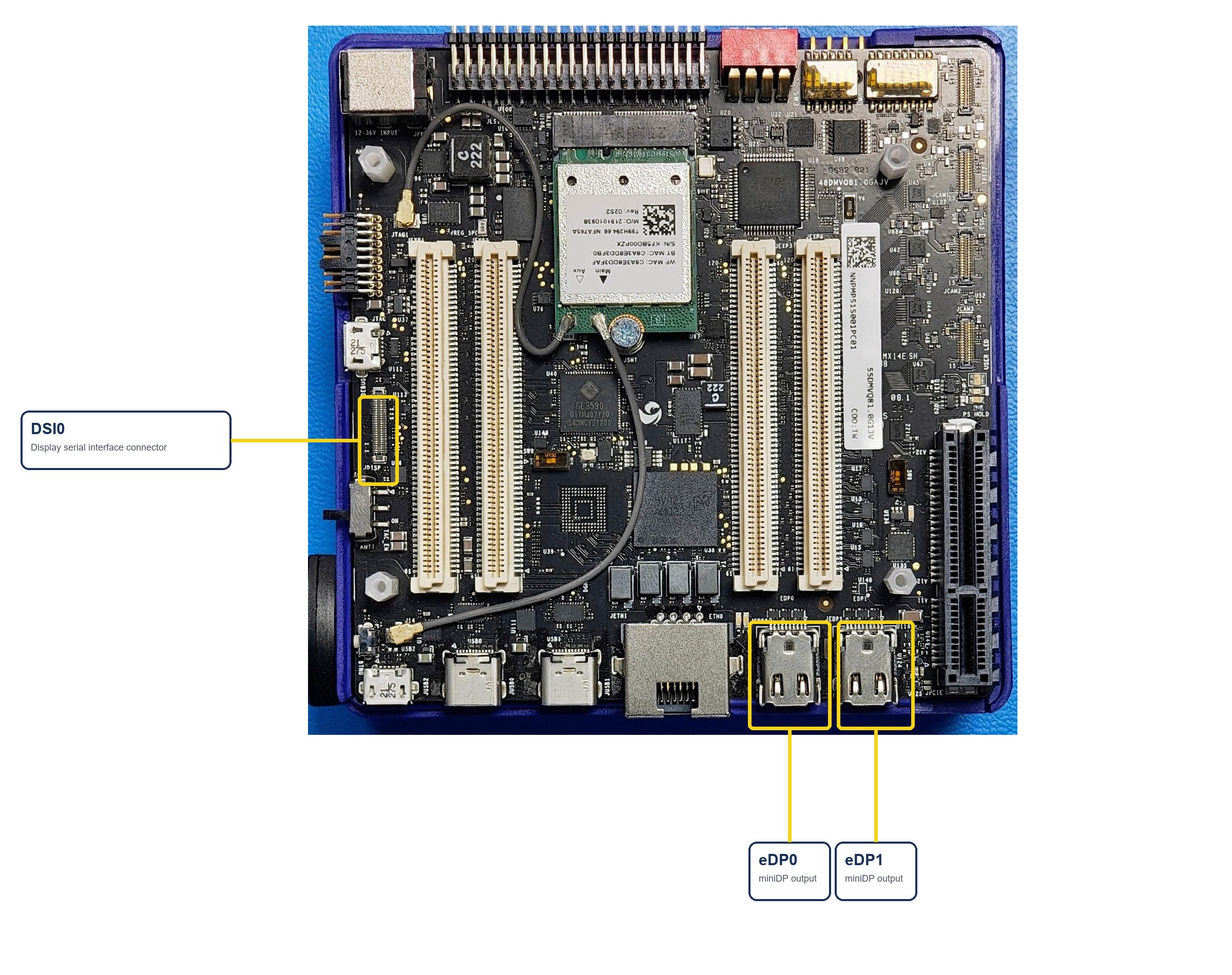
Figure: IQ-9075 EVK display connectors
Verify the DisplayPort setup
-
Connect the DisplayPort cable to the eDP0 connector as shown in the following figure:
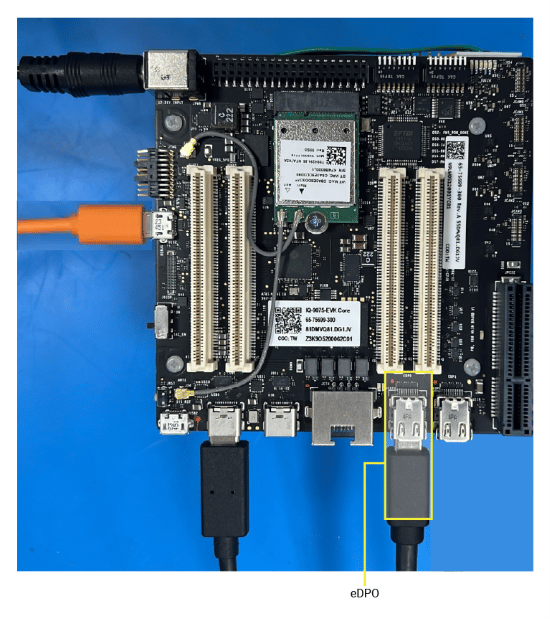
Figure: DisplayPort setup
- Power on the device. Weston launches automatically during boot.
-
Verify the display.
The following Weston flower pattern displays on both DisplayPort screens, indicating successful setup.

Set up multiple DisplayPort displays
To connect and configure more than one DisplayPort display on the IQ-9075 EVK, use the multiple DisplayPort setup guide.For step-by-step instructions, see Set up multiple DisplayPort displays.
If you are experiencing a no-display screen issue on DisplayPort, see Debug the DisplayPort.

Verify the display functionality
After you have set up the required display interface, run the following test applications to verify the display functionality:Run Weston simple EGL
Verify composition and rendering of frames on your display.
Run DRM modetest
Verify the display driver topology and DPU paths.