

face_image.jpg as input and publishes the result to the /mediaface_det_image topic.
For model information, see MediaPipe-Face-Detection - Qualcomm AI Hub.
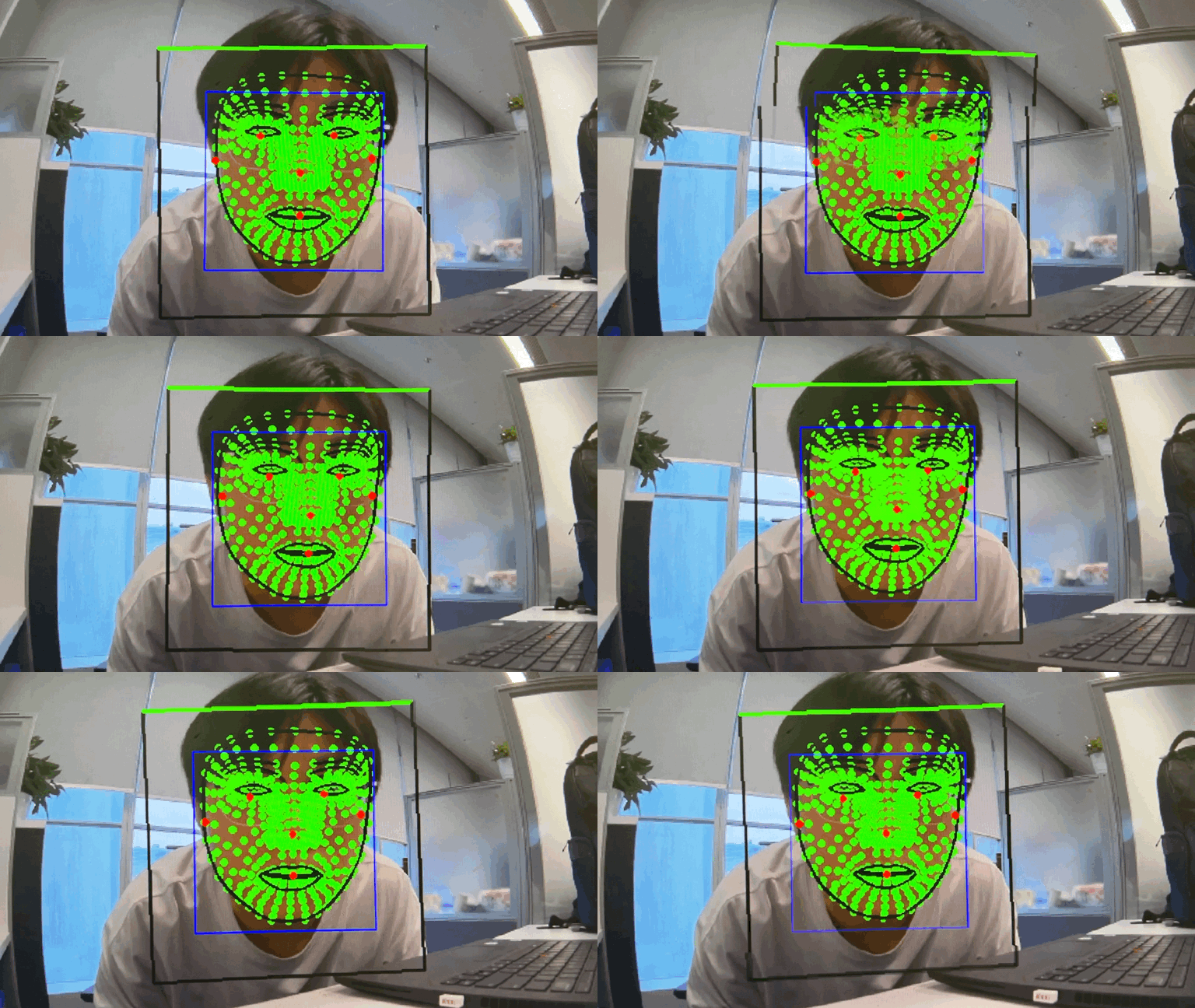
sample_face_detection pipeline flow
The following figure shows the pipeline flow for sample_face_detection.

sample_face_detection pipeline.
ROS nodes used in the sample_face_detection pipeline
The following table lists the ROS nodes used in the sample_face_detection pipeline.
ROS topics used in the sample_face_detection pipeline
The following table lists the ROS topics used in the sample_face_detection pipeline.
Prerequisites
You have set up the device, installed ROS2 Jazzy and Qualcomm Intelligent Robotics (QIR) SDK on the device according to Install the QIR SDK.Build from source of face detection
Build the face detection sample from source when you need to change the sample code. The device steps install the dependencies, clone the source repository, and build the package.Device steps
1
Download the sample face detection model
Download the models
2
Install the dependencies
Install the dependencies
3
Download source code from the qrb_ros_sample repository and build
Download and build
4
Run the sample_face_detection sample application
Run the sample application