

input_image.jpg, and then it publishes the result as ROS topic handlandmark_result. It uses Qualcomm AI Engine Direct SDK (QNN) for model inference.
For model information, see MediaPipe-Hand-Detection.For more information, see the sample_hand_detection GitHub repository.
sample_hand_detection pipeline flow
The following figure shows the pipeline flow for sample_hand_detection.

sample_hand_detection pipeline.
ROS nodes used in the sample_hand_detection pipeline
The following table lists the ROS nodes used in the sample_hand_detection pipeline.
ROS topics used in the sample_hand_detection pipeline
The following table lists the ROS topics used in the sample_hand_detection pipeline.
Prerequisites
You have set up the device, installed ROS2 Jazzy and Qualcomm Intelligent Robotics (QIR) SDK on the device according to Install the QIR SDK.Run out-of-the-box sample_hand_detection
1
Create necessary directories for running the sample application
Create the output directories
2
On the development kit, run the following commands
Launch the sample application
3
On the host, run the following commands
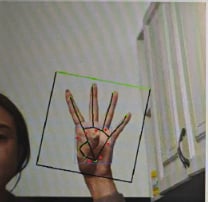
a. Start b. Select the following buttons in sequence:c. Select
rqt.handlandmark_result to see the results.