

For more information, see sample_apriltag GitHub repository.
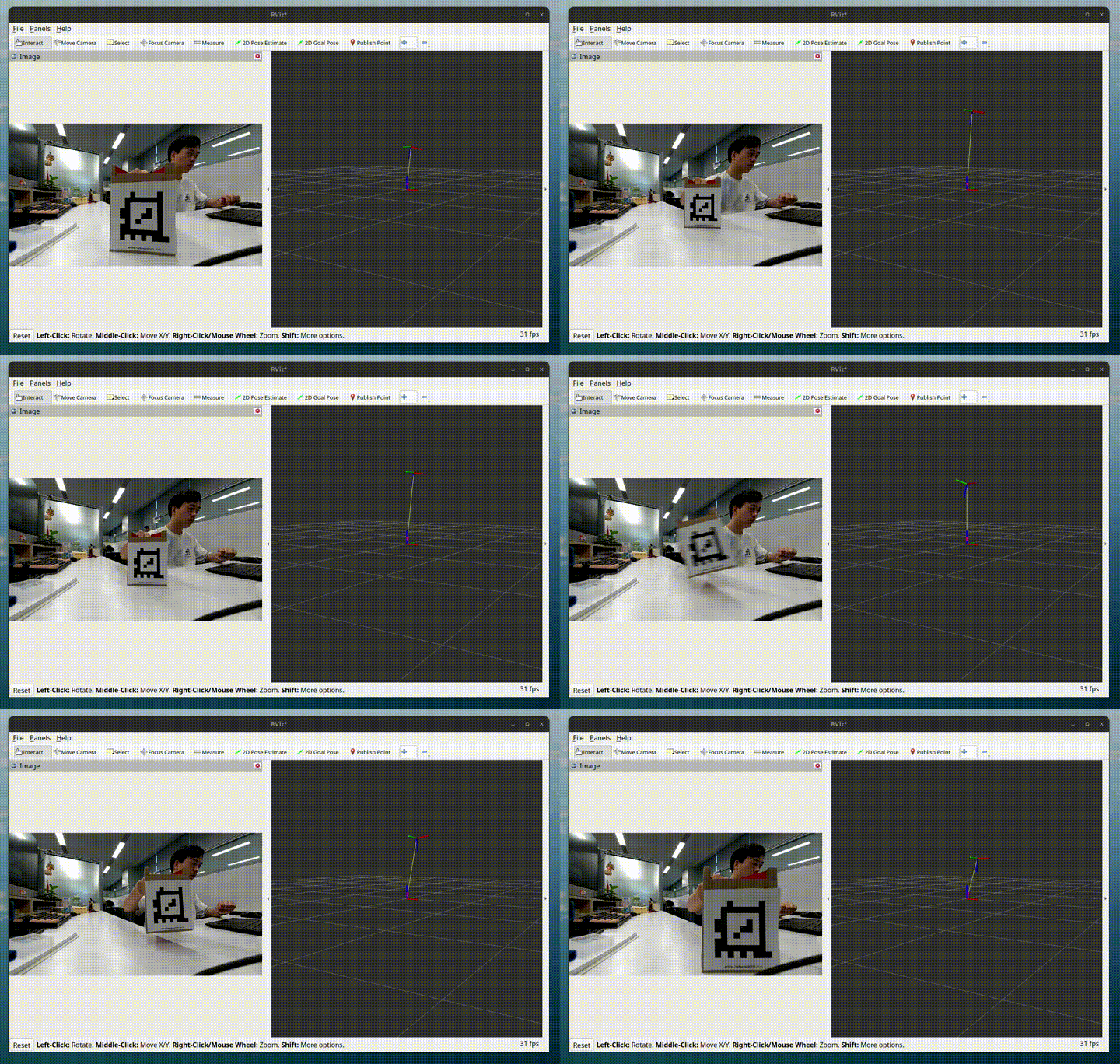
Pipeline flow for sample_apriltag
The following figure shows the pipeline flow for sample_apriltag.
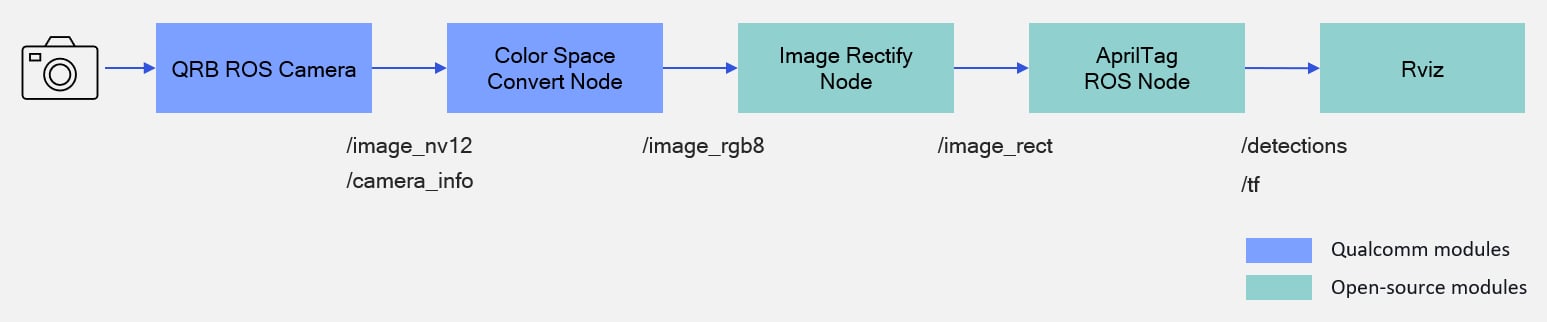
The sample_apriltag pipeline.
- The pipeline accepts an NV12 image from
qrb_ros_cameraand converts the color space to RGB8 format. - Then, it uses
image_procto rectify the image, and outputs/image_rect. - The
Apriltagnode detects tags and calculates their poses, which are published through/tf.
ROS nodes used in the sample_apriltag pipeline
The following table lists the ROS nodes used in the sample_apriltag pipeline and describes what each node does.
ROS topics used in the sample_apriltag pipeline
The following table lists the ROS topics used in the sample_apriltag pipeline, with the message type and the node that publishes each topic.
Prerequisites
You have set up the device, installed ROS2 Jazzy and the Qualcomm Intelligent Robotics (QIR) SDK on the device according to Install the QIR SDK.Run out-of-the-box sample_apriltag
1
Install dependencies
Add the package repositories
2
Install the sample_apriltag packages
Install the packages
3
Start the AprilTag pipeline sample
Start the pipeline
4
Place these AprilTag images in front of the camera
tagStandard41h12: 1 | tagStandard41h12: 2 | tagStandard41h12: 3 |
|---|---|---|
 |  |  |
5
In another terminal of the development kit, run the following commands
a. Start a terminal and run the following commands to check the apriltag detection result.The pipeline outputs the detection results with Result:The result shows the detected tag:
/apriltag/detections and detects the tag pose with /tf.b. To check the topic output, run the following command:Output
tagStandard41h12 and the tag ID is 1.Build from the source of sample_apriltag
Build sample_apriltag from source when you need to change the sample code. The device steps install the dependencies, clone the source repository, and build the package.
Device steps
1
Install the dependencies
Install the dependencies
2
Download source code from qrb-ros-sample repository
Clone the sample repository
3
Build sample from source code
Build the sample
4
Run and test
Run and test according to steps 2-4 of Run out-of-the-box sample_apriltag.