

For more information, see the simulation_follow_me on GitHub.
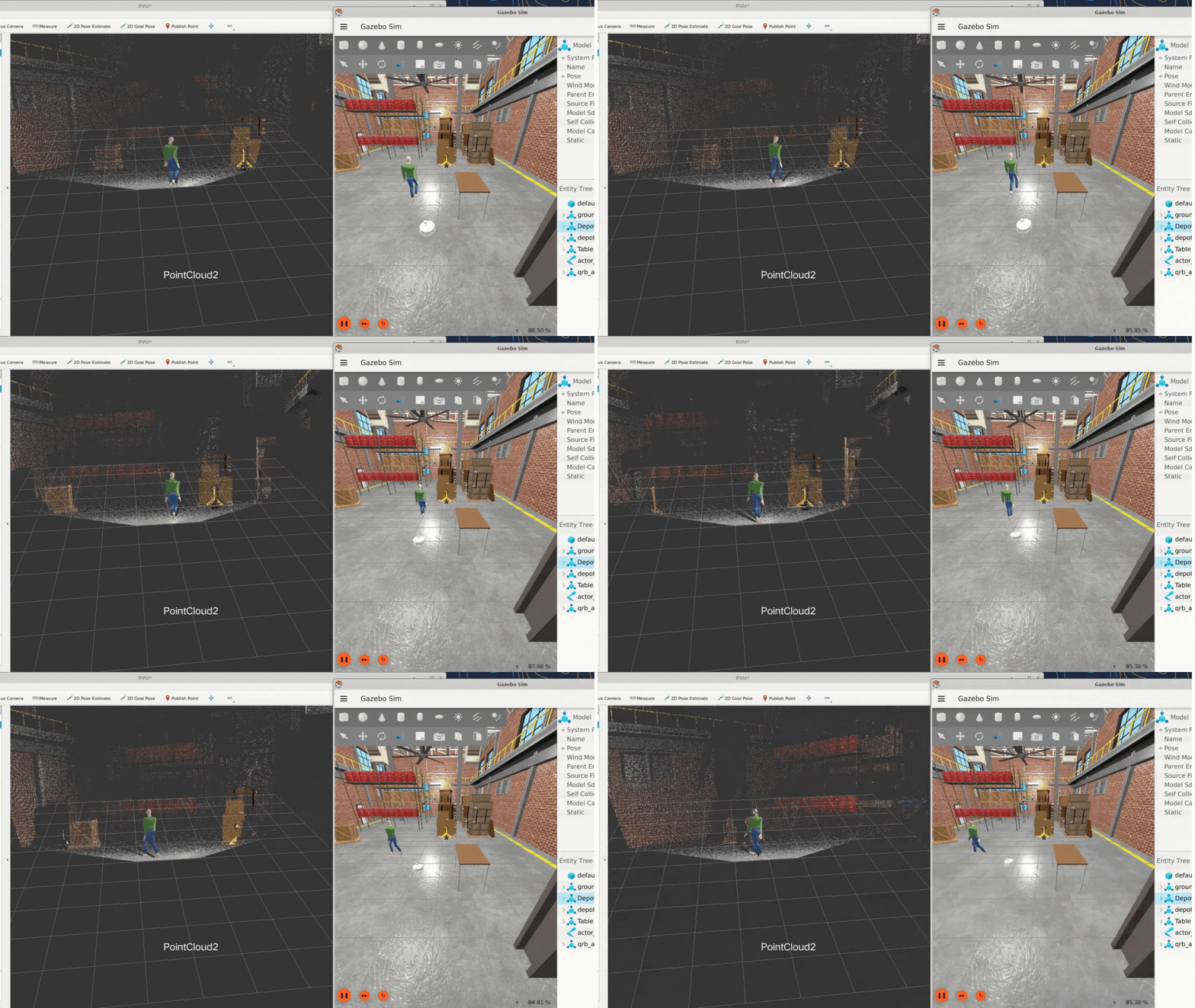
Pipeline flow for simulation_follow_me
The following figure shows the pipeline flow for simulation_follow_me.
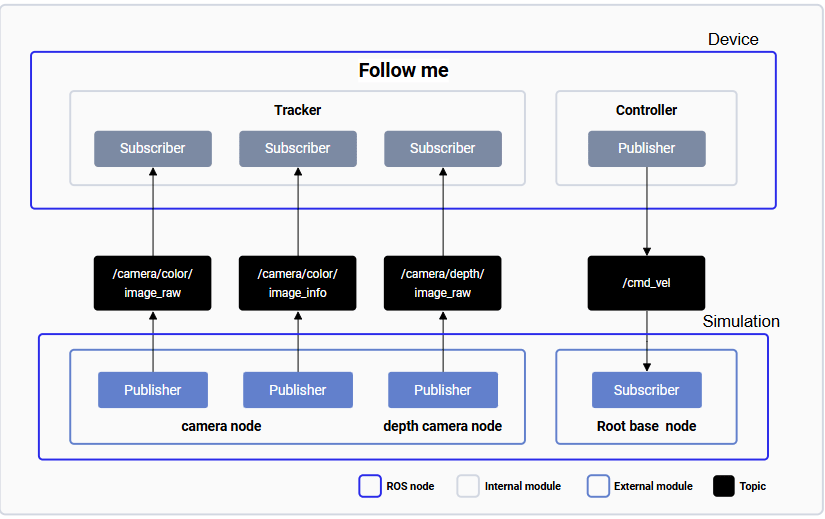
The simulation_follow_me pipeline.
ROS nodes used in the simulation_follow_me pipeline
The following table lists the ROS nodes used in the simulation_follow_me pipeline and describes what each node does.
ROS topics used in the simulation_follow_me pipeline
The following table lists the ROS topics used in the simulation_follow_me pipeline, with the message type, the publisher or subscriber, and a description of each topic.
Prerequisites
You have set up the device, installed ROS2 Jazzy and the Qualcomm Intelligent Robotics (QIR) SDK on the device according to Install the QIR SDK.Ensure you have connected the board to the simulation host using an Ethernet cable. Otherwise, the sample’s performance may degrade due to data transmission issues.
Run out-of-the-box simulation_follow_me
1
On the device, run the follow-me function
On the device, run the follow-me function according to Run out-of-the-box follow_me.
2
In a terminal of the host computer, set up and run the simulation_follow_me sample application
-
On the host, run
QRB Robot Base AMRaccording to the README of QRB ROS Simulation. Ensure that the device and the host are on the same local network and can communicate with each other through ROS communication. -
Run the following command in the simulation environment.
Run the sample in Gazebo