

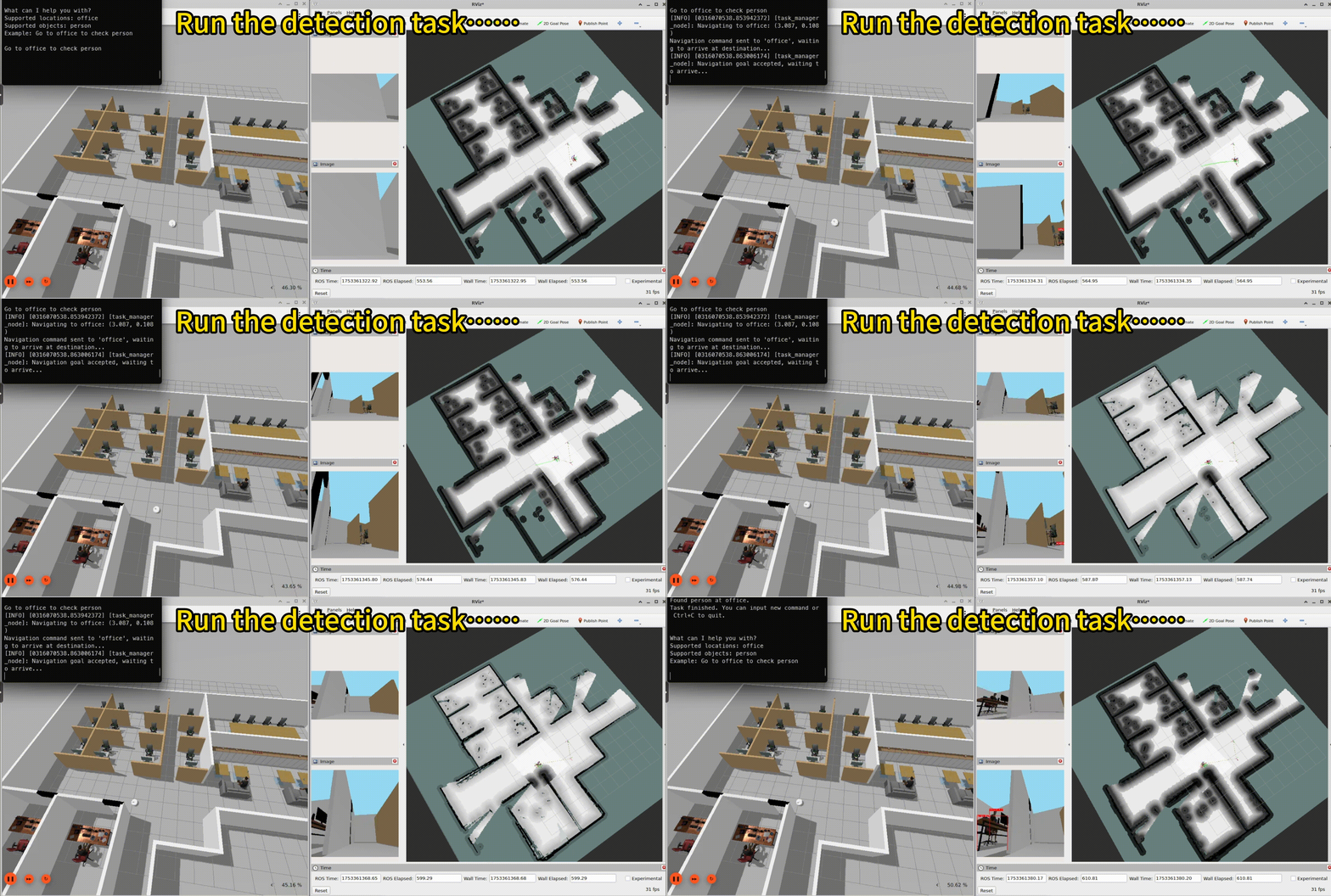
Remote assistant running result in a simulated office.
Pipeline flow
The following figure shows the pipeline ofsimulation_remote_assistant:

simulation-remote-assistant pipeline.
ROS nodes used in the simulation_remote_assistant pipeline
The following table describes the ROS nodes used in the simulation_remote_assistant pipeline.
ROS topics used in the simulation_remote_assistant pipeline
The following table describes the ROS topics used in the simulation_remote_assistant pipeline.
Prerequisites
You have set up the device, installed ROS2 Jazzy and the Qualcomm Intelligent Robotics (QIR) SDK on the device according to Install the QIR SDK.Run out-of-the-box simulation_remote_assistant
1
Set up the simulation sample environment on host computer
a. Prepare the simulation environment according to the qrb_ros_simulation README.b. Set up the simulation office world.
Set up environment
Launch the simulation office world
2
Install the simulation-remote-assistant packages
3
Download the yolo object detection model
a. Build and download the yolo model according to qrb_ros_tensor_process README.b. Run the following commands:
Prepare the model and move to the default model path
4
Run the remote assistant sample on the device
a. Set up the environment and run the b. Launch the yolo object detection script.c. Run the task manager to parse the location and object.d. Input the task commands in terminal.
map_nav_setup.launch.py script for auto mapping.Set up the environment
Launch the map_nav_setup.launch.py scripts
Build from the source of simulation_remote_assistant
Build simulation_remote_assistant from source when you need to change the sample code. The device steps install the dependencies, clone the source repository, and build the package.
Device steps
1
Install the dependencies
2
Download source code from qrb-ros-sample repository
3
Build sample from source code
4
Run and test the sample
Run and test according to steps 2-4 of Run out-of-the-box simulation_remote_assistant.