

orbbec_camera is the OrbbecSDK ROS2 Wrapper, which provides integration of Orbbec cameras within the ROS 2 environment.
Pipeline flow for orbbec_camera
The following figure shows the pipeline flow for orbbec_camera.
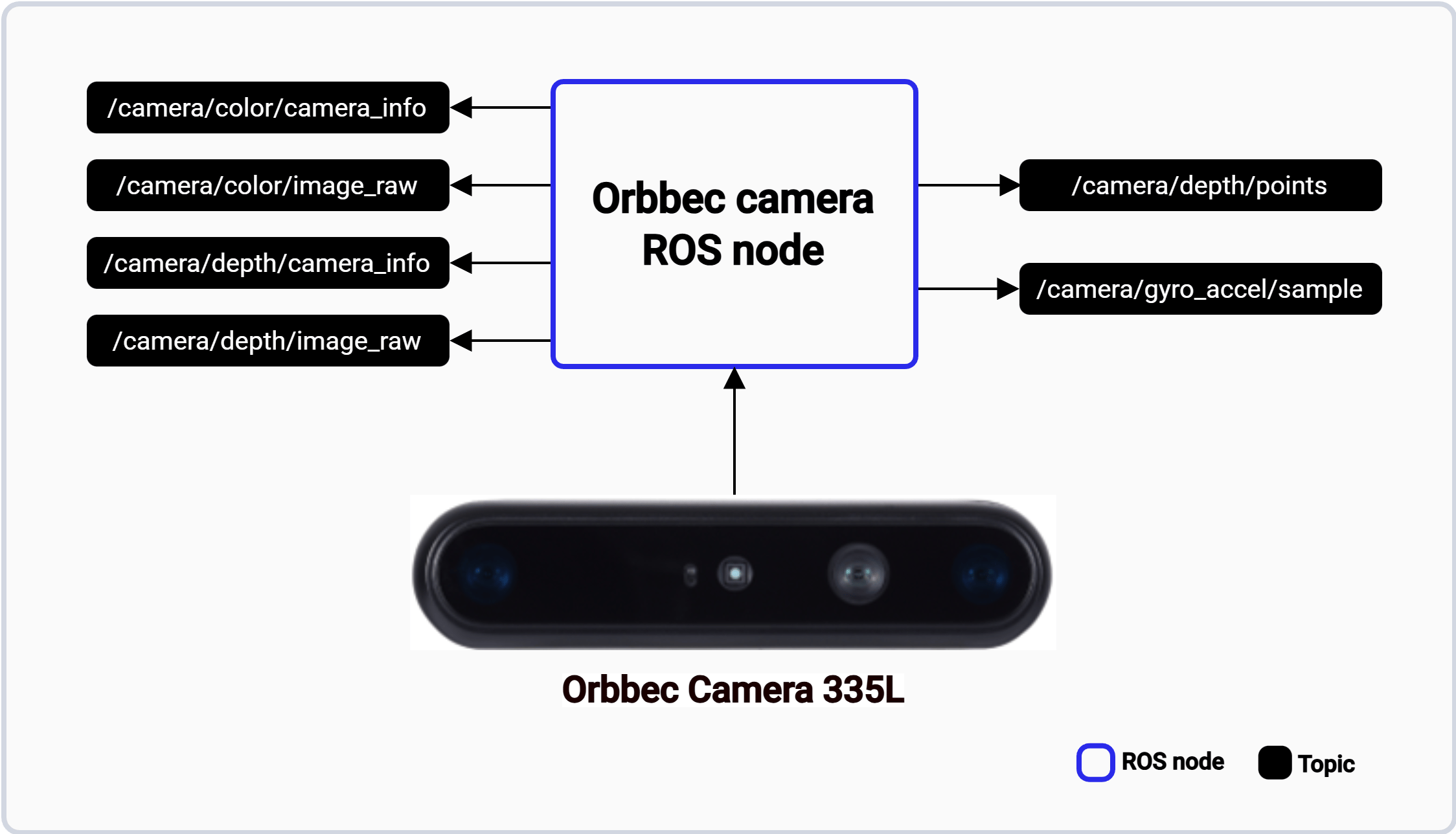
The orbbec_camera pipeline.
ROS topics used in the orbbec_camera pipeline
The following table lists the ROS topics used in the orbbec_camera pipeline, with the message type and a description of each topic.
Prerequisites
- You have set up the device, installed ROS2 Jazzy and the Qualcomm Intelligent Robotics (QIR) SDK on the device according to Install the QIR SDK.
- Connect the USB port of Orbbec Gemini 335L camera.
Run out-of-the-box orbbec_camera
1
Install the orbbec_camera packages
Install the packages
2
Install udev rules
Install the udev rules
3
Run the orbbec_camera ROS node in one of three modes, each requiring a new terminal window